
External Email - Use Caution
Hi, when I try to use freeview on ubuntu under WSL, I'm getting a brief show of a X window and then an ABORT.
I'm running in ubunto 22.04 (jammy) under WSL on windows using an Xming 6.9.0.31 xMing is configured with a X11 server on localhost:0.0
I did a clean install of ubunto using: Cmd> wsl -install ubuntu
Then in ubunto: $ sudo apt update -y $sudo apt-get upgrade -y $sudo apt install x11-apps $sudo apt install xterm
I installed freesurfer using: $sudo apt install ./freesurfer_ununtu22-7.3.2_amd64.deb
Then added: $export DISPLAY=":0.0" $export FS_LICENSE=<location of my license file> $export FREESURFER_HOME=/usr/local/freesurfer/7.3.2 $export XDG_RUNTIME_DIR=/home/<myaccount>/.xdg $export SUBJECTS_DIR=<location of subjects> $source $FREESURFER_HOM/SetUpFreeSurfer.sh
$ freeview Aborted
$sudo apt install gdb $gdb freeview (gdb) run
An Xwindow pops up which is blank/black that has the title "FreeView".
And gdb reports:
[cid:image001.png@01D97205.3B00A040]
I'm sort of stuck... any idea what to try next?
Keith Moore

External Email - Use Caution
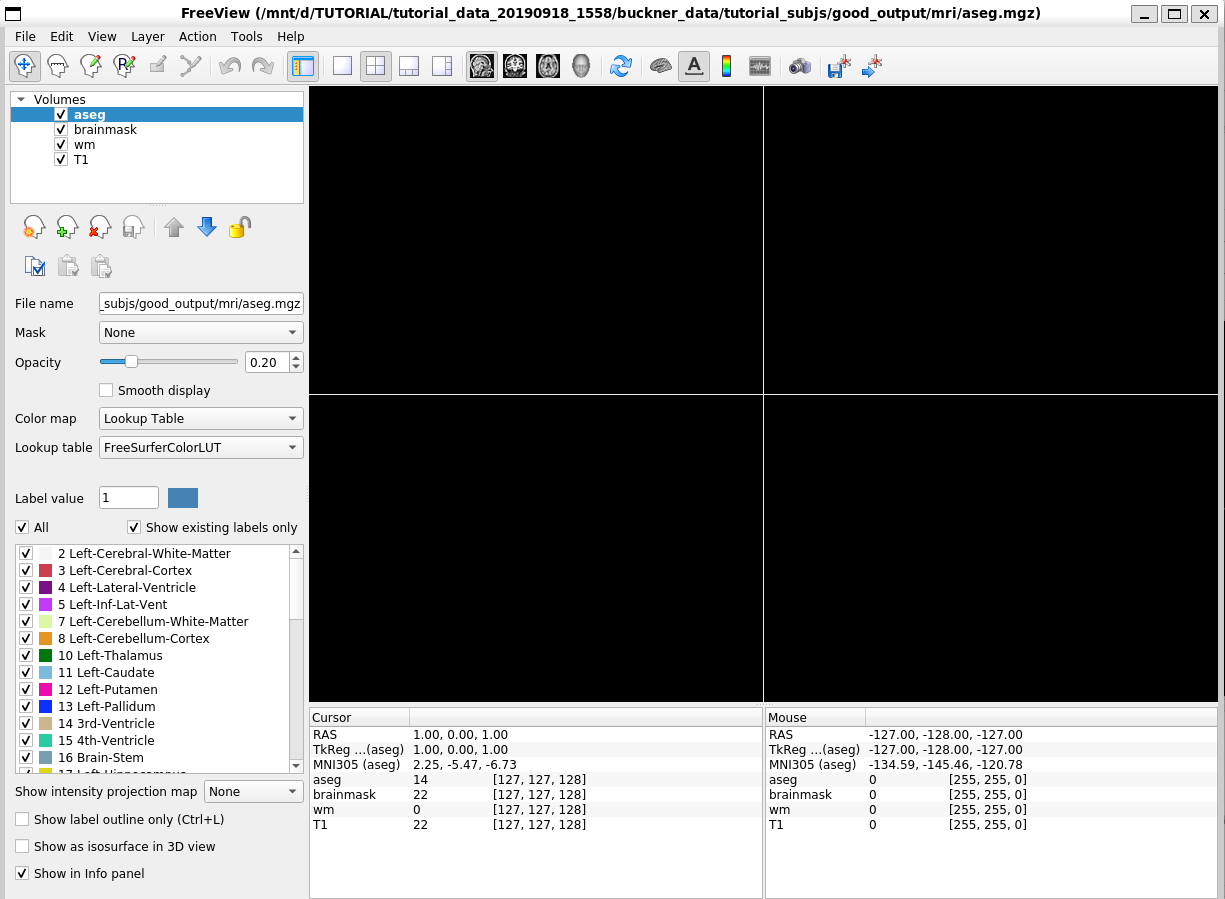
Okay, found one issue. My .bashrc had: export LIBGL_ALWAYS_INDIRECT=1 I then went to unpacked tutorial and ran:
$ freeview -v \ good_output/mri/T1.mgz \ good_output/mri/wm.mgz \ good_output/mri/brainmask.mgz \ good_output/mri/aseg.mgz:colormap=lut:opacity=0.2 \ -f good_output/surf/lh.white:edgecolor=blue \ good_output/surf/lh.pial:edgecolor=red \ good_output/surf/rh.white:edgecolor=blue \ good_output/surf/rh.pial:edgecolor=red
and got:
[cid:image002.png@01D97209.633EEA40]
So most is working except the image isn't showing... any ideas?
Keith Moore
From: freesurfer-bounces@nmr.mgh.harvard.edu freesurfer-bounces@nmr.mgh.harvard.edu On Behalf Of Keith E Moore Sent: Tuesday, April 18, 2023 2:53 PM To: freesurfer@nmr.mgh.harvard.edu Subject: [Freesurfer] ABORT error when running freeview
External Email - Use Caution Hi, when I try to use freeview on ubuntu under WSL, I'm getting a brief show of a X window and then an ABORT.
I'm running in ubunto 22.04 (jammy) under WSL on windows using an Xming 6.9.0.31 xMing is configured with a X11 server on localhost:0.0
I did a clean install of ubunto using: Cmd> wsl -install ubuntu
Then in ubunto: $ sudo apt update -y $sudo apt-get upgrade -y $sudo apt install x11-apps $sudo apt install xterm
I installed freesurfer using: $sudo apt install ./freesurfer_ununtu22-7.3.2_amd64.deb
Then added: $export DISPLAY=":0.0" $export FS_LICENSE=<location of my license file> $export FREESURFER_HOME=/usr/local/freesurfer/7.3.2 $export XDG_RUNTIME_DIR=/home/<myaccount>/.xdg $export SUBJECTS_DIR=<location of subjects> $source $FREESURFER_HOM/SetUpFreeSurfer.sh
$ freeview Aborted
$sudo apt install gdb $gdb freeview (gdb) run
An Xwindow pops up which is blank/black that has the title "FreeView".
And gdb reports:
[cid:image003.png@01D97206.7370E8D0]
I'm sort of stuck... any idea what to try next?
Keith Moore

External Email - Use Caution
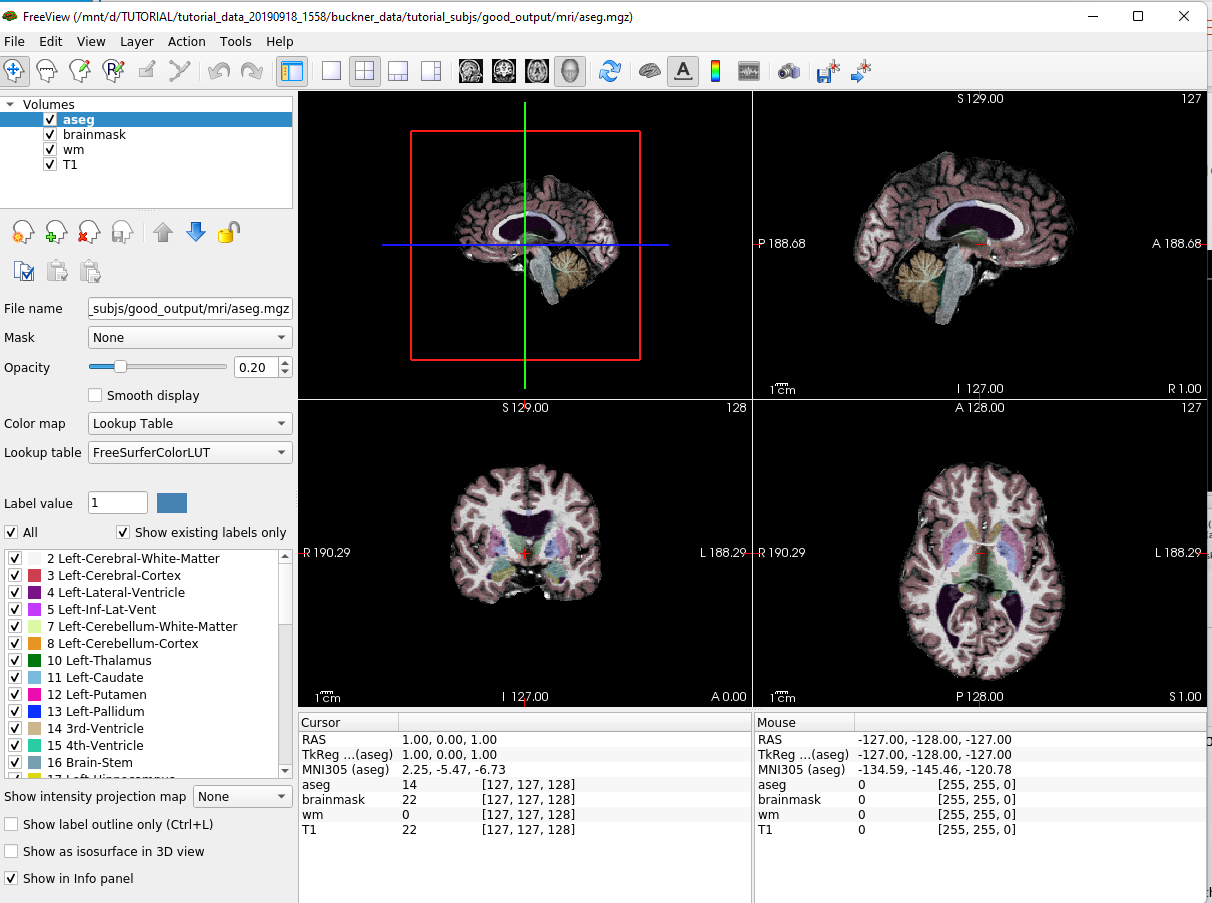
Okay, so it does look like it is the LIBGL bandwidth. I went back and downgraded WSL to version1.0 (non-VM). Yes, a bit draconian, but wanted to see if this was a lack of shared memory accessibility. Used: Cmd> wsl -set-version ubunto 1
Then reran and got the expected image:
$[cid:image001.png@01D9720E.EE5C5F40]
So looks like there is an issue when interacting with X11 servers when the client is in a VM? Anyway, I'll work with this... but would be grateful if there's a better configuration.
Keith
From: freesurfer-bounces@nmr.mgh.harvard.edu freesurfer-bounces@nmr.mgh.harvard.edu On Behalf Of Keith E Moore Sent: Tuesday, April 18, 2023 3:21 PM To: Freesurfer support list freesurfer@nmr.mgh.harvard.edu Subject: Re: [Freesurfer] ABORT error when running freeview
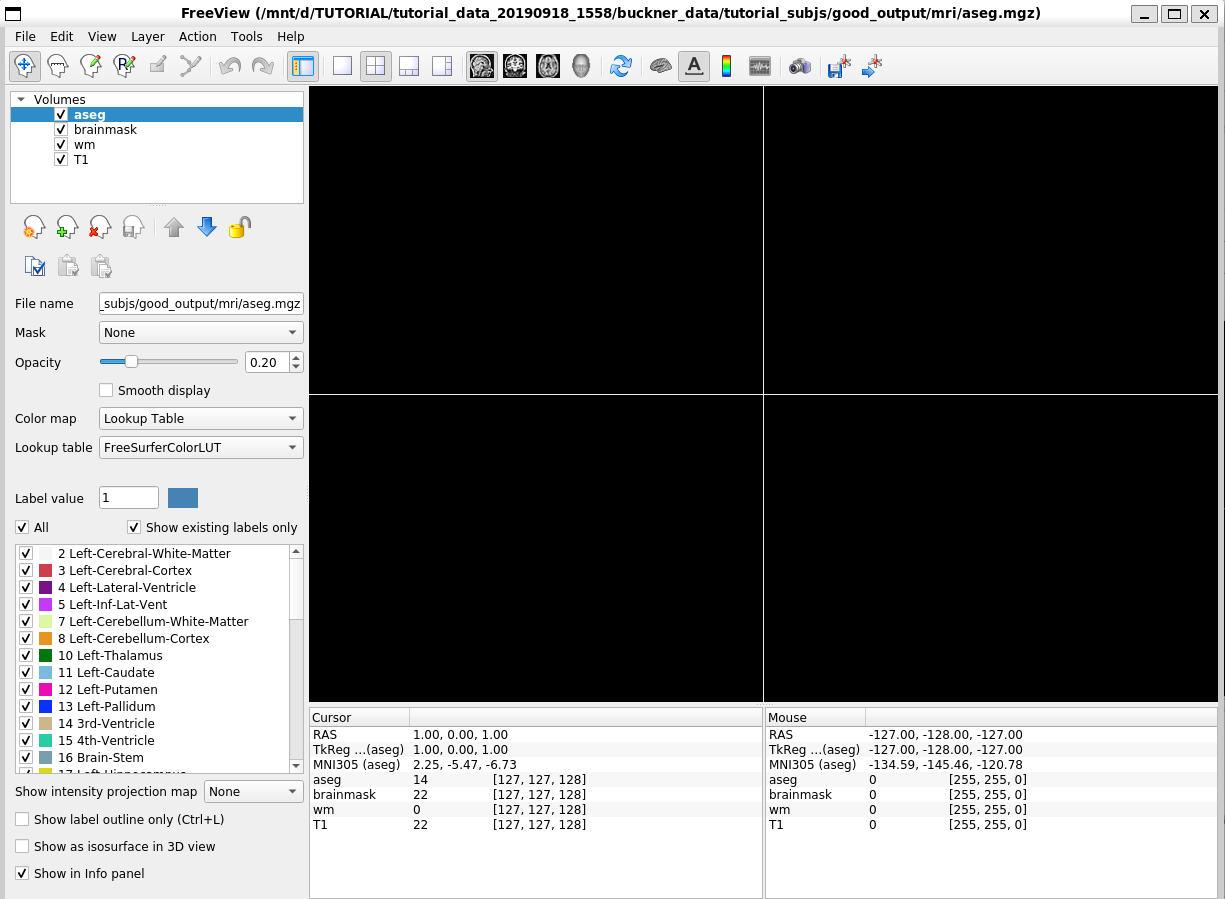
External Email - Use Caution Okay, found one issue. My .bashrc had: export LIBGL_ALWAYS_INDIRECT=1 I then went to unpacked tutorial and ran:
$ freeview -v \ good_output/mri/T1.mgz \ good_output/mri/wm.mgz \ good_output/mri/brainmask.mgz \ good_output/mri/aseg.mgz:colormap=lut:opacity=0.2 \ -f good_output/surf/lh.white:edgecolor=blue \ good_output/surf/lh.pial:edgecolor=red \ good_output/surf/rh.white:edgecolor=blue \ good_output/surf/rh.pial:edgecolor=red
and got:
[cid:image002.png@01D9720E.EE5C5F40]
So most is working except the image isn't showing... any ideas?
Keith Moore
From: freesurfer-bounces@nmr.mgh.harvard.edumailto:freesurfer-bounces@nmr.mgh.harvard.edu <freesurfer-bounces@nmr.mgh.harvard.edumailto:freesurfer-bounces@nmr.mgh.harvard.edu> On Behalf Of Keith E Moore Sent: Tuesday, April 18, 2023 2:53 PM To: freesurfer@nmr.mgh.harvard.edumailto:freesurfer@nmr.mgh.harvard.edu Subject: [Freesurfer] ABORT error when running freeview
External Email - Use Caution Hi, when I try to use freeview on ubuntu under WSL, I'm getting a brief show of a X window and then an ABORT.
I'm running in ubunto 22.04 (jammy) under WSL on windows using an Xming 6.9.0.31 xMing is configured with a X11 server on localhost:0.0
I did a clean install of ubunto using: Cmd> wsl -install ubuntu
Then in ubunto: $ sudo apt update -y $sudo apt-get upgrade -y $sudo apt install x11-apps $sudo apt install xterm
I installed freesurfer using: $sudo apt install ./freesurfer_ununtu22-7.3.2_amd64.deb
Then added: $export DISPLAY=":0.0" $export FS_LICENSE=<location of my license file> $export FREESURFER_HOME=/usr/local/freesurfer/7.3.2 $export XDG_RUNTIME_DIR=/home/<myaccount>/.xdg $export SUBJECTS_DIR=<location of subjects> $source $FREESURFER_HOM/SetUpFreeSurfer.sh
$ freeview Aborted
$sudo apt install gdb $gdb freeview (gdb) run
An Xwindow pops up which is blank/black that has the title "FreeView".
And gdb reports:
[cid:image003.png@01D9720E.EE5C5F40]
I'm sort of stuck... any idea what to try next?
Keith Moore

freesurfer@nmr.mgh.harvard.edu
-
 Keith E Moore