
Hello Dr. Fischl,
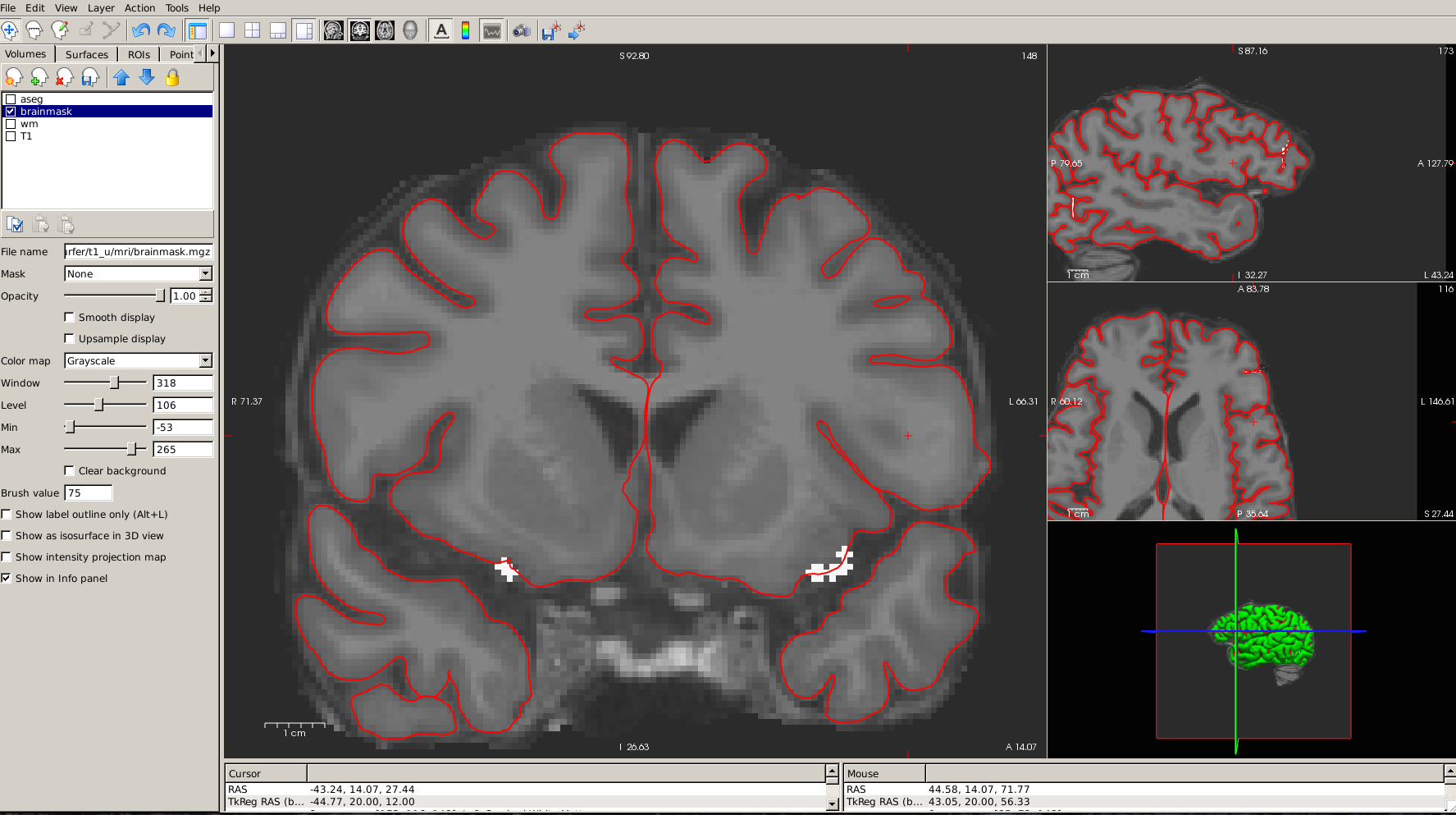
I had question about Freesurfer, I am trying to correct the gray matter volume. So I made changes by adding pixels to the contour, and ran recon-all. Subsequently, when I opened up the file after performing recon-all I saw were the pixels (which are white) that I added when I was making the changes. How do you make changes to the gray matter, and what type of recon command should I run after making the changes.
I searched through the various tutorials, but that further confused me.
I am attaching a screen shot of the brain as well as the tool that I used to add the pixel, and you will be able to see the white pixels I am mentioning above.
Thank you for your time.
Best Regards,
Gaurang Shyam Limachia


Hi Gaurang
we don't edit the gray matter/pial surface directly. We usually edit the white matter or change intensity thresholds in the mris_make_surfaces call to improve the accuracy of the pial surface. You need to figure out why it is not accurate (is the white surface accurate? Is the aseg accurate?) before figuring out how to correct it
cheers Bruce
On Mon, 9 May 2016, Limachia, Gaurang (NIH/NINDS) [F] wrote:
Hello Dr. Fischl,
I had question about Freesurfer, I am trying to correct the gray matter volume. So I made changes by adding pixels to the contour, and ran recon-all. Subsequently, when I opened up the file after performing recon-all I saw were the pixels (which are white) that I added when I was making the changes. How do you make changes to the gray matter, and what type of recon command should I run after making the changes.
I searched through the various tutorials, but that further confused me.
I am attaching a screen shot of the brain as well as the tool that I used to add the pixel, and you will be able to see the white pixels I am mentioning above.
Thank you for your time.
Best Regards,
Gaurang Shyam Limachia
freesurfer@nmr.mgh.harvard.edu
-
 Bruce Fischl
 -
 Limachia, Gaurang (NIH/NINDS) [F]