
External Email - Use Caution
Hello.
I am trying to run recon-all on HCP7T data and seeing this error message.
**************************************** ERROR! FOV=268.800 > 256 Include the flag -cw256 with recon-all! Inspect orig.mgz to ensure the head is fully visible. ****************************************
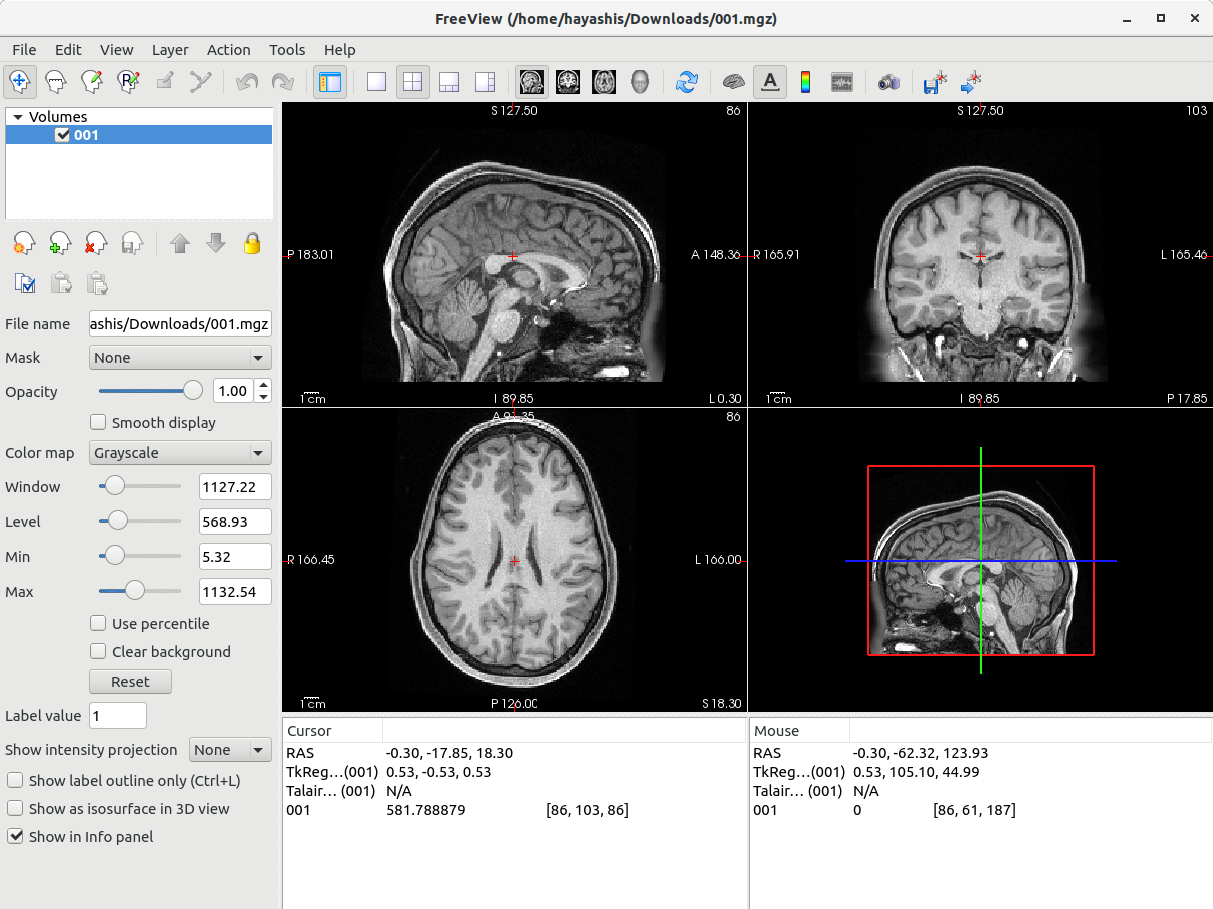
I've looked at orig.mgz, and it looks fine to me (screenshot attached).
Anyway, I've added the -cw256 option to the command line.
$ recon-all -i ../5e977c0dfe00f4e4b4976207/5a052586eec2b300611abffc/t1.nii.gz -subject output -all -parallel -openmp 8 -hippocampal-subfields-T1 -hires -cw256
However, I am still seeing the same error message saying that I should add the flag -cw256. Am I setting this option incorrectly? I am using freesurfer version 6.0.0.
Thank you! Soichi Hayashi [image: Screenshot from 2020-04-17 12-28-01.png]

Can you run it with -debug as the first option and send me the (copious) terminal output? Even better if you can send me the data so I can try it out in the soon-to-be-released version 7. Instructions below
From the linux command line, Create the file you want to upload, eg, cd $SUBJECTS_DIR tar cvfz subject.tar.gz ./subject Now log into our anonymous FTP site: ftp surfer.nmr.mgh.harvard.edu It will ask you for a user name: use "anonymous" (no quotes) It will ask you for a password: use "anonymous" (no quotes) cd transfer/incoming binary put subject.tar.gz Send an email that the file has been and the name of the file.
On 4/17/2020 12:29 PM, Soichi Hayashi wrote:
External Email - Use Caution
Hello.
I am trying to run recon-all on HCP7T data and seeing this error message.
ERROR! FOV=268.800 > 256 Include the flag -cw256 with recon-all! Inspect orig.mgz to ensure the head is fully visible.
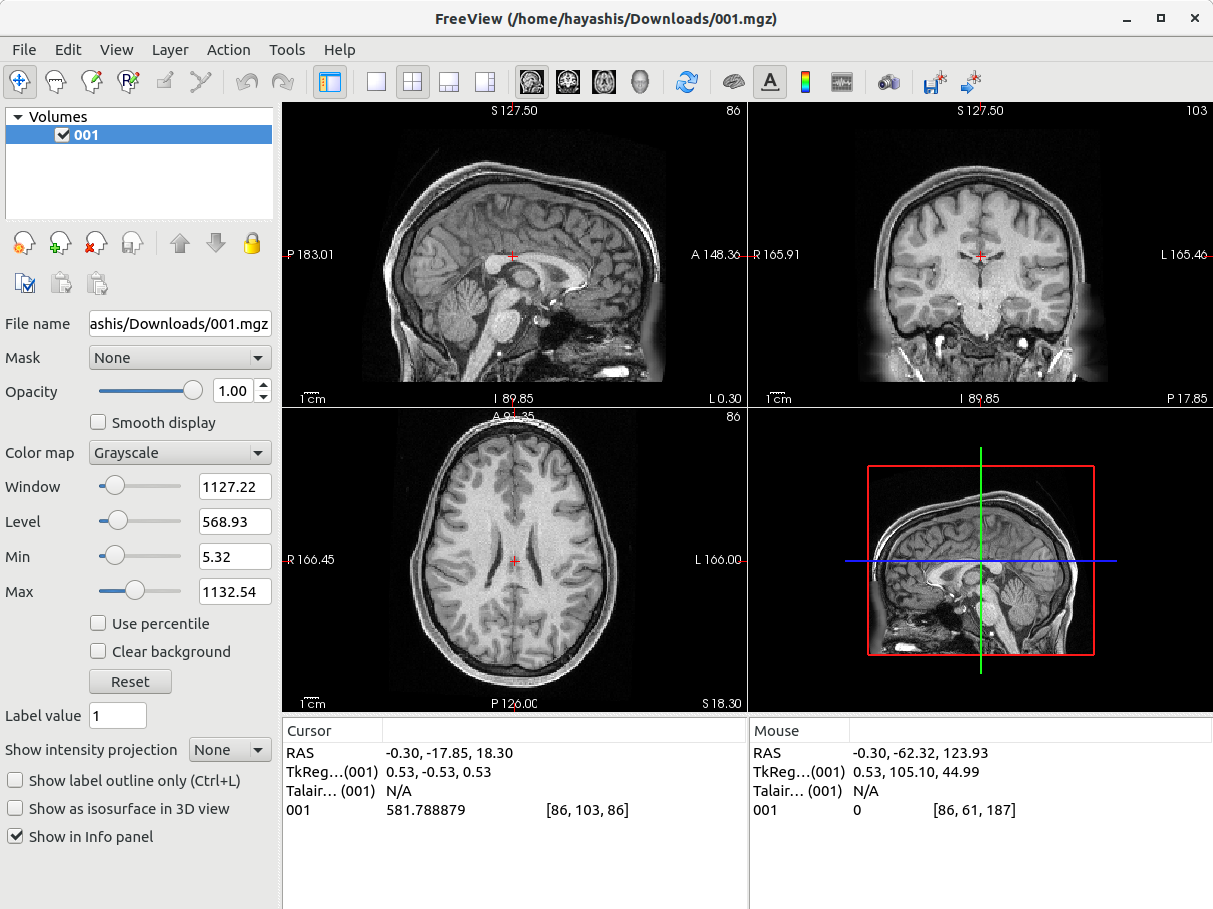
I've looked at orig.mgz, and it looks fine to me (screenshot attached).
Anyway, I've added the -cw256 option to the command line.
$ recon-all -i ../5e977c0dfe00f4e4b4976207/5a052586eec2b300611abffc/t1.nii.gz -subject output -all -parallel -openmp 8 -hippocampal-subfields-T1 -hires -cw256
However, I am still seeing the same error message saying that I should add the flag -cw256. Am I setting this option incorrectly? I am using freesurfer version 6.0.0.
Thank you! Soichi Hayashi Screenshot from 2020-04-17 12-28-01.png
Freesurfer mailing list Freesurfer@nmr.mgh.harvard.edu https://mail.nmr.mgh.harvard.edu/mailman/listinfo/freesurfer

External Email - Use Caution
I think you should 100% do what Doug suggested, but it could also be that you're using the "-hires" AND "-cw256" flag at the same time (?)
$ recon-all -i ../5e977c0dfe00f4e4b4976207/5a052586eec2b300611abffc/t1.nii.gz -subject output -all -parallel -openmp 8 -hippocampal-subfields-T1 -hires -cw256
On Fri, Apr 17, 2020 at 11:37 AM Douglas N. Greve dgreve@mgh.harvard.edu wrote:
Can you run it with -debug as the first option and send me the (copious) terminal output? Even better if you can send me the data so I can try it out in the soon-to-be-released version 7. Instructions below
From the linux command line, Create the file you want to upload, eg, cd $SUBJECTS_DIR tar cvfz subject.tar.gz ./subject Now log into our anonymous FTP site: ftp surfer.nmr.mgh.harvard.edu It will ask you for a user name: use "anonymous" (no quotes) It will ask you for a password: use "anonymous" (no quotes) cd transfer/incoming binary put subject.tar.gz Send an email that the file has been and the name of the file.
On 4/17/2020 12:29 PM, Soichi Hayashi wrote:
External Email - Use CautionHello.
I am trying to run recon-all on HCP7T data and seeing this error message.
ERROR! FOV=268.800 > 256 Include the flag -cw256 with recon-all! Inspect orig.mgz to ensure the head is fully visible.
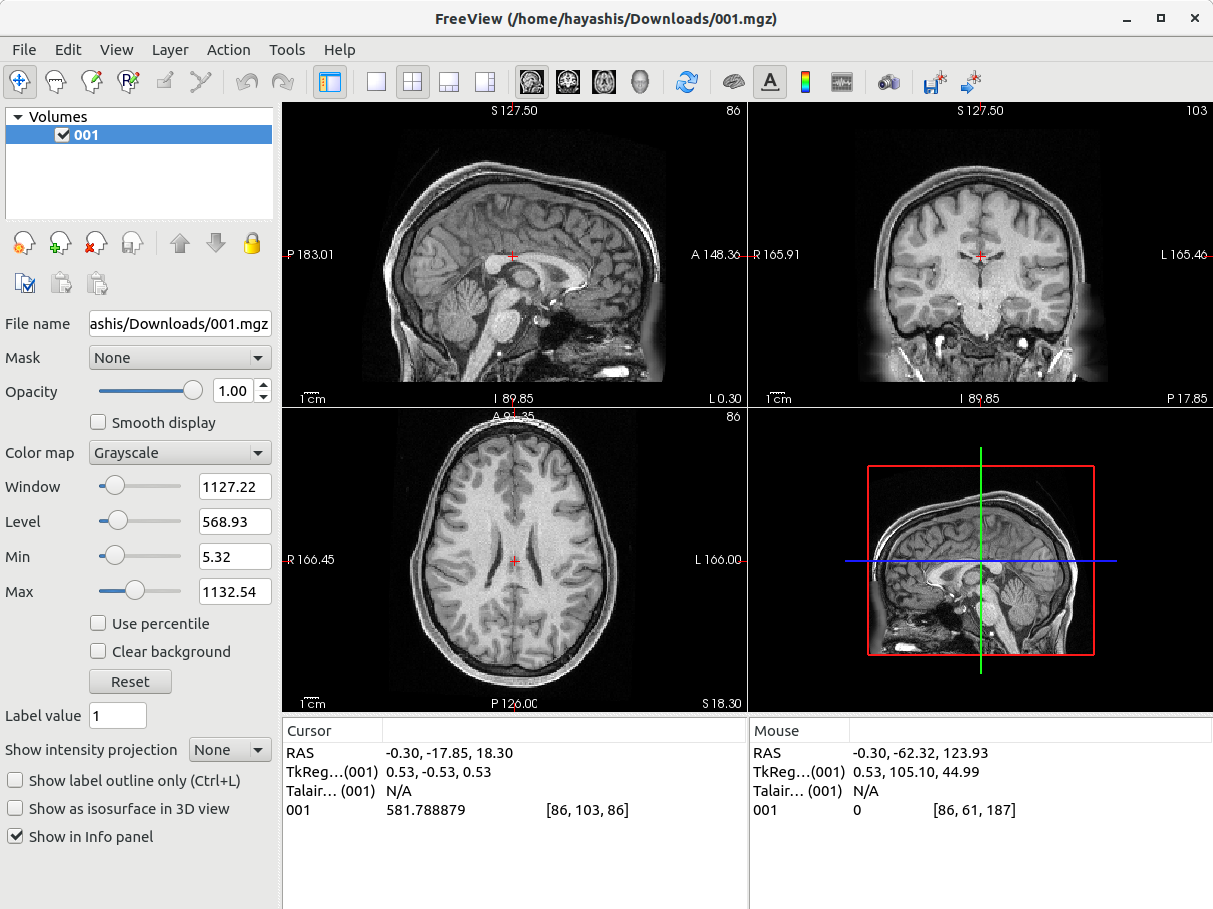
I've looked at orig.mgz, and it looks fine to me (screenshot attached).
Anyway, I've added the -cw256 option to the command line.
$ recon-all -i ../5e977c0dfe00f4e4b4976207/5a052586eec2b300611abffc/t1.nii.gz -subject output -all -parallel -openmp 8 -hippocampal-subfields-T1 -hires -cw256
However, I am still seeing the same error message saying that I should add the flag -cw256. Am I setting this option incorrectly? I am using freesurfer version 6.0.0.
Thank you! Soichi Hayashi [image: Screenshot from 2020-04-17 12-28-01.png]
Freesurfer mailing listFreesurfer@nmr.mgh.harvard.eduhttps://mail.nmr.mgh.harvard.edu/mailman/listinfo/freesurfer
Freesurfer mailing list Freesurfer@nmr.mgh.harvard.edu https://mail.nmr.mgh.harvard.edu/mailman/listinfo/freesurfer
freesurfer@nmr.mgh.harvard.edu
-
 Adam Martersteck
 -
 Douglas N. Greve
 -
 Soichi Hayashi