
External Email - Use Caution
Hi,
I saw the same question has been asked and no answer was provided: I run ---- "mri_cor2label --c fsaverage/mri/aseg.mgz --id 4 --l fsaverage/label/Left-Lateral-Ventricle.label --surf fsaverage lh" ----- to hopefully extract lateral ventricles volume into a overlay of surface base. however, gave me error: "dim mismatch between surface (100515) and input (16777216)". What should I change?
BTW, Also have questions for the following steps and hope you can answer that too: 1. convert surface-based label to volume, "mri_label2vol --label fsaverage/label/Left-Lateral-Ventricle.label --subject fsaverage --hemi lh --identify --temp fsaverage/mri/T1.mgz --o fsaverage/mri/lh.Left-Lateral-Ventricle.nii --proj frac 0 1 0.01 2. Better ROI with mri_binarize "mri_binarize" --dilate 1 -erode 1 --i fsaverage/mri/h.Left-Lateral-Ventricle.nii --o fsaverage/mri/h.Left-Lateral-Ventricle.nii --min 1 3. constrain the thick ROI "mris_calc -o fsaverage/mri/h.Left-Lateral-Ventricle.nii fsaverage/mri/h.Left-Lateral-Ventricle.nii mul fsaverage/mri/h.Left-Lateral-Ventricle.ribbon.mgz 4. Questions: Are the aforementioned steps correct? In the end, if I have a couple of ROIs, what should I use to combine them. or just load them separately with lh.white and lh.pial.
Best, Qi

Not sure what you are trying to do. extracting the vent vol to a surface does not make sense to me
On 1/28/2022 1:23 PM, Zeng, Qi wrote:
External Email - Use Caution
Hi,
I saw the same question has been asked and no answer was provided: I run ---- "mri_cor2label --c fsaverage/mri/aseg.mgz --id 4 --l fsaverage/label/Left-Lateral-Ventricle.label --surf fsaverage lh" ----- to hopefully extract lateral ventricles volume into a overlay of surface base. however, gave me error: "dim mismatch between surface (100515) and input (16777216)". What should I change?
BTW, Also have questions for the following steps and hope you can answer that too:
- convert surface-based label to volume,
"mri_label2vol --label fsaverage/label/Left-Lateral-Ventricle.label --subject fsaverage --hemi lh --identify --temp fsaverage/mri/T1.mgz --o fsaverage/mri/lh.Left-Lateral-Ventricle.nii --proj frac 0 1 0.01 2. Better ROI with mri_binarize "mri_binarize" --dilate 1 -erode 1 --i fsaverage/mri/h.Left-Lateral-Ventricle.nii --o fsaverage/mri/h.Left-Lateral-Ventricle.nii --min 1 3. constrain the thick ROI "mris_calc -o fsaverage/mri/h.Left-Lateral-Ventricle.nii fsaverage/mri/h.Left-Lateral-Ventricle.nii mul fsaverage/mri/h.Left-Lateral-Ventricle.ribbon.mgz 4. Questions: Are the aforementioned steps correct? In the end, if I have a couple of ROIs, what should I use to combine them. or just load them separately with lh.white and lh.pial.
Best, Qi
Freesurfer mailing list Freesurfer@nmr.mgh.harvard.edu https://mail.nmr.mgh.harvard.edu/mailman/listinfo/freesurfer
External Email - Use Caution
Hi Douglas,
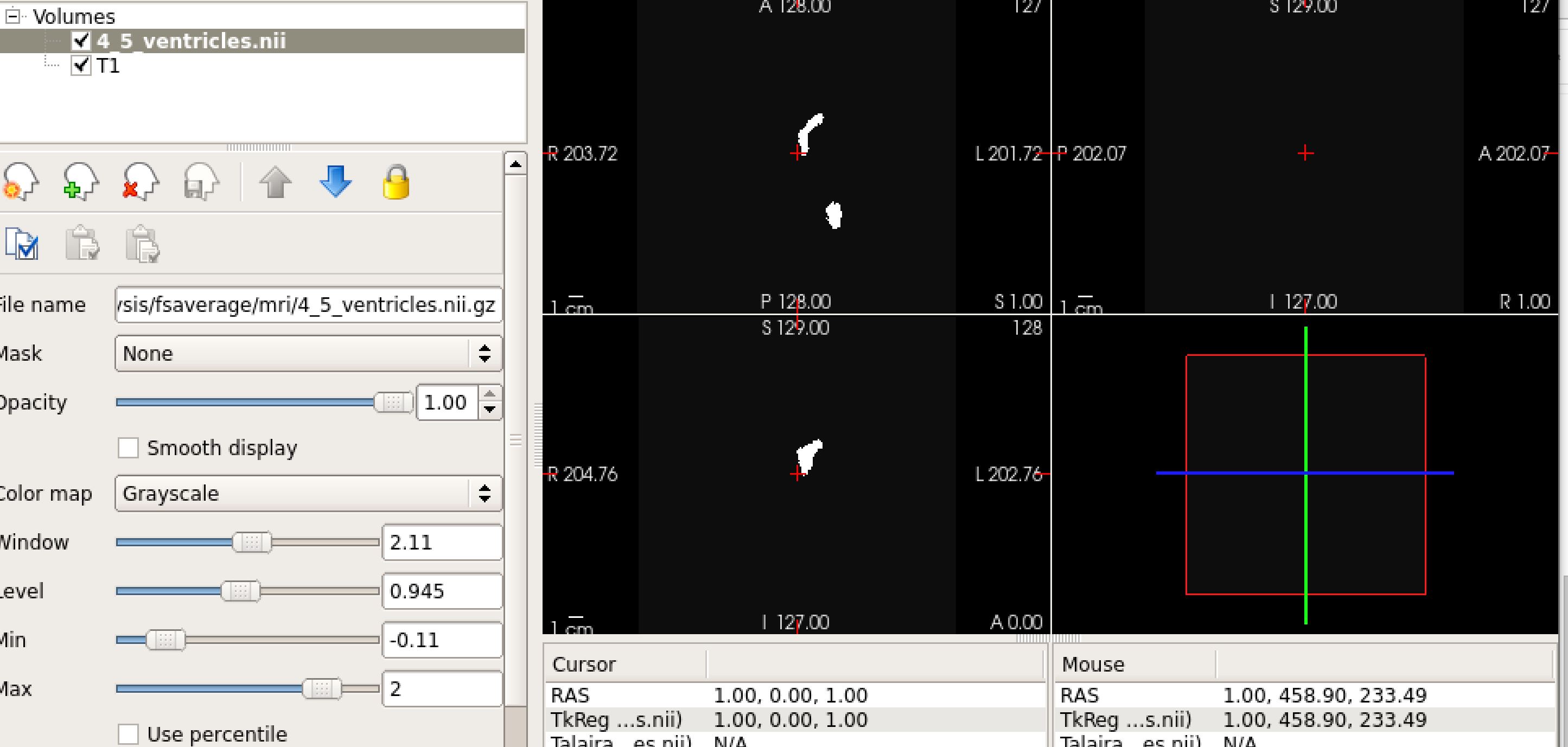
Because I tried to freeview the label I generated on a surface. If I follow "mri_cor2label --c fsaverage/mri/aseg.mgz --id 4 --l fsaverage/label/Left-Lateral-Ventricle.label" and create a volume label and then use "mri_label2vol --label fsaverage/label/Left-Inf-Lat-Vent.label --label fsaverage/label/Left-Lateral-Ventricle.label --temp fsaverage/mri/T1.mgz --identity --o fsaverage/label/4_5_ventricles.nii.gz" to combine the volume labels I was looking into. I freeview the following "freeview fsaverage/mri/T1.mgz fsaverage/mri/4_5_ventricles.nii.gz (attachd below)". I got an empty but only the label stands out. Any suggestions on how to fix the view?
[image: volume.JPG]
Best, Qi
please include the previous emails so that I have the context
On 1/29/2022 1:03 AM, Zeng, Qi wrote:
External Email - Use Caution
Hi Douglas,
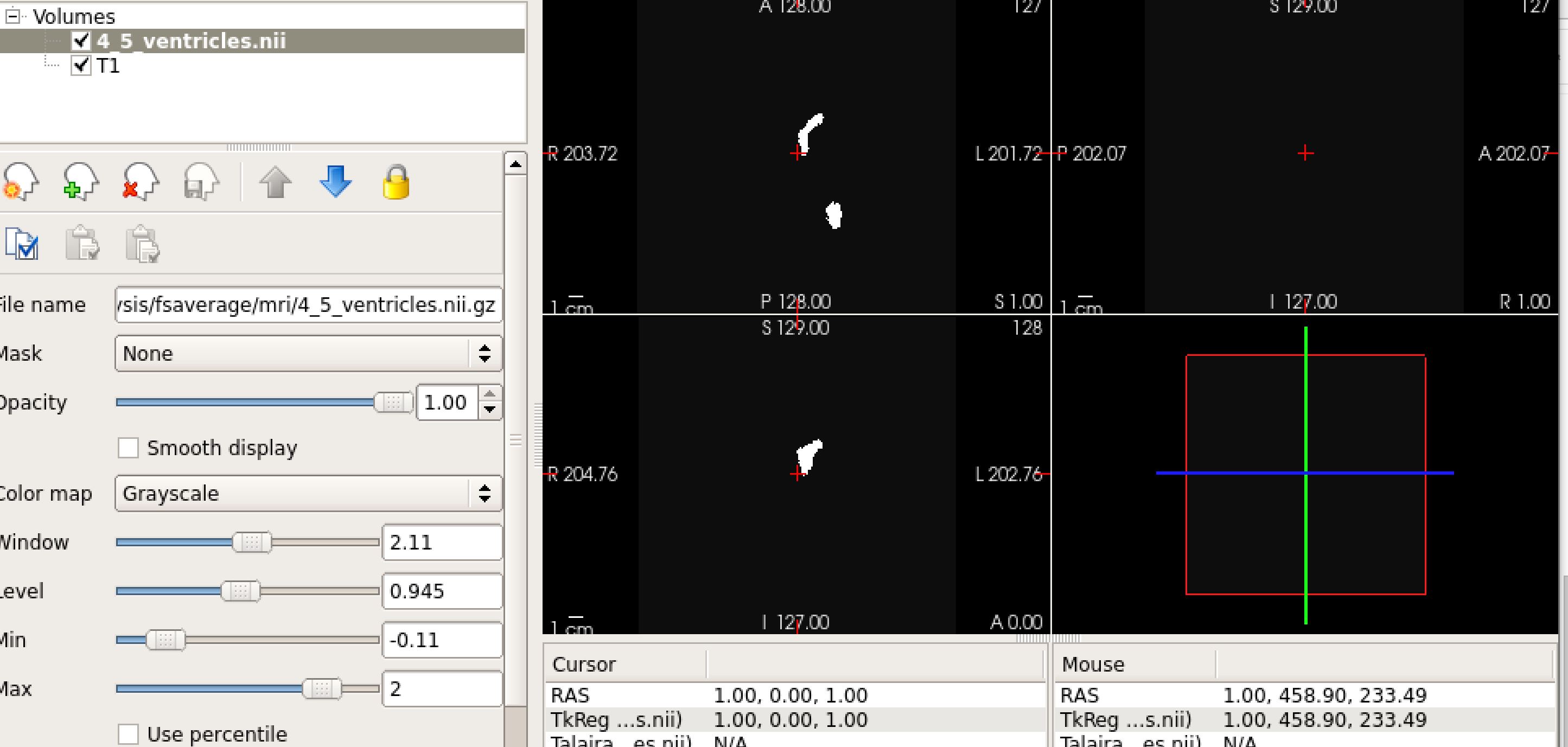
Because I tried to freeview the label I generated on a surface. If I follow "mri_cor2label --c fsaverage/mri/aseg.mgz --id 4 --l fsaverage/label/Left-Lateral-Ventricle.label" and create a volume label and then use "mri_label2vol --label fsaverage/label/Left-Inf-Lat-Vent.label --label fsaverage/label/Left-Lateral-Ventricle.label --temp fsaverage/mri/T1.mgz --identity --o fsaverage/label/4_5_ventricles.nii.gz" to combine the volume labels I was looking into. I freeview the following "freeview fsaverage/mri/T1.mgz fsaverage/mri/4_5_ventricles.nii.gz (attachd below)". I got an empty but only the label stands out. Any suggestions on how to fix the view?
volume.JPG
Best, Qi
Freesurfer mailing list Freesurfer@nmr.mgh.harvard.edu https://mail.nmr.mgh.harvard.edu/mailman/listinfo/freesurfer
freesurfer@nmr.mgh.harvard.edu
-
 Douglas N. Greve
 -
 Zeng, Qi