
Hello FreeSurfer Developers,
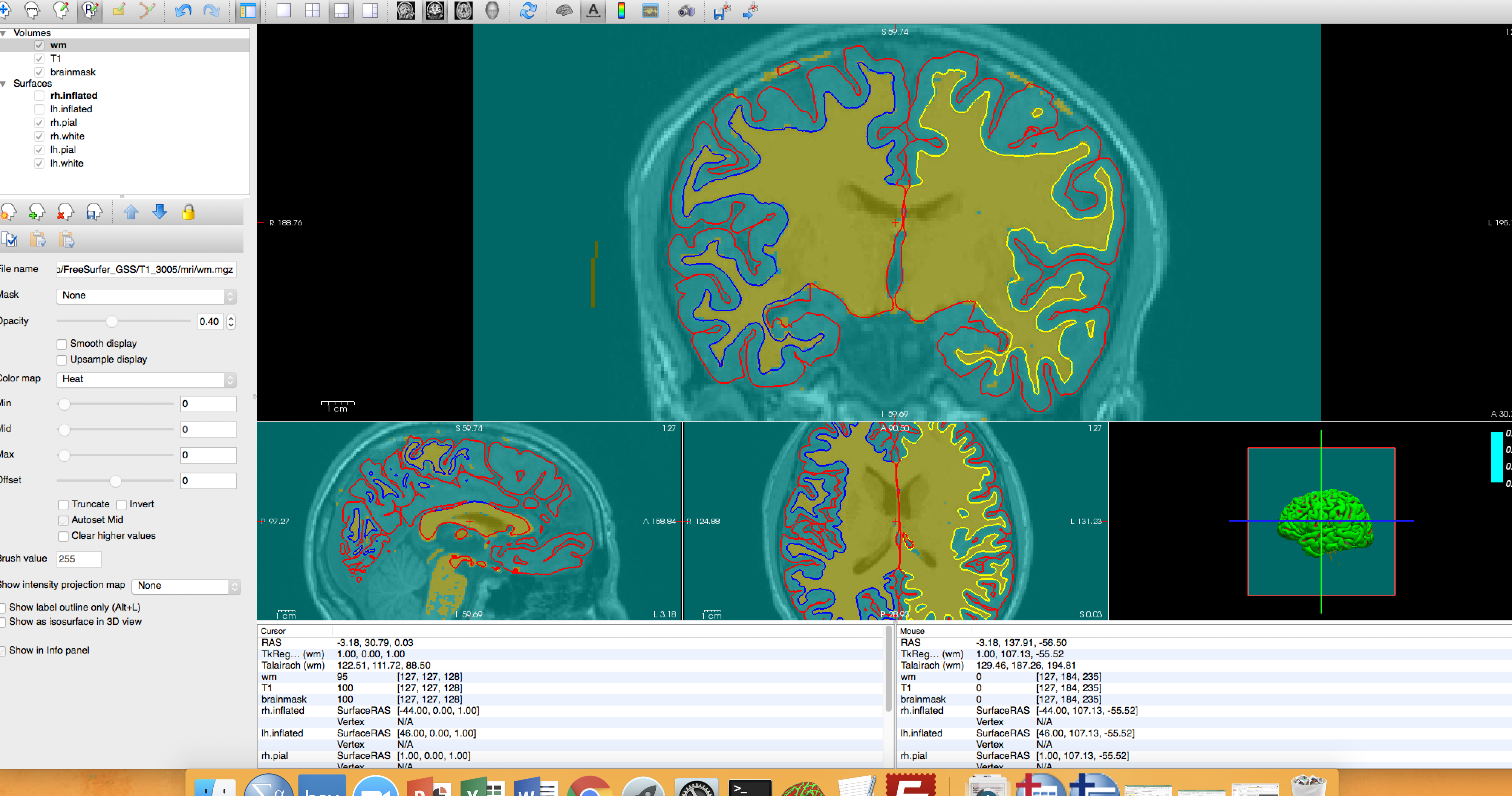
I have been editing my MRI images using the recon edit tool. I have been editing the white matter so it does not include grey matter. When I click shift to remove the extra voxels included in white matter they are removed, which is what supposed to happen. Where I’m encountering a problem is sometimes I’ll have clicked the shift but are not holding the mouse down so it seems as if the entire image gets selected. I’ve attached a screenshot. I don’t know how to reverse this. It then will have all the images selected.
If you could help me that would be great!
Nicole

Hi Nicole,
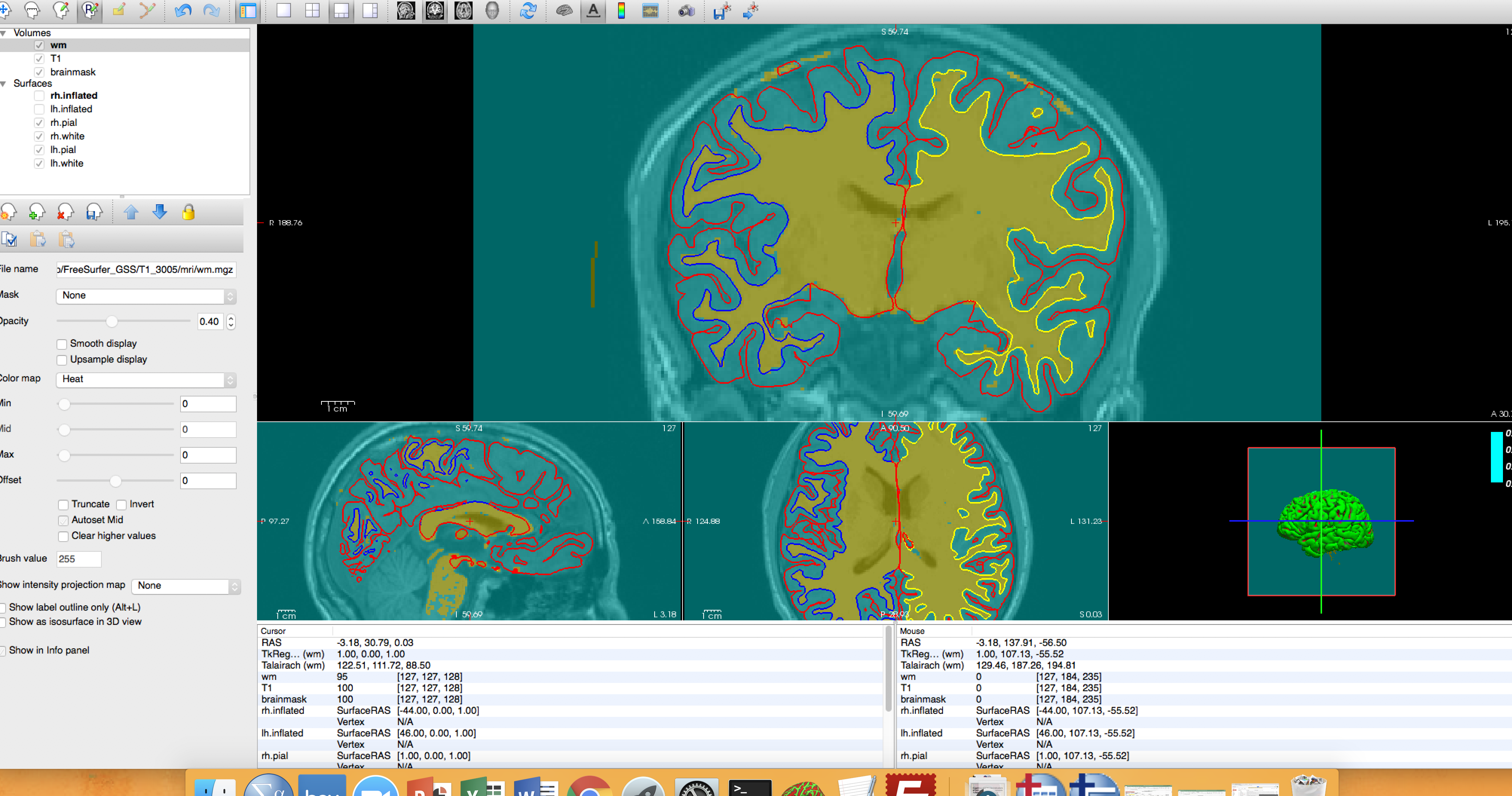
I'm not sure how exactly this happened to you but it looks like you accidentally triggered a flood fill function. In any case, you can always press "Undo" button to revert back to previous editing.
Best, Ruopeng
On 12/04/2017 02:17 PM, Nicole Orme wrote:
Hello FreeSurfer Developers,
I have been editing my MRI images using the recon edit tool. I have been editing the white matter so it does not include grey matter. When I click shift to remove the extra voxels included in white matter they are removed, which is what supposed to happen. Where I’m encountering a problem is sometimes I’ll have clicked the shift but are not holding the mouse down so it seems as if the entire image gets selected. I’ve attached a screenshot. I don’t know how to reverse this. It then will have all the images selected. If you could help me that would be great!
Nicole
Freesurfer mailing list Freesurfer@nmr.mgh.harvard.edu https://mail.nmr.mgh.harvard.edu/mailman/listinfo/freesurfer
freesurfer@nmr.mgh.harvard.edu
-
 Nicole Orme
 -
 Ruopeng Wang