
External Email - Use Caution
Dear FreeSurfer Developers,
I am trying to extract the cortical ROIs from my subjects.
(1) mri_surf2surf, transform from fsaverage surface with Glasser atlas annotation, onto the subject surface. (2) mri_label2vol, transform from the subject's surface (labelled with the Glasser atlas) onto subject's volume.
# Step 1: Transform from fsaverage to subject's surface (Ensure fsaverage contains HCP-MMP1.annot in labels folder) $ mri_surf2surf --srcsubject scripts/fsaverage --trgsubject ${i}/${sub} --hemi lh --sval-annot HCP-MMP1.annot --tval lh.HCP-MMP1_native.annot
# Step2: Transform from subject's surface into your subject's volume $ mri_label2vol --temp ${SUBJECTS_DIR}/${i}/${sub}/mri/brain.mgz --annot HCP-MMP1_native.annot --o ${SUBJECTS_DIR}/${i}/${sub}/lh_native_glasser.nii.gz --hemi lh --subject ${i}/${sub} --regheader ${SUBJECTS_DIR}/${i}/${sub}/mri/aseg.mgz --proj frac 0 1 .1 --fillthresh .3
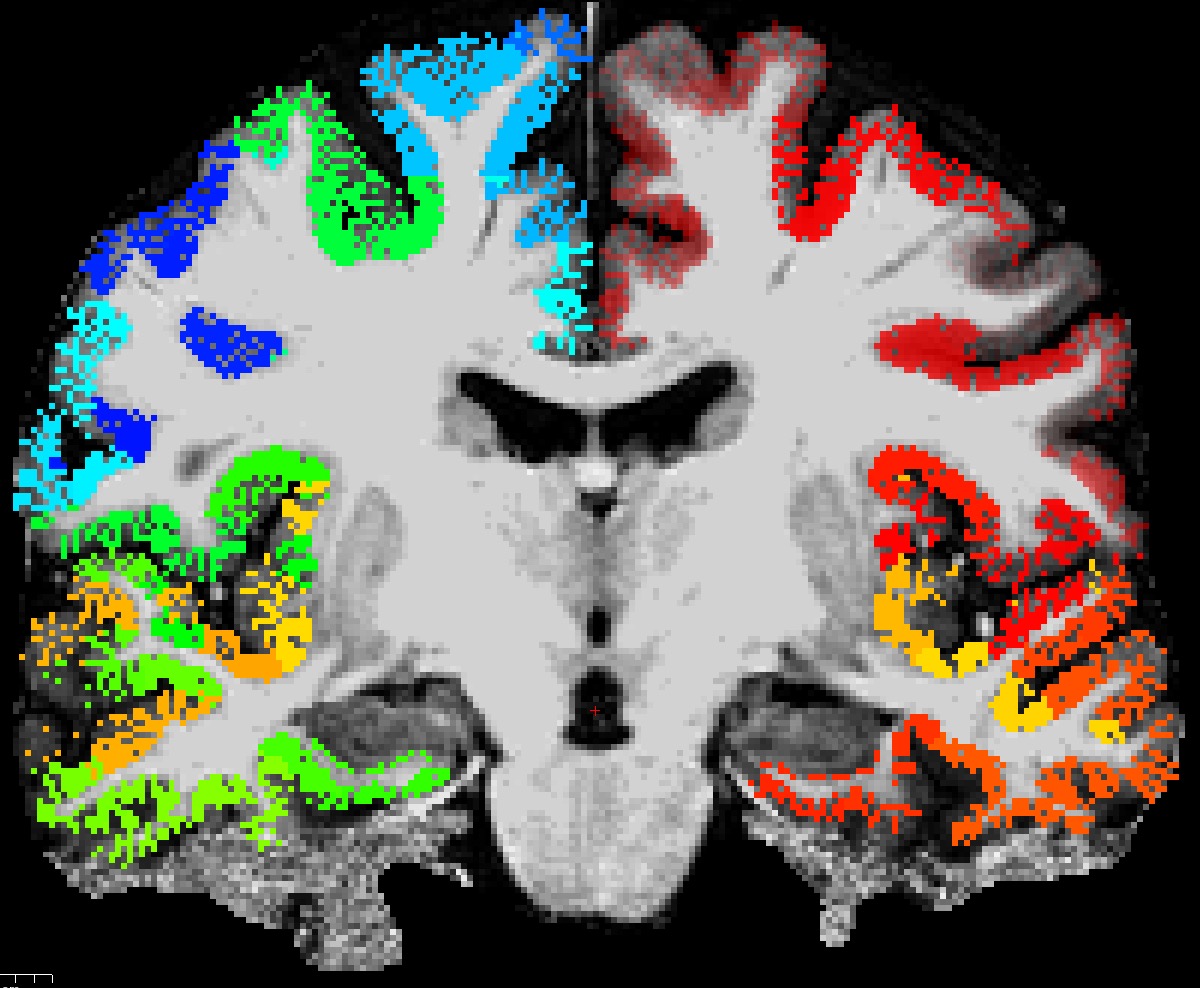
However, the output image shows pixelated grey matter. I've tried using different --filthresh, but the appearance remains the same. Please find attached the screenshot of the output, as well as the recon-all log.
I've looked through the list, and I did not find a solution to a case that I can apply to my situation.
1) Freesurfer version: freesurfer-darwin-macOS-7.1.1-20200811-8b40551 2) Platform: Mac OS X Mojave, 10.14.6 3) recon-all log as attached
Thank you so much for your help.
Kind regards, Mitsuko

A better way to do this is to use mri_surf2volseg. Look in the recon-all.cmd file for your subject and find the command that creates the aparc+aseg.mgz file. Use that command but changing the annot file and output file
On 5/6/2021 8:12 AM, Nakajima, Mitsuko wrote:
External Email - Use Caution
External Email - Use Caution
Dear FreeSurfer Developers,
I am trying to extract the cortical ROIs from my subjects.
(1) mri_surf2surf, transform from fsaverage surface with Glasser atlas annotation, onto the subject surface. (2) mri_label2vol, transform from the subject's surface (labelled with the Glasser atlas) onto subject's volume.
# Step 1: Transform from fsaverage to subject's surface (Ensure fsaverage contains HCP-MMP1.annot in labels folder) $ mri_surf2surf --srcsubject scripts/fsaverage --trgsubject ${i}/${sub} --hemi lh --sval-annot HCP-MMP1.annot --tval lh.HCP-MMP1_native.annot
# Step2: Transform from subject's surface into your subject's volume $ mri_label2vol --temp ${SUBJECTS_DIR}/${i}/${sub}/mri/brain.mgz --annot HCP-MMP1_native.annot --o ${SUBJECTS_DIR}/${i}/${sub}/lh_native_glasser.nii.gz --hemi lh --subject ${i}/${sub} --regheader ${SUBJECTS_DIR}/${i}/${sub}/mri/aseg.mgz --proj frac 0 1 .1 --fillthresh .3
However, the output image shows pixelated grey matter. I've tried using different --filthresh, but the appearance remains the same. Please find attached the screenshot of the output, as well as the recon-all log.
I've looked through the list, and I did not find a solution to a case that I can apply to my situation.
- Freesurfer version: freesurfer-darwin-macOS-7.1.1-20200811-8b40551
- Platform: Mac OS X Mojave, 10.14.6
- recon-all log as attached
Thank you so much for your help.
Kind regards, Mitsuko
Freesurfer mailing list Freesurfer@nmr.mgh.harvard.edu https://secure-web.cisco.com/1HVdC-M6CWNlzflWkUZY3d2mPIP76tjoXqNKr_XtHr0WR6f...
freesurfer@nmr.mgh.harvard.edu
-
 Douglas N. Greve
 -
 Nakajima, Mitsuko