
External Email - Use Caution
Hello freesurfer team!
I can’t get Freeview to start up on my Mac (Catalina v 10.15.15).
It worked intermittently earlier this year, then stopped working. I updated Freeview, and then all of freesurfer, and still have the same problem. So now I have this version of freesurfer: freesurfer-darwin-macOS-7.1.0-20200511-813297b
Typing “freeview” into the terminal generates the following error:
[0]PETSC ERROR: ------------------------------------------------------------------------ [0]PETSC ERROR: Caught signal number 11 SEGV: Segmentation Violation, probably memory access out of range [0]PETSC ERROR: Try option -start_in_debugger or -on_error_attach_debugger [0]PETSC ERROR: or see http://www.mcs.anl.gov/petsc/petsc-as/documentation/troubleshooting.html#Sig... ERROR: or try http://valgrind.org on linux or man libgmalloc on Apple to find memory corruption errors [0]PETSC ERROR: configure using --with-debugging=yes, recompile, link, and run [0]PETSC ERROR: to get more information on the crash. [0]PETSC ERROR: --------------------- Error Message ------------------------------------ [0]PETSC ERROR: Signal received! [0]PETSC ERROR: ------------------------------------------------------------------------ [0]PETSC ERROR: Petsc Release Version 2.3.3, Patch 16, Tue Sep 23 10:02:49 CDT 2008 HG revision: 31306062cd1a6f6a2496fccb4878f485c9b91760 [0]PETSC ERROR: See docs/changes/index.html for recent updates. [0]PETSC ERROR: See docs/faq.html for hints about trouble shooting. [0]PETSC ERROR: See docs/index.html for manual pages. [0]PETSC ERROR: ------------------------------------------------------------------------ [0]PETSC ERROR: Unknown Name on a darwin15. named gse7359200.local by alexlw Sat Jun 13 20:58:43 2020 [0]PETSC ERROR: Libraries linked from /autofs/cluster/pubsw/arch/MacOS10.11/packages/petsc/2.3.3/src/petsc/lib/darwin15.6.0-c-opt [0]PETSC ERROR: Configure run at Mon Apr 22 13:14:02 2019 [0]PETSC ERROR: Configure options --with-debugging=no --download-f-blas-lapack=0 --download-mpich=1 --with-mpi=1 --with-x=0 --with-gnu-copyright-code=0 --with-shared=0 COPTFLAGS=-O3 CXXOPTFLAGS=-O3 FOPTFLAGS=-O3 [0]PETSC ERROR: ------------------------------------------------------------------------ [0]PETSC ERROR: User provided function() line 0 in unknown directory unknown file [unset]: aborting job: application called MPI_Abort(MPI_COMM_WORLD, 59) - process 0
I searched through the log of previous emails and found several others with “PETSC errors” but could not discern a common solution.
Help?
Thank you, Alex White
PS: I also can’t get Freeview to launch on a linux machine, and will send a report on that in a separate email.

HI Alex,
Have you tried launching freeview by double-clicking freeview.app bundle?
Can you also try the latest build from here? https://surfer.nmr.mgh.harvard.edu/fswiki/UpdateFreeview
Best, Ruopeng
On Jun 14, 2020, at 12:07 AM, Alex White <alexander.l.white@gmail.commailto:alexander.l.white@gmail.com> wrote:
External Email - Use Caution
Hello freesurfer team!
I can’t get Freeview to start up on my Mac (Catalina v 10.15.15).
It worked intermittently earlier this year, then stopped working. I updated Freeview, and then all of freesurfer, and still have the same problem. So now I have this version of freesurfer: freesurfer-darwin-macOS-7.1.0-20200511-813297b
Typing “freeview” into the terminal generates the following error:
[0]PETSC ERROR: ------------------------------------------------------------------------ [0]PETSC ERROR: Caught signal number 11 SEGV: Segmentation Violation, probably memory access out of range [0]PETSC ERROR: Try option -start_in_debugger or -on_error_attach_debugger [0]PETSC ERROR: or see http://www.mcs.anl.gov/petsc/petsc-as/documentation/troubleshooting.html#Sig... ERROR: or try http://valgrind.orghttp://valgrind.org/ on linux or man libgmalloc on Apple to find memory corruption errors [0]PETSC ERROR: configure using --with-debugging=yes, recompile, link, and run [0]PETSC ERROR: to get more information on the crash. [0]PETSC ERROR: --------------------- Error Message ------------------------------------ [0]PETSC ERROR: Signal received! [0]PETSC ERROR: ------------------------------------------------------------------------ [0]PETSC ERROR: Petsc Release Version 2.3.3, Patch 16, Tue Sep 23 10:02:49 CDT 2008 HG revision: 31306062cd1a6f6a2496fccb4878f485c9b91760 [0]PETSC ERROR: See docs/changes/index.html for recent updates. [0]PETSC ERROR: See docs/faq.html for hints about trouble shooting. [0]PETSC ERROR: See docs/index.html for manual pages. [0]PETSC ERROR: ------------------------------------------------------------------------ [0]PETSC ERROR: Unknown Name on a darwin15. named gse7359200.local by alexlw Sat Jun 13 20:58:43 2020 [0]PETSC ERROR: Libraries linked from /autofs/cluster/pubsw/arch/MacOS10.11/packages/petsc/2.3.3/src/petsc/lib/darwin15.6.0-c-opt [0]PETSC ERROR: Configure run at Mon Apr 22 13:14:02 2019 [0]PETSC ERROR: Configure options --with-debugging=no --download-f-blas-lapack=0 --download-mpich=1 --with-mpi=1 --with-x=0 --with-gnu-copyright-code=0 --with-shared=0 COPTFLAGS=-O3 CXXOPTFLAGS=-O3 FOPTFLAGS=-O3 [0]PETSC ERROR: ------------------------------------------------------------------------ [0]PETSC ERROR: User provided function() line 0 in unknown directory unknown file [unset]: aborting job: application called MPI_Abort(MPI_COMM_WORLD, 59) - process 0
I searched through the log of previous emails and found several others with “PETSC errors” but could not discern a common solution.
Help?
Thank you, Alex White
PS: I also can’t get Freeview to launch on a linux machine, and will send a report on that in a separate email.
_______________________________________________ Freesurfer mailing list Freesurfer@nmr.mgh.harvard.edumailto:Freesurfer@nmr.mgh.harvard.edu https://mail.nmr.mgh.harvard.edu/mailman/listinfo/freesurfer
External Email - Use Caution
Hello Ruopeng,
Thanks for the quick reply!
I tried launching Freeview by double-clicking on the app icon, and I tried installing the latest build. The same crash occurs (full output copied again below.
Also, I do have XQuartz 2.7.11 and it can run xeyes. And yes, FREESURFER_HOME and SetUpFreesurfer.sh both reference the current version 7.1.0. I didn’t see any LD_LIBRARY_PATH in my shell init file. Here’s what’s in my .bashrc file:
% cat .bashrc
#set freesurfer directories and set up script export FREESURFER_HOME=/Applications/freesurfer/7.1.0 export SUBJECTS_DIR=$FREESURFER_HOME/subjects source $FREESURFER_HOME/SetUpFreeSurfer.sh
Any other ideas?
Thanks, Alex
Crash output:
~ % freeview
[0]PETSC ERROR: ------------------------------------------------------------------------ [0]PETSC ERROR: Caught signal number 11 SEGV: Segmentation Violation, probably memory access out of range [0]PETSC ERROR: Try option -start_in_debugger or -on_error_attach_debugger [0]PETSC ERROR: or see http://www.mcs.anl.gov/petsc/petsc-as/documentation/troubleshooting.html#Sig... ERROR: or try http://valgrind.org on linux or man libgmalloc on Apple to find memory corruption errors [0]PETSC ERROR: configure using --with-debugging=yes, recompile, link, and run [0]PETSC ERROR: to get more information on the crash. [0]PETSC ERROR: --------------------- Error Message ------------------------------------ [0]PETSC ERROR: Signal received! [0]PETSC ERROR: ------------------------------------------------------------------------ [0]PETSC ERROR: Petsc Release Version 2.3.3, Patch 16, Tue Sep 23 10:02:49 CDT 2008 HG revision: 31306062cd1a6f6a2496fccb4878f485c9b91760 [0]PETSC ERROR: See docs/changes/index.html for recent updates. [0]PETSC ERROR: See docs/faq.html for hints about trouble shooting. [0]PETSC ERROR: See docs/index.html for manual pages. [0]PETSC ERROR: ------------------------------------------------------------------------ [0]PETSC ERROR: Unknown Name on a darwin15. named gse7359200.local by alexlw Sun Jun 14 10:46:00 2020 [0]PETSC ERROR: Libraries linked from /autofs/cluster/pubsw/arch/MacOS10.11/packages/petsc/2.3.3/src/petsc/lib/darwin15.6.0-c-opt [0]PETSC ERROR: Configure run at Mon Apr 22 13:14:02 2019 [0]PETSC ERROR: Configure options --with-debugging=no --download-f-blas-lapack=0 --download-mpich=1 --with-mpi=1 --with-x=0 --with-gnu-copyright-code=0 --with-shared=0 COPTFLAGS=-O3 CXXOPTFLAGS=-O3 FOPTFLAGS=-O3 [0]PETSC ERROR: ------------------------------------------------------------------------ [0]PETSC ERROR: User provided function() line 0 in unknown directory unknown file [unset]: aborting job: application called MPI_Abort(MPI_COMM_WORLD, 59) - process 0
On Jun 14, 2020, at 6:56 AM, Wang, Ruopeng RWANG4@mgh.harvard.edu wrote:
HI Alex,
Have you tried launching freeview by double-clicking freeview.app bundle?
Can you also try the latest build from here? https://surfer.nmr.mgh.harvard.edu/fswiki/UpdateFreeview https://surfer.nmr.mgh.harvard.edu/fswiki/UpdateFreeview
Best, Ruopeng
On Jun 14, 2020, at 12:07 AM, Alex White <alexander.l.white@gmail.com mailto:alexander.l.white@gmail.com> wrote:
External Email - Use CautionHello freesurfer team!
I can’t get Freeview to start up on my Mac (Catalina v 10.15.15).
It worked intermittently earlier this year, then stopped working. I updated Freeview, and then all of freesurfer, and still have the same problem. So now I have this version of freesurfer: freesurfer-darwin-macOS-7.1.0-20200511-813297b
Typing “freeview” into the terminal generates the following error:
[0]PETSC ERROR: ------------------------------------------------------------------------ [0]PETSC ERROR: Caught signal number 11 SEGV: Segmentation Violation, probably memory access out of range [0]PETSC ERROR: Try option -start_in_debugger or -on_error_attach_debugger [0]PETSC ERROR: or see http://www.mcs.anl.gov/petsc/petsc-as/documentation/troubleshooting.html#Sig... http://www.mcs.anl.gov/petsc/petsc-as/documentation/troubleshooting.html#Signal[0]PETSC ERROR: or try http://valgrind.org http://valgrind.org/ on linux or man libgmalloc on Apple to find memory corruption errors [0]PETSC ERROR: configure using --with-debugging=yes, recompile, link, and run [0]PETSC ERROR: to get more information on the crash. [0]PETSC ERROR: --------------------- Error Message ------------------------------------ [0]PETSC ERROR: Signal received! [0]PETSC ERROR: ------------------------------------------------------------------------ [0]PETSC ERROR: Petsc Release Version 2.3.3, Patch 16, Tue Sep 23 10:02:49 CDT 2008 HG revision: 31306062cd1a6f6a2496fccb4878f485c9b91760 [0]PETSC ERROR: See docs/changes/index.html for recent updates. [0]PETSC ERROR: See docs/faq.html for hints about trouble shooting. [0]PETSC ERROR: See docs/index.html for manual pages. [0]PETSC ERROR: ------------------------------------------------------------------------ [0]PETSC ERROR: Unknown Name on a darwin15. named gse7359200.local by alexlw Sat Jun 13 20:58:43 2020 [0]PETSC ERROR: Libraries linked from /autofs/cluster/pubsw/arch/MacOS10.11/packages/petsc/2.3.3/src/petsc/lib/darwin15.6.0-c-opt [0]PETSC ERROR: Configure run at Mon Apr 22 13:14:02 2019 [0]PETSC ERROR: Configure options --with-debugging=no --download-f-blas-lapack=0 --download-mpich=1 --with-mpi=1 --with-x=0 --with-gnu-copyright-code=0 --with-shared=0 COPTFLAGS=-O3 CXXOPTFLAGS=-O3 FOPTFLAGS=-O3 [0]PETSC ERROR: ------------------------------------------------------------------------ [0]PETSC ERROR: User provided function() line 0 in unknown directory unknown file [unset]: aborting job: application called MPI_Abort(MPI_COMM_WORLD, 59) - process 0
I searched through the log of previous emails and found several others with “PETSC errors” but could not discern a common solution.
Help?
Thank you, Alex White
PS: I also can’t get Freeview to launch on a linux machine, and will send a report on that in a separate email.
Freesurfer mailing list Freesurfer@nmr.mgh.harvard.edu mailto:Freesurfer@nmr.mgh.harvard.edu https://mail.nmr.mgh.harvard.edu/mailman/listinfo/freesurfer
Freesurfer mailing list Freesurfer@nmr.mgh.harvard.edu https://mail.nmr.mgh.harvard.edu/mailman/listinfo/freesurfer
Can you delete this file and wait for a minute and then try starting freeview again? /Users/USERNAME/Library/Preferences/edu.harvard.mgh.nmr.FreeView.plist
Replace USERNAME with your actual username.
On Jun 14, 2020, at 1:47 PM, Alex White <alexander.l.white@gmail.commailto:alexander.l.white@gmail.com> wrote:
External Email - Use Caution
Hello Ruopeng,
Thanks for the quick reply!
I tried launching Freeview by double-clicking on the app icon, and I tried installing the latest build. The same crash occurs (full output copied again below.
Also, I do have XQuartz 2.7.11 and it can run xeyes. And yes, FREESURFER_HOME and SetUpFreesurfer.sh both reference the current version 7.1.0. I didn’t see any LD_LIBRARY_PATH in my shell init file. Here’s what’s in my .bashrc file:
% cat .bashrc
#set freesurfer directories and set up script export FREESURFER_HOME=/Applications/freesurfer/7.1.0 export SUBJECTS_DIR=$FREESURFER_HOME/subjects source $FREESURFER_HOME/SetUpFreeSurfer.sh
Any other ideas?
Thanks, Alex
Crash output:
~ % freeview
[0]PETSC ERROR: ------------------------------------------------------------------------ [0]PETSC ERROR: Caught signal number 11 SEGV: Segmentation Violation, probably memory access out of range [0]PETSC ERROR: Try option -start_in_debugger or -on_error_attach_debugger [0]PETSC ERROR: or see http://www.mcs.anl.gov/petsc/petsc-as/documentation/troubleshooting.html#Sig... ERROR: or try http://valgrind.orghttp://valgrind.org/ on linux or man libgmalloc on Apple to find memory corruption errors [0]PETSC ERROR: configure using --with-debugging=yes, recompile, link, and run [0]PETSC ERROR: to get more information on the crash. [0]PETSC ERROR: --------------------- Error Message ------------------------------------ [0]PETSC ERROR: Signal received! [0]PETSC ERROR: ------------------------------------------------------------------------ [0]PETSC ERROR: Petsc Release Version 2.3.3, Patch 16, Tue Sep 23 10:02:49 CDT 2008 HG revision: 31306062cd1a6f6a2496fccb4878f485c9b91760 [0]PETSC ERROR: See docs/changes/index.html for recent updates. [0]PETSC ERROR: See docs/faq.html for hints about trouble shooting. [0]PETSC ERROR: See docs/index.html for manual pages. [0]PETSC ERROR: ------------------------------------------------------------------------ [0]PETSC ERROR: Unknown Name on a darwin15. named gse7359200.local by alexlw Sun Jun 14 10:46:00 2020 [0]PETSC ERROR: Libraries linked from /autofs/cluster/pubsw/arch/MacOS10.11/packages/petsc/2.3.3/src/petsc/lib/darwin15.6.0-c-opt [0]PETSC ERROR: Configure run at Mon Apr 22 13:14:02 2019 [0]PETSC ERROR: Configure options --with-debugging=no --download-f-blas-lapack=0 --download-mpich=1 --with-mpi=1 --with-x=0 --with-gnu-copyright-code=0 --with-shared=0 COPTFLAGS=-O3 CXXOPTFLAGS=-O3 FOPTFLAGS=-O3 [0]PETSC ERROR: ------------------------------------------------------------------------ [0]PETSC ERROR: User provided function() line 0 in unknown directory unknown file [unset]: aborting job: application called MPI_Abort(MPI_COMM_WORLD, 59) - process 0
On Jun 14, 2020, at 6:56 AM, Wang, Ruopeng <RWANG4@mgh.harvard.edumailto:RWANG4@mgh.harvard.edu> wrote:
HI Alex,
Have you tried launching freeview by double-clicking freeview.app bundle?
Can you also try the latest build from here? https://surfer.nmr.mgh.harvard.edu/fswiki/UpdateFreeview
Best, Ruopeng
On Jun 14, 2020, at 12:07 AM, Alex White <alexander.l.white@gmail.commailto:alexander.l.white@gmail.com> wrote:
External Email - Use Caution
Hello freesurfer team!
I can’t get Freeview to start up on my Mac (Catalina v 10.15.15).
It worked intermittently earlier this year, then stopped working. I updated Freeview, and then all of freesurfer, and still have the same problem. So now I have this version of freesurfer: freesurfer-darwin-macOS-7.1.0-20200511-813297b
Typing “freeview” into the terminal generates the following error:
[0]PETSC ERROR: ------------------------------------------------------------------------ [0]PETSC ERROR: Caught signal number 11 SEGV: Segmentation Violation, probably memory access out of range [0]PETSC ERROR: Try option -start_in_debugger or -on_error_attach_debugger [0]PETSC ERROR: or see http://www.mcs.anl.gov/petsc/petsc-as/documentation/troubleshooting.html#Sig... ERROR: or try http://valgrind.orghttp://valgrind.org/ on linux or man libgmalloc on Apple to find memory corruption errors [0]PETSC ERROR: configure using --with-debugging=yes, recompile, link, and run [0]PETSC ERROR: to get more information on the crash. [0]PETSC ERROR: --------------------- Error Message ------------------------------------ [0]PETSC ERROR: Signal received! [0]PETSC ERROR: ------------------------------------------------------------------------ [0]PETSC ERROR: Petsc Release Version 2.3.3, Patch 16, Tue Sep 23 10:02:49 CDT 2008 HG revision: 31306062cd1a6f6a2496fccb4878f485c9b91760 [0]PETSC ERROR: See docs/changes/index.html for recent updates. [0]PETSC ERROR: See docs/faq.html for hints about trouble shooting. [0]PETSC ERROR: See docs/index.html for manual pages. [0]PETSC ERROR: ------------------------------------------------------------------------ [0]PETSC ERROR: Unknown Name on a darwin15. named gse7359200.local by alexlw Sat Jun 13 20:58:43 2020 [0]PETSC ERROR: Libraries linked from /autofs/cluster/pubsw/arch/MacOS10.11/packages/petsc/2.3.3/src/petsc/lib/darwin15.6.0-c-opt [0]PETSC ERROR: Configure run at Mon Apr 22 13:14:02 2019 [0]PETSC ERROR: Configure options --with-debugging=no --download-f-blas-lapack=0 --download-mpich=1 --with-mpi=1 --with-x=0 --with-gnu-copyright-code=0 --with-shared=0 COPTFLAGS=-O3 CXXOPTFLAGS=-O3 FOPTFLAGS=-O3 [0]PETSC ERROR: ------------------------------------------------------------------------ [0]PETSC ERROR: User provided function() line 0 in unknown directory unknown file [unset]: aborting job: application called MPI_Abort(MPI_COMM_WORLD, 59) - process 0
I searched through the log of previous emails and found several others with “PETSC errors” but could not discern a common solution.
Help?
Thank you, Alex White
PS: I also can’t get Freeview to launch on a linux machine, and will send a report on that in a separate email.
_______________________________________________ Freesurfer mailing list Freesurfer@nmr.mgh.harvard.edumailto:Freesurfer@nmr.mgh.harvard.edu https://mail.nmr.mgh.harvard.edu/mailman/listinfo/freesurfer
_______________________________________________ Freesurfer mailing list Freesurfer@nmr.mgh.harvard.edumailto:Freesurfer@nmr.mgh.harvard.edu https://mail.nmr.mgh.harvard.edu/mailman/listinfo/freesurfer
_______________________________________________ Freesurfer mailing list Freesurfer@nmr.mgh.harvard.edumailto:Freesurfer@nmr.mgh.harvard.edu https://mail.nmr.mgh.harvard.edu/mailman/listinfo/freesurfer
External Email - Use Caution
Hi Ruopeng
I tried deleting that .plist file, but it did not work, even after restarting the machine. The same PETSC crash occurred when I try to start Freeview either through the terminal or clicking on the icon.
Thanks for your continued help, Alex
On Jun 14, 2020, at 2:29 PM, Wang, Ruopeng RWANG4@mgh.harvard.edu wrote:
Can you delete this file and wait for a minute and then try starting freeview again? /Users/USERNAME/Library/Preferences/edu.harvard.mgh.nmr.FreeView.plist
Replace USERNAME with your actual username.
On Jun 14, 2020, at 1:47 PM, Alex White <alexander.l.white@gmail.com mailto:alexander.l.white@gmail.com> wrote:
External Email - Use CautionHello Ruopeng,
Thanks for the quick reply!
I tried launching Freeview by double-clicking on the app icon, and I tried installing the latest build. The same crash occurs (full output copied again below.
Also, I do have XQuartz 2.7.11 and it can run xeyes. And yes, FREESURFER_HOME and SetUpFreesurfer.sh both reference the current version 7.1.0. I didn’t see any LD_LIBRARY_PATH in my shell init file. Here’s what’s in my .bashrc file:
% cat .bashrc
#set freesurfer directories and set up script export FREESURFER_HOME=/Applications/freesurfer/7.1.0 export SUBJECTS_DIR=$FREESURFER_HOME/subjects source $FREESURFER_HOME/SetUpFreeSurfer.sh
Any other ideas?
Thanks, Alex
Crash output:
~ % freeview
[0]PETSC ERROR: ------------------------------------------------------------------------ [0]PETSC ERROR: Caught signal number 11 SEGV: Segmentation Violation, probably memory access out of range [0]PETSC ERROR: Try option -start_in_debugger or -on_error_attach_debugger [0]PETSC ERROR: or see http://www.mcs.anl.gov/petsc/petsc-as/documentation/troubleshooting.html#Sig... http://www.mcs.anl.gov/petsc/petsc-as/documentation/troubleshooting.html#Signal[0]PETSC ERROR: or try http://valgrind.org http://valgrind.org/ on linux or man libgmalloc on Apple to find memory corruption errors [0]PETSC ERROR: configure using --with-debugging=yes, recompile, link, and run [0]PETSC ERROR: to get more information on the crash. [0]PETSC ERROR: --------------------- Error Message ------------------------------------ [0]PETSC ERROR: Signal received! [0]PETSC ERROR: ------------------------------------------------------------------------ [0]PETSC ERROR: Petsc Release Version 2.3.3, Patch 16, Tue Sep 23 10:02:49 CDT 2008 HG revision: 31306062cd1a6f6a2496fccb4878f485c9b91760 [0]PETSC ERROR: See docs/changes/index.html for recent updates. [0]PETSC ERROR: See docs/faq.html for hints about trouble shooting. [0]PETSC ERROR: See docs/index.html for manual pages. [0]PETSC ERROR: ------------------------------------------------------------------------ [0]PETSC ERROR: Unknown Name on a darwin15. named gse7359200.local by alexlw Sun Jun 14 10:46:00 2020 [0]PETSC ERROR: Libraries linked from /autofs/cluster/pubsw/arch/MacOS10.11/packages/petsc/2.3.3/src/petsc/lib/darwin15.6.0-c-opt [0]PETSC ERROR: Configure run at Mon Apr 22 13:14:02 2019 [0]PETSC ERROR: Configure options --with-debugging=no --download-f-blas-lapack=0 --download-mpich=1 --with-mpi=1 --with-x=0 --with-gnu-copyright-code=0 --with-shared=0 COPTFLAGS=-O3 CXXOPTFLAGS=-O3 FOPTFLAGS=-O3 [0]PETSC ERROR: ------------------------------------------------------------------------ [0]PETSC ERROR: User provided function() line 0 in unknown directory unknown file [unset]: aborting job: application called MPI_Abort(MPI_COMM_WORLD, 59) - process 0
On Jun 14, 2020, at 6:56 AM, Wang, Ruopeng <RWANG4@mgh.harvard.edu mailto:RWANG4@mgh.harvard.edu> wrote:
HI Alex,
Have you tried launching freeview by double-clicking freeview.app bundle?
Can you also try the latest build from here? https://surfer.nmr.mgh.harvard.edu/fswiki/UpdateFreeview https://surfer.nmr.mgh.harvard.edu/fswiki/UpdateFreeview
Best, Ruopeng
On Jun 14, 2020, at 12:07 AM, Alex White <alexander.l.white@gmail.com mailto:alexander.l.white@gmail.com> wrote:
External Email - Use CautionHello freesurfer team!
I can’t get Freeview to start up on my Mac (Catalina v 10.15.15).
It worked intermittently earlier this year, then stopped working. I updated Freeview, and then all of freesurfer, and still have the same problem. So now I have this version of freesurfer: freesurfer-darwin-macOS-7.1.0-20200511-813297b
Typing “freeview” into the terminal generates the following error:
[0]PETSC ERROR: ------------------------------------------------------------------------ [0]PETSC ERROR: Caught signal number 11 SEGV: Segmentation Violation, probably memory access out of range [0]PETSC ERROR: Try option -start_in_debugger or -on_error_attach_debugger [0]PETSC ERROR: or see http://www.mcs.anl.gov/petsc/petsc-as/documentation/troubleshooting.html#Sig... http://www.mcs.anl.gov/petsc/petsc-as/documentation/troubleshooting.html#Signal[0]PETSC ERROR: or try http://valgrind.org http://valgrind.org/ on linux or man libgmalloc on Apple to find memory corruption errors [0]PETSC ERROR: configure using --with-debugging=yes, recompile, link, and run [0]PETSC ERROR: to get more information on the crash. [0]PETSC ERROR: --------------------- Error Message ------------------------------------ [0]PETSC ERROR: Signal received! [0]PETSC ERROR: ------------------------------------------------------------------------ [0]PETSC ERROR: Petsc Release Version 2.3.3, Patch 16, Tue Sep 23 10:02:49 CDT 2008 HG revision: 31306062cd1a6f6a2496fccb4878f485c9b91760 [0]PETSC ERROR: See docs/changes/index.html for recent updates. [0]PETSC ERROR: See docs/faq.html for hints about trouble shooting. [0]PETSC ERROR: See docs/index.html for manual pages. [0]PETSC ERROR: ------------------------------------------------------------------------ [0]PETSC ERROR: Unknown Name on a darwin15. named gse7359200.local by alexlw Sat Jun 13 20:58:43 2020 [0]PETSC ERROR: Libraries linked from /autofs/cluster/pubsw/arch/MacOS10.11/packages/petsc/2.3.3/src/petsc/lib/darwin15.6.0-c-opt [0]PETSC ERROR: Configure run at Mon Apr 22 13:14:02 2019 [0]PETSC ERROR: Configure options --with-debugging=no --download-f-blas-lapack=0 --download-mpich=1 --with-mpi=1 --with-x=0 --with-gnu-copyright-code=0 --with-shared=0 COPTFLAGS=-O3 CXXOPTFLAGS=-O3 FOPTFLAGS=-O3 [0]PETSC ERROR: ------------------------------------------------------------------------ [0]PETSC ERROR: User provided function() line 0 in unknown directory unknown file [unset]: aborting job: application called MPI_Abort(MPI_COMM_WORLD, 59) - process 0
I searched through the log of previous emails and found several others with “PETSC errors” but could not discern a common solution.
Help?
Thank you, Alex White
PS: I also can’t get Freeview to launch on a linux machine, and will send a report on that in a separate email.
Freesurfer mailing list Freesurfer@nmr.mgh.harvard.edu mailto:Freesurfer@nmr.mgh.harvard.edu https://mail.nmr.mgh.harvard.edu/mailman/listinfo/freesurfer https://mail.nmr.mgh.harvard.edu/mailman/listinfo/freesurfer
Freesurfer mailing list Freesurfer@nmr.mgh.harvard.edu mailto:Freesurfer@nmr.mgh.harvard.edu https://mail.nmr.mgh.harvard.edu/mailman/listinfo/freesurfer https://mail.nmr.mgh.harvard.edu/mailman/listinfo/freesurfer
Freesurfer mailing list Freesurfer@nmr.mgh.harvard.edu mailto:Freesurfer@nmr.mgh.harvard.edu https://mail.nmr.mgh.harvard.edu/mailman/listinfo/freesurfer
Freesurfer mailing list Freesurfer@nmr.mgh.harvard.edu https://mail.nmr.mgh.harvard.edu/mailman/listinfo/freesurfer
Can you try this build? https://github.com/freesurfer/freesurfer/files/4651675/freeview.zip
On Jun 14, 2020, at 5:45 PM, Alex White <alexander.l.white@gmail.commailto:alexander.l.white@gmail.com> wrote:
External Email - Use Caution
Hi Ruopeng
I tried deleting that .plist file, but it did not work, even after restarting the machine. The same PETSC crash occurred when I try to start Freeview either through the terminal or clicking on the icon.
Thanks for your continued help, Alex
On Jun 14, 2020, at 2:29 PM, Wang, Ruopeng <RWANG4@mgh.harvard.edumailto:RWANG4@mgh.harvard.edu> wrote:
Can you delete this file and wait for a minute and then try starting freeview again? /Users/USERNAME/Library/Preferences/edu.harvard.mgh.nmr.FreeView.plist
Replace USERNAME with your actual username.
On Jun 14, 2020, at 1:47 PM, Alex White <alexander.l.white@gmail.commailto:alexander.l.white@gmail.com> wrote:
External Email - Use Caution
Hello Ruopeng,
Thanks for the quick reply!
I tried launching Freeview by double-clicking on the app icon, and I tried installing the latest build. The same crash occurs (full output copied again below.
Also, I do have XQuartz 2.7.11 and it can run xeyes. And yes, FREESURFER_HOME and SetUpFreesurfer.sh both reference the current version 7.1.0. I didn’t see any LD_LIBRARY_PATH in my shell init file. Here’s what’s in my .bashrc file:
% cat .bashrc
#set freesurfer directories and set up script export FREESURFER_HOME=/Applications/freesurfer/7.1.0 export SUBJECTS_DIR=$FREESURFER_HOME/subjects source $FREESURFER_HOME/SetUpFreeSurfer.sh
Any other ideas?
Thanks, Alex
Crash output:
~ % freeview
[0]PETSC ERROR: ------------------------------------------------------------------------ [0]PETSC ERROR: Caught signal number 11 SEGV: Segmentation Violation, probably memory access out of range [0]PETSC ERROR: Try option -start_in_debugger or -on_error_attach_debugger [0]PETSC ERROR: or see http://www.mcs.anl.gov/petsc/petsc-as/documentation/troubleshooting.html#Sig... ERROR: or try http://valgrind.orghttp://valgrind.org/ on linux or man libgmalloc on Apple to find memory corruption errors [0]PETSC ERROR: configure using --with-debugging=yes, recompile, link, and run [0]PETSC ERROR: to get more information on the crash. [0]PETSC ERROR: --------------------- Error Message ------------------------------------ [0]PETSC ERROR: Signal received! [0]PETSC ERROR: ------------------------------------------------------------------------ [0]PETSC ERROR: Petsc Release Version 2.3.3, Patch 16, Tue Sep 23 10:02:49 CDT 2008 HG revision: 31306062cd1a6f6a2496fccb4878f485c9b91760 [0]PETSC ERROR: See docs/changes/index.html for recent updates. [0]PETSC ERROR: See docs/faq.html for hints about trouble shooting. [0]PETSC ERROR: See docs/index.html for manual pages. [0]PETSC ERROR: ------------------------------------------------------------------------ [0]PETSC ERROR: Unknown Name on a darwin15. named gse7359200.local by alexlw Sun Jun 14 10:46:00 2020 [0]PETSC ERROR: Libraries linked from /autofs/cluster/pubsw/arch/MacOS10.11/packages/petsc/2.3.3/src/petsc/lib/darwin15.6.0-c-opt [0]PETSC ERROR: Configure run at Mon Apr 22 13:14:02 2019 [0]PETSC ERROR: Configure options --with-debugging=no --download-f-blas-lapack=0 --download-mpich=1 --with-mpi=1 --with-x=0 --with-gnu-copyright-code=0 --with-shared=0 COPTFLAGS=-O3 CXXOPTFLAGS=-O3 FOPTFLAGS=-O3 [0]PETSC ERROR: ------------------------------------------------------------------------ [0]PETSC ERROR: User provided function() line 0 in unknown directory unknown file [unset]: aborting job: application called MPI_Abort(MPI_COMM_WORLD, 59) - process 0
On Jun 14, 2020, at 6:56 AM, Wang, Ruopeng <RWANG4@mgh.harvard.edumailto:RWANG4@mgh.harvard.edu> wrote:
HI Alex,
Have you tried launching freeview by double-clicking freeview.app bundle?
Can you also try the latest build from here? https://surfer.nmr.mgh.harvard.edu/fswiki/UpdateFreeview
Best, Ruopeng
On Jun 14, 2020, at 12:07 AM, Alex White <alexander.l.white@gmail.commailto:alexander.l.white@gmail.com> wrote:
External Email - Use Caution
Hello freesurfer team!
I can’t get Freeview to start up on my Mac (Catalina v 10.15.15).
It worked intermittently earlier this year, then stopped working. I updated Freeview, and then all of freesurfer, and still have the same problem. So now I have this version of freesurfer: freesurfer-darwin-macOS-7.1.0-20200511-813297b
Typing “freeview” into the terminal generates the following error:
[0]PETSC ERROR: ------------------------------------------------------------------------ [0]PETSC ERROR: Caught signal number 11 SEGV: Segmentation Violation, probably memory access out of range [0]PETSC ERROR: Try option -start_in_debugger or -on_error_attach_debugger [0]PETSC ERROR: or see http://www.mcs.anl.gov/petsc/petsc-as/documentation/troubleshooting.html#Sig... ERROR: or try http://valgrind.orghttp://valgrind.org/ on linux or man libgmalloc on Apple to find memory corruption errors [0]PETSC ERROR: configure using --with-debugging=yes, recompile, link, and run [0]PETSC ERROR: to get more information on the crash. [0]PETSC ERROR: --------------------- Error Message ------------------------------------ [0]PETSC ERROR: Signal received! [0]PETSC ERROR: ------------------------------------------------------------------------ [0]PETSC ERROR: Petsc Release Version 2.3.3, Patch 16, Tue Sep 23 10:02:49 CDT 2008 HG revision: 31306062cd1a6f6a2496fccb4878f485c9b91760 [0]PETSC ERROR: See docs/changes/index.html for recent updates. [0]PETSC ERROR: See docs/faq.html for hints about trouble shooting. [0]PETSC ERROR: See docs/index.html for manual pages. [0]PETSC ERROR: ------------------------------------------------------------------------ [0]PETSC ERROR: Unknown Name on a darwin15. named gse7359200.local by alexlw Sat Jun 13 20:58:43 2020 [0]PETSC ERROR: Libraries linked from /autofs/cluster/pubsw/arch/MacOS10.11/packages/petsc/2.3.3/src/petsc/lib/darwin15.6.0-c-opt [0]PETSC ERROR: Configure run at Mon Apr 22 13:14:02 2019 [0]PETSC ERROR: Configure options --with-debugging=no --download-f-blas-lapack=0 --download-mpich=1 --with-mpi=1 --with-x=0 --with-gnu-copyright-code=0 --with-shared=0 COPTFLAGS=-O3 CXXOPTFLAGS=-O3 FOPTFLAGS=-O3 [0]PETSC ERROR: ------------------------------------------------------------------------ [0]PETSC ERROR: User provided function() line 0 in unknown directory unknown file [unset]: aborting job: application called MPI_Abort(MPI_COMM_WORLD, 59) - process 0
I searched through the log of previous emails and found several others with “PETSC errors” but could not discern a common solution.
Help?
Thank you, Alex White
PS: I also can’t get Freeview to launch on a linux machine, and will send a report on that in a separate email.
_______________________________________________ Freesurfer mailing list Freesurfer@nmr.mgh.harvard.edumailto:Freesurfer@nmr.mgh.harvard.edu https://mail.nmr.mgh.harvard.edu/mailman/listinfo/freesurfer
_______________________________________________ Freesurfer mailing list Freesurfer@nmr.mgh.harvard.edumailto:Freesurfer@nmr.mgh.harvard.edu https://mail.nmr.mgh.harvard.edu/mailman/listinfo/freesurfer
_______________________________________________ Freesurfer mailing list Freesurfer@nmr.mgh.harvard.edumailto:Freesurfer@nmr.mgh.harvard.edu https://mail.nmr.mgh.harvard.edu/mailman/listinfo/freesurfer
_______________________________________________ Freesurfer mailing list Freesurfer@nmr.mgh.harvard.edumailto:Freesurfer@nmr.mgh.harvard.edu https://mail.nmr.mgh.harvard.edu/mailman/listinfo/freesurfer
_______________________________________________ Freesurfer mailing list Freesurfer@nmr.mgh.harvard.edumailto:Freesurfer@nmr.mgh.harvard.edu https://mail.nmr.mgh.harvard.edu/mailman/listinfo/freesurfer
External Email - Use Caution
That didn’t work either, I’m afraid :(
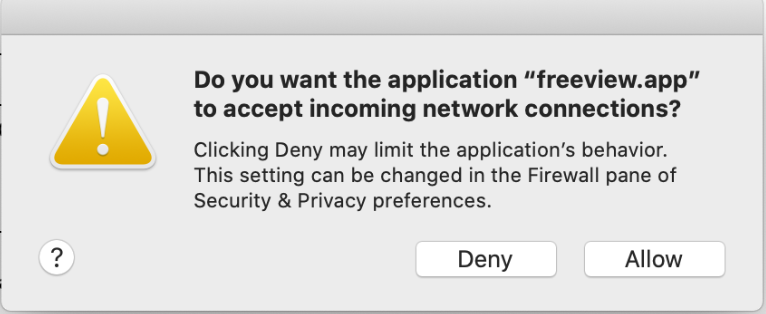
One other detail that may help: whenever I try to launch Freeview, a window pops up that says “Do you want the application “Freeview.app” to accept incoming rework connections?” “Deny” or “Allow.” (See screenshot below).
However, that also occurred when Freeview used to work fine on this machine. The same window appears whenever I launch Matlab, but doesn’t cause any problems. I have tried editing the Firewall settings for both applications, to no effect.
Thanks Alex
On Jun 14, 2020, at 3:13 PM, Wang, Ruopeng RWANG4@mgh.harvard.edu wrote:
Can you try this build? https://github.com/freesurfer/freesurfer/files/4651675/freeview.zip https://github.com/freesurfer/freesurfer/files/4651675/freeview.zip
On Jun 14, 2020, at 5:45 PM, Alex White <alexander.l.white@gmail.com mailto:alexander.l.white@gmail.com> wrote:
External Email - Use CautionHi Ruopeng
I tried deleting that .plist file, but it did not work, even after restarting the machine. The same PETSC crash occurred when I try to start Freeview either through the terminal or clicking on the icon.
Thanks for your continued help, Alex
On Jun 14, 2020, at 2:29 PM, Wang, Ruopeng <RWANG4@mgh.harvard.edu mailto:RWANG4@mgh.harvard.edu> wrote:
Can you delete this file and wait for a minute and then try starting freeview again? /Users/USERNAME/Library/Preferences/edu.harvard.mgh.nmr.FreeView.plist
Replace USERNAME with your actual username.
On Jun 14, 2020, at 1:47 PM, Alex White <alexander.l.white@gmail.com mailto:alexander.l.white@gmail.com> wrote:
External Email - Use CautionHello Ruopeng,
Thanks for the quick reply!
I tried launching Freeview by double-clicking on the app icon, and I tried installing the latest build. The same crash occurs (full output copied again below.
Also, I do have XQuartz 2.7.11 and it can run xeyes. And yes, FREESURFER_HOME and SetUpFreesurfer.sh both reference the current version 7.1.0. I didn’t see any LD_LIBRARY_PATH in my shell init file. Here’s what’s in my .bashrc file:
% cat .bashrc
#set freesurfer directories and set up script export FREESURFER_HOME=/Applications/freesurfer/7.1.0 export SUBJECTS_DIR=$FREESURFER_HOME/subjects source $FREESURFER_HOME/SetUpFreeSurfer.sh
Any other ideas?
Thanks, Alex
Crash output:
~ % freeview
[0]PETSC ERROR: ------------------------------------------------------------------------ [0]PETSC ERROR: Caught signal number 11 SEGV: Segmentation Violation, probably memory access out of range [0]PETSC ERROR: Try option -start_in_debugger or -on_error_attach_debugger [0]PETSC ERROR: or see http://www.mcs.anl.gov/petsc/petsc-as/documentation/troubleshooting.html#Sig... http://www.mcs.anl.gov/petsc/petsc-as/documentation/troubleshooting.html#Signal[0]PETSC ERROR: or try http://valgrind.org http://valgrind.org/ on linux or man libgmalloc on Apple to find memory corruption errors [0]PETSC ERROR: configure using --with-debugging=yes, recompile, link, and run [0]PETSC ERROR: to get more information on the crash. [0]PETSC ERROR: --------------------- Error Message ------------------------------------ [0]PETSC ERROR: Signal received! [0]PETSC ERROR: ------------------------------------------------------------------------ [0]PETSC ERROR: Petsc Release Version 2.3.3, Patch 16, Tue Sep 23 10:02:49 CDT 2008 HG revision: 31306062cd1a6f6a2496fccb4878f485c9b91760 [0]PETSC ERROR: See docs/changes/index.html for recent updates. [0]PETSC ERROR: See docs/faq.html for hints about trouble shooting. [0]PETSC ERROR: See docs/index.html for manual pages. [0]PETSC ERROR: ------------------------------------------------------------------------ [0]PETSC ERROR: Unknown Name on a darwin15. named gse7359200.local by alexlw Sun Jun 14 10:46:00 2020 [0]PETSC ERROR: Libraries linked from /autofs/cluster/pubsw/arch/MacOS10.11/packages/petsc/2.3.3/src/petsc/lib/darwin15.6.0-c-opt [0]PETSC ERROR: Configure run at Mon Apr 22 13:14:02 2019 [0]PETSC ERROR: Configure options --with-debugging=no --download-f-blas-lapack=0 --download-mpich=1 --with-mpi=1 --with-x=0 --with-gnu-copyright-code=0 --with-shared=0 COPTFLAGS=-O3 CXXOPTFLAGS=-O3 FOPTFLAGS=-O3 [0]PETSC ERROR: ------------------------------------------------------------------------ [0]PETSC ERROR: User provided function() line 0 in unknown directory unknown file [unset]: aborting job: application called MPI_Abort(MPI_COMM_WORLD, 59) - process 0
On Jun 14, 2020, at 6:56 AM, Wang, Ruopeng <RWANG4@mgh.harvard.edu mailto:RWANG4@mgh.harvard.edu> wrote:
HI Alex,
Have you tried launching freeview by double-clicking freeview.app bundle?
Can you also try the latest build from here? https://surfer.nmr.mgh.harvard.edu/fswiki/UpdateFreeview https://surfer.nmr.mgh.harvard.edu/fswiki/UpdateFreeview
Best, Ruopeng
On Jun 14, 2020, at 12:07 AM, Alex White <alexander.l.white@gmail.com mailto:alexander.l.white@gmail.com> wrote:
External Email - Use CautionHello freesurfer team!
I can’t get Freeview to start up on my Mac (Catalina v 10.15.15).
It worked intermittently earlier this year, then stopped working. I updated Freeview, and then all of freesurfer, and still have the same problem. So now I have this version of freesurfer: freesurfer-darwin-macOS-7.1.0-20200511-813297b
Typing “freeview” into the terminal generates the following error:
[0]PETSC ERROR: ------------------------------------------------------------------------ [0]PETSC ERROR: Caught signal number 11 SEGV: Segmentation Violation, probably memory access out of range [0]PETSC ERROR: Try option -start_in_debugger or -on_error_attach_debugger [0]PETSC ERROR: or see http://www.mcs.anl.gov/petsc/petsc-as/documentation/troubleshooting.html#Sig... http://www.mcs.anl.gov/petsc/petsc-as/documentation/troubleshooting.html#Signal[0]PETSC ERROR: or try http://valgrind.org http://valgrind.org/ on linux or man libgmalloc on Apple to find memory corruption errors [0]PETSC ERROR: configure using --with-debugging=yes, recompile, link, and run [0]PETSC ERROR: to get more information on the crash. [0]PETSC ERROR: --------------------- Error Message ------------------------------------ [0]PETSC ERROR: Signal received! [0]PETSC ERROR: ------------------------------------------------------------------------ [0]PETSC ERROR: Petsc Release Version 2.3.3, Patch 16, Tue Sep 23 10:02:49 CDT 2008 HG revision: 31306062cd1a6f6a2496fccb4878f485c9b91760 [0]PETSC ERROR: See docs/changes/index.html for recent updates. [0]PETSC ERROR: See docs/faq.html for hints about trouble shooting. [0]PETSC ERROR: See docs/index.html for manual pages. [0]PETSC ERROR: ------------------------------------------------------------------------ [0]PETSC ERROR: Unknown Name on a darwin15. named gse7359200.local by alexlw Sat Jun 13 20:58:43 2020 [0]PETSC ERROR: Libraries linked from /autofs/cluster/pubsw/arch/MacOS10.11/packages/petsc/2.3.3/src/petsc/lib/darwin15.6.0-c-opt [0]PETSC ERROR: Configure run at Mon Apr 22 13:14:02 2019 [0]PETSC ERROR: Configure options --with-debugging=no --download-f-blas-lapack=0 --download-mpich=1 --with-mpi=1 --with-x=0 --with-gnu-copyright-code=0 --with-shared=0 COPTFLAGS=-O3 CXXOPTFLAGS=-O3 FOPTFLAGS=-O3 [0]PETSC ERROR: ------------------------------------------------------------------------ [0]PETSC ERROR: User provided function() line 0 in unknown directory unknown file [unset]: aborting job: application called MPI_Abort(MPI_COMM_WORLD, 59) - process 0
I searched through the log of previous emails and found several others with “PETSC errors” but could not discern a common solution.
Help?
Thank you, Alex White
PS: I also can’t get Freeview to launch on a linux machine, and will send a report on that in a separate email.
Freesurfer mailing list Freesurfer@nmr.mgh.harvard.edu mailto:Freesurfer@nmr.mgh.harvard.edu https://mail.nmr.mgh.harvard.edu/mailman/listinfo/freesurfer https://mail.nmr.mgh.harvard.edu/mailman/listinfo/freesurfer
Freesurfer mailing list Freesurfer@nmr.mgh.harvard.edu mailto:Freesurfer@nmr.mgh.harvard.edu https://mail.nmr.mgh.harvard.edu/mailman/listinfo/freesurfer https://mail.nmr.mgh.harvard.edu/mailman/listinfo/freesurfer
Freesurfer mailing list Freesurfer@nmr.mgh.harvard.edu mailto:Freesurfer@nmr.mgh.harvard.edu https://mail.nmr.mgh.harvard.edu/mailman/listinfo/freesurfer https://mail.nmr.mgh.harvard.edu/mailman/listinfo/freesurfer
Freesurfer mailing list Freesurfer@nmr.mgh.harvard.edu mailto:Freesurfer@nmr.mgh.harvard.edu https://mail.nmr.mgh.harvard.edu/mailman/listinfo/freesurfer https://mail.nmr.mgh.harvard.edu/mailman/listinfo/freesurfer
Freesurfer mailing list Freesurfer@nmr.mgh.harvard.edu mailto:Freesurfer@nmr.mgh.harvard.edu https://mail.nmr.mgh.harvard.edu/mailman/listinfo/freesurfer
Freesurfer mailing list Freesurfer@nmr.mgh.harvard.edu https://mail.nmr.mgh.harvard.edu/mailman/listinfo/freesurfer
freesurfer@nmr.mgh.harvard.edu
-
 Alex White
 -
 Wang, Ruopeng