
Hello freesurfer,
I have several questions about mris_expand command. I know it can be used to expand or shrink a point on a surface by a fixed amount or distance. My questions are: 1) Can it be used to expand the pial surface? if yes, please can you confirm if this is the right script= mris_expand -thickness rh.pial 0.5 rh.newpial. If the script is wrong, please can you give me a directions on how to change it and what new flags to add. 2) When I looked up mris_expand description, -thickness was the only flag displayed. Are there other hidden flags? If yes, where can I find them? 3) After expanding ?lh.white and ?h.pial, what steps of recon-all should i run in other to incorporate my changes? Thank you.
Best, Paul

Hi Paul
it's hard to answer your questions without knowing what you are trying to achieve
cheers Bruce On Wed, 11 Jan 2017, miracle ozzoude wrote:
Hello freesurfer, I have several questions about mris_expand command. I know it can be used to expand or shrink a point on a surface by a fixed amount or distance. My questions are:
- Can it be used to expand the pial surface? if yes, please can you confirm if this is the right script= mris_expand -thickness rh.pial 0.5 rh.newpial. If the script is
wrong, please can you give me a directions on how to change it and what new flags to add. 2) When I looked up mris_expand description, -thickness was the only flag displayed. Are there other hidden flags? If yes, where can I find them? 3) After expanding ?lh.white and ?h.pial, what steps of recon-all should i run in other to incorporate my changes? Thank you.
Best, Paul
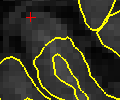
Thanks bruce for your response. I am trying to expand the pial surface (see attached image) in order to estimate the GM/WM boundary properly. I have successfully expanded the white matter but when i tried the mris_expand scripts for pial surface (mris_expand -thickness lh.pial 0.5 lh.newpial), the output looked identical to the input. Please can you direct me on how to successfully achieve this for the pial surface and how to incorporate my changes (expanded surfaces) into recon-all. Thanks. Best, Paul
On Wed, Jan 11, 2017 at 11:37 AM, Bruce Fischl fischl@nmr.mgh.harvard.edu wrote:
Hi Paul
it's hard to answer your questions without knowing what you are trying to achieve
cheers Bruce
On Wed, 11 Jan 2017, miracle ozzoude wrote:
Hello freesurfer,
I have several questions about mris_expand command. I know it can be used to expand or shrink a point on a surface by a fixed amount or distance. My questions are:
- Can it be used to expand the pial surface? if yes, please can you
confirm if this is the right script= mris_expand -thickness rh.pial 0.5 rh.newpial. If the script is wrong, please can you give me a directions on how to change it and what new flags to add. 2) When I looked up mris_expand description, -thickness was the only flag displayed. Are there other hidden flags? If yes, where can I find them? 3) After expanding ?lh.white and ?h.pial, what steps of recon-all should i run in other to incorporate my changes? Thank you.
Best, Paul
Freesurfer mailing list Freesurfer@nmr.mgh.harvard.edu https://mail.nmr.mgh.harvard.edu/mailman/listinfo/freesurfer
The information in this e-mail is intended only for the person to whom it is addressed. If you believe this e-mail was sent to you in error and the e-mail contains patient information, please contact the Partners Compliance HelpLine at http://www.partners.org/complianceline . If the e-mail was sent to you in error but does not contain patient information, please contact the sender and properly dispose of the e-mail.
freesurfer@nmr.mgh.harvard.edu
-
 Bruce Fischl
 -
 miracle ozzoude