
External Email - Use Caution
Dear FreeSurfer Developers,
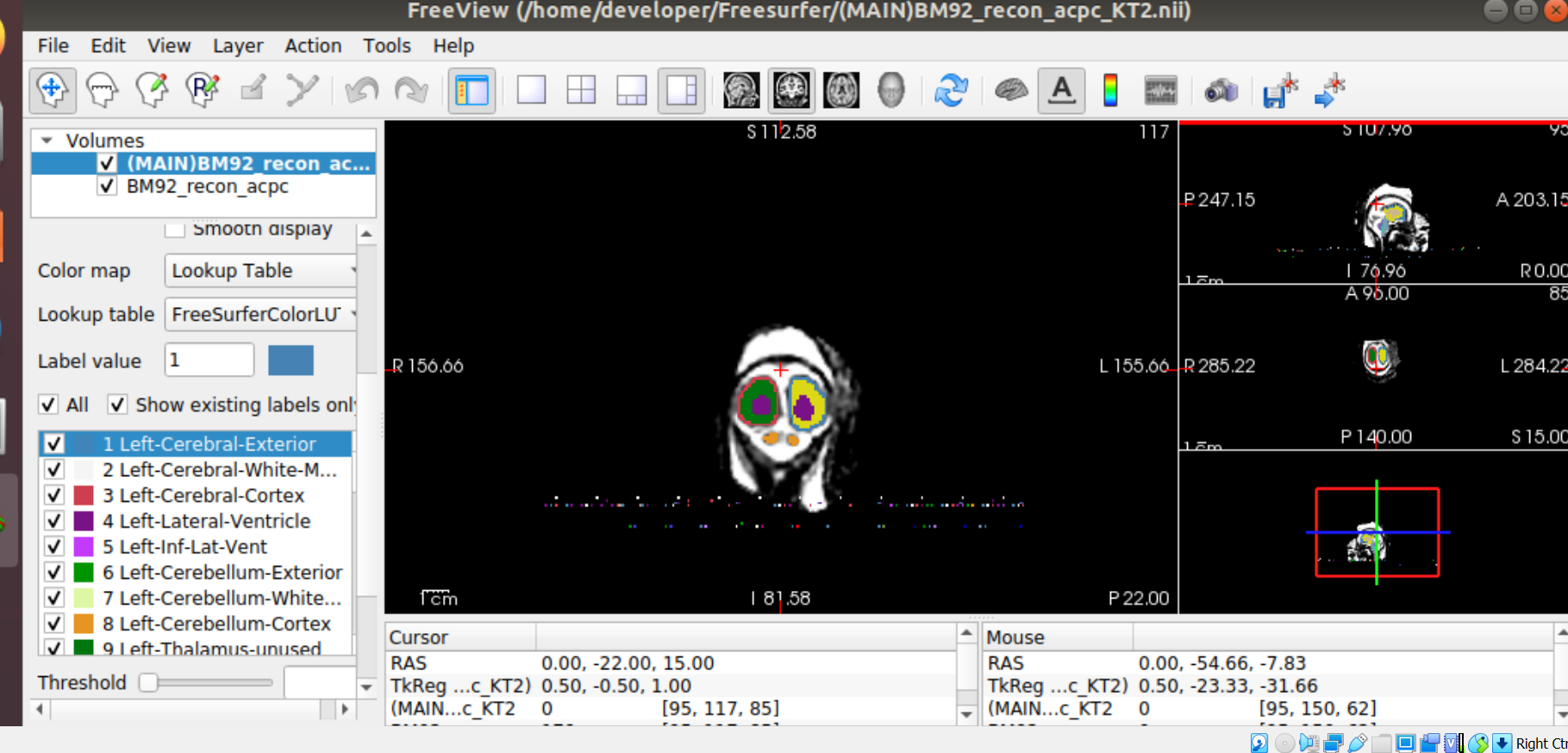
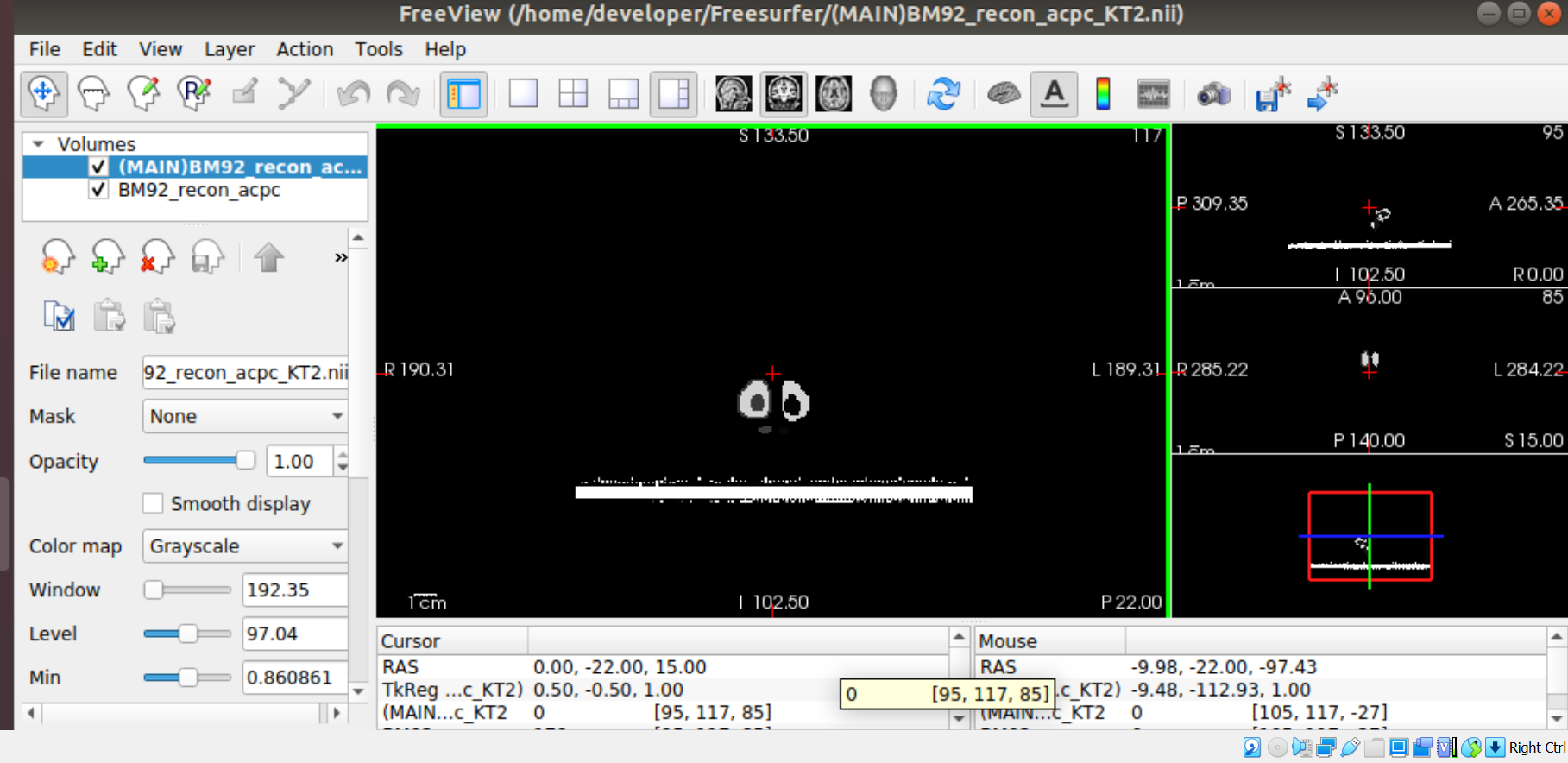
I currently use FreeSurfer to segment fetal brain MRIs, but I keep encountering this issue: sometimes when I open freeview and load the volumes, there appears streaks of gray with the “Grayscale” setting, and then with the “LookUp Table” setting there are streaks of color below or above the head. These colors are random, and too many to manually erase by hand. I have tried using the “Replace label” function to change these colors to 0, but that has not always worked or took way too long.
I wonder what the issue here may be? Could it be the process of opening the file, closing the file after I’m finished, or some error within the system itself? As of now, I am taking measures by creating and saving backup copies (as files these streaks would not be useful for volumetric analysis), but it would be helpful to know the potential causes and steps to resolve/prevent the issue.
1.
Freesurfer version: freesurfer-linux-centos7_x86_64-7.1.0-2020511-813297b 2.
Platform: Using VirtualBox on Windows 10 (following these instructions: https://secure-web.cisco.com/198hW-Y_5CqOaKNqjYM3bPRnMVo3rBeETnC_0DhCJ_55_Sw...). I think Ubuntu 18. 3.
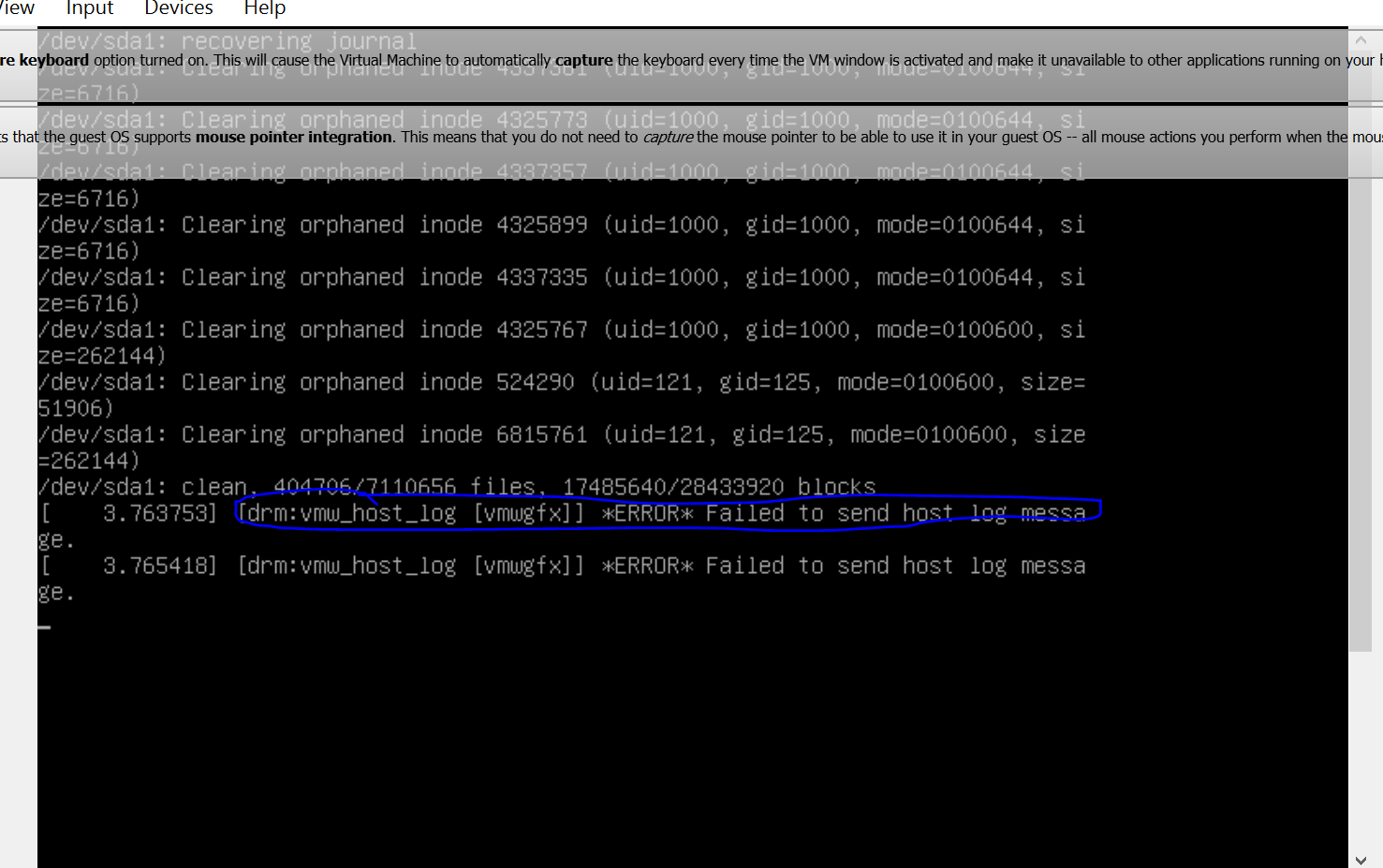
I have trouble finding the log file within my files, but I hope that is okay since I have not really done much coding except opening freeview, changing directories, and renaming files. I am not sure if this is related, but I always see this error message when starting up Ubuntu (see image below):
[drm:vmw_host_log [vmwgfx]] *ERROR* Failed to send host log message
4. Images description: Streaks of color on grayscale and also on LookUp Table. The “Show existing labels” column also includes labels I have not touched at all.
Sincerely,
Ken Takeoka
freesurfer@nmr.mgh.harvard.edu
-
 Ken Takeoka