
Dear Freesurfer Team,
I am a researcher here at University of Miami and recently downloaded Freesurfer to do Cortical Thickness analysis. Unfortunately, I have followed the installation steps very carefully as indicated on your web page but I do not know if there is a security issue on this Mac or what is it? But when I am trying to test freesurfer I get a message that says "license not found".
I have tried to install the license by copying and pasting the license text I received (license.txt) into the $FREESURFER_HOME directory but it did not work; so I tried to write the commands “cd /Applications/freesurfer” and then “pico license.txt”. In the next window I also pasted the license and then I saved the changes in pico, but that did not work either.
Is there anything else I should do?
I am attaching some screenshots from the terminal. Maybe those help you assessing the problem.
Thank you,
Carlos Millan Research Assistant Epilepsy Division – Neurology Department University of Miami
[cid:D9BCD62E-EF2A-49DD-BC1F-A770010B9731]
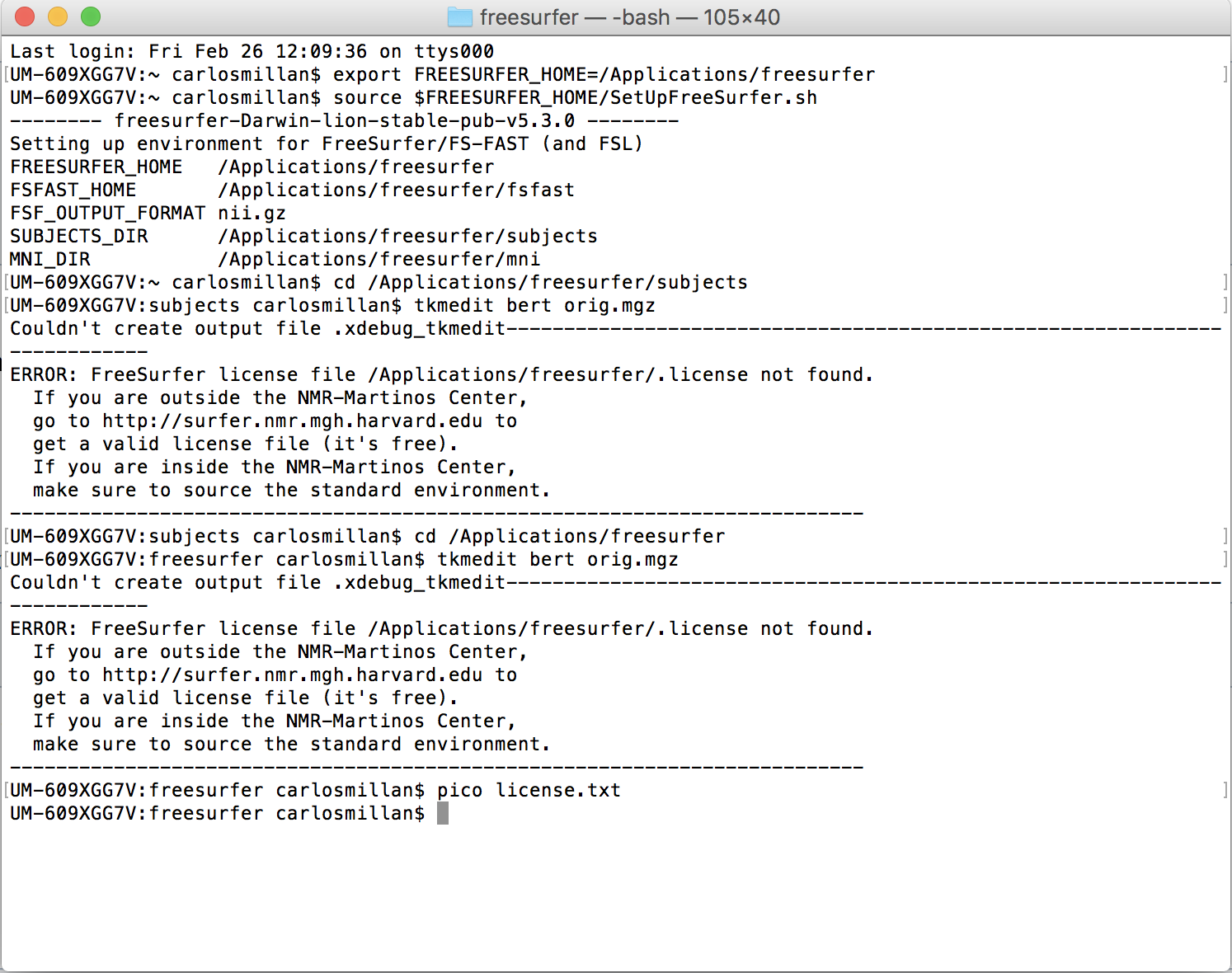

My guess is that pico did not actually save the license file because by default all directories under /Applications is protected. Which mean the "sudo" command is required.
Do you definitely have a file called license.txt (or .license) in your FREESURFER_HOME directory? What happens when you type the following in a terminal window?
$> cd /Applications/freesurfer $> ls -l license.txt
-Zeke
On 03/01/2016 11:14 AM, Millan, Carlos wrote:
Dear Freesurfer Team,
I am a researcher here at University of Miami and recently downloaded Freesurfer to do Cortical Thickness analysis. Unfortunately, I have followed the installation steps very carefully as indicated on your web page but I do not know if there is a security issue on this Mac or what is it? But when I am trying to test freesurfer I get a message that says "license not found".
I have tried to install the license by copying and pasting the license text I received (license.txt) into the $FREESURFER_HOME directory but it did not work; so I tried to write the commands “cd /Applications/freesurfer” and then “pico license.txt”. In the next window I also pasted the license and then I saved the changes in pico, but that did not work either.
Is there anything else I should do?
I am attaching some screenshots from the terminal. Maybe those help you assessing the problem.
Thank you,
Carlos Millan Research Assistant Epilepsy Division – Neurology Department University of Miami
Freesurfer mailing list Freesurfer@nmr.mgh.harvard.edu https://mail.nmr.mgh.harvard.edu/mailman/listinfo/freesurfer
freesurfer@nmr.mgh.harvard.edu
-
 Millan, Carlos
 -
 Z K
Z K