
External Email - Use Caution
Hello,
We used FreeSurfer version 6.0 to extract thickness values and then used SPSS for statistical modeling. We found significant results in the thickness of the following two regions:
*lh_G&S_cingul-Mid-Ant_thickness*
*lh_S_front_middle_thickness*
We want to make a simple figure showing just these two areas of the brain for visualization purposes only (similar to the attached figure). Could you let us know how we can make such an image in Freeview?
Any help is highly appreciated!
Best,
Jennifer
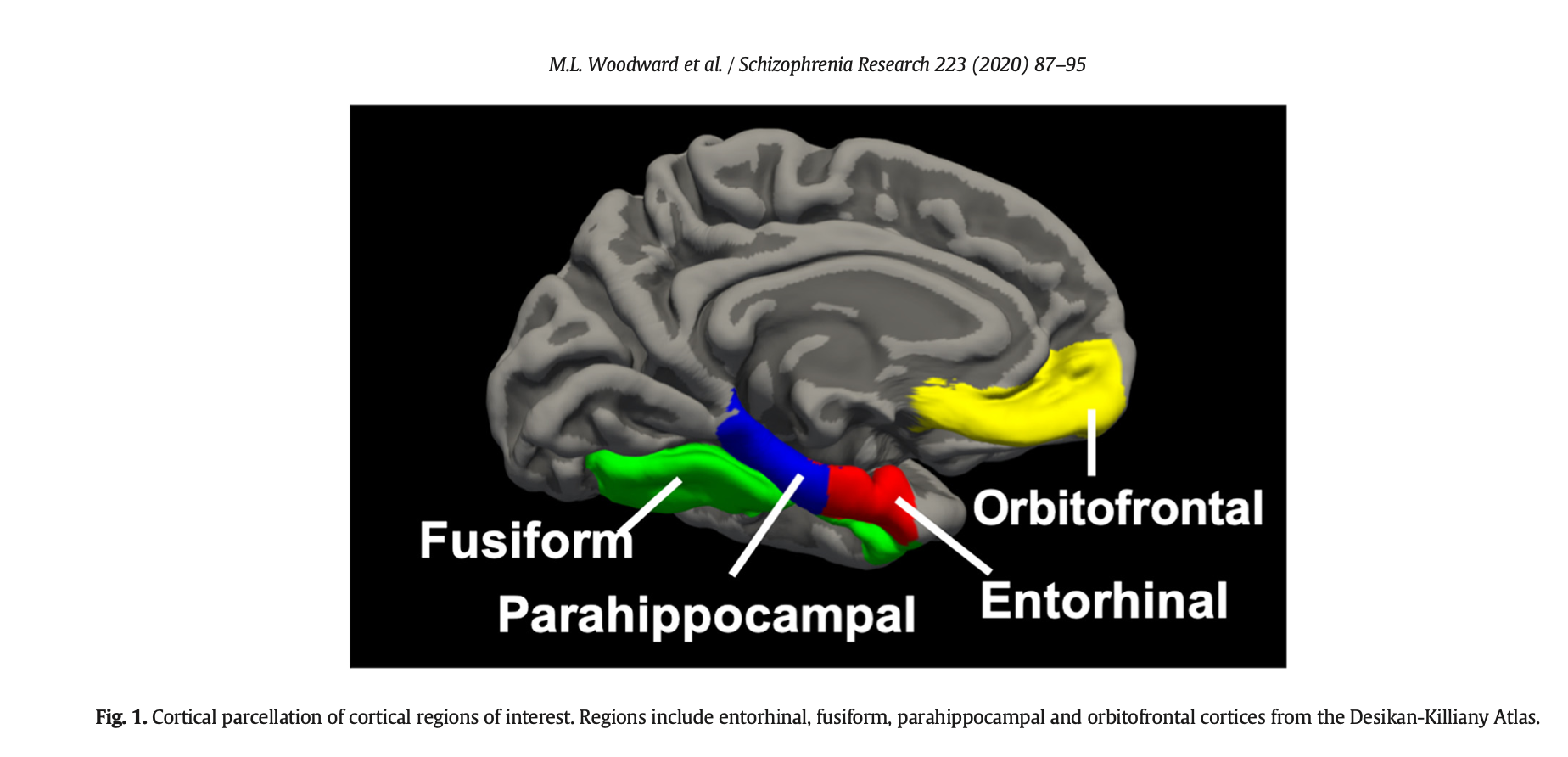

In Freeview, hit the "View/Edit" button. The resulting interface will allow you to hide/show any combination of labels. You can hit the "All" button to turn them all off and then just add the ones you want.
On 6/24/2021 12:11 PM, Jennifer James, MD wrote:
External Email - Use Caution
Hello,
We used FreeSurfer version 6.0 to extract thickness values and then used SPSS for statistical modeling. We found significant results in the thickness of the following two regions:
*lh_G&S_cingul-Mid-Ant_thickness*
*lh_S_front_middle_thickness*
We want to make a simple figure showing just these two areas of the brain for visualization purposes only (similar to the attached figure). Could you let us know how we can make such an image in Freeview?
Any help is highly appreciated!
Best,
Jennifer
Freesurfer mailing list Freesurfer@nmr.mgh.harvard.edu https://mail.nmr.mgh.harvard.edu/mailman/listinfo/freesurfer
freesurfer@nmr.mgh.harvard.edu
-
 Douglas N. Greve
 -
 Jennifer James, MD