
Hello Freesurfer,
After running the first step of PETsurfer ( https://surfer.nmr.mgh.harvard.edu/fswiki/PetSurfer). I viewed the image it created using freeview. When I change, the color map to Lookup Table, the image also included the skull. How can I remove the skull from gtmseg.mgz/prevent it from showing? Any help will be appreciated. Thanks. Please, see attached image
Best, Paul
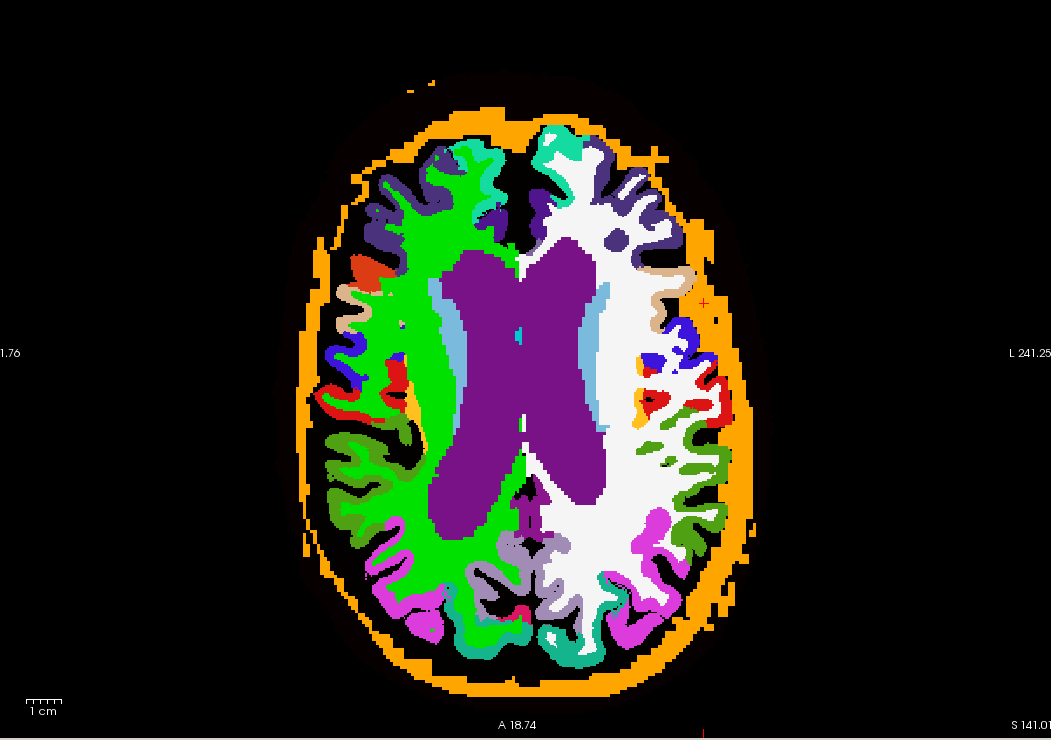
---------- Forwarded message ---------- From: miracle ozzoude miracooloz@gmail.com Date: Tue, Jul 4, 2017 at 10:23 AM Subject: remove skull from gtmseg.mgz To: Douglas N Greve freesurfer@nmr.mgh.harvard.edu
Hello Freesurfer,
After running the first step of PETsurfer (https://surfer.nmr.mgh. harvard.edu/fswiki/PetSurfer). I viewed the image it created using freeview. When I change, the color map to Lookup Table, the image also included the skull. How can I remove the skull from gtmseg.mgz/prevent it from showing? Any help will be appreciated. Thanks. Please, see attached image
Best, Paul
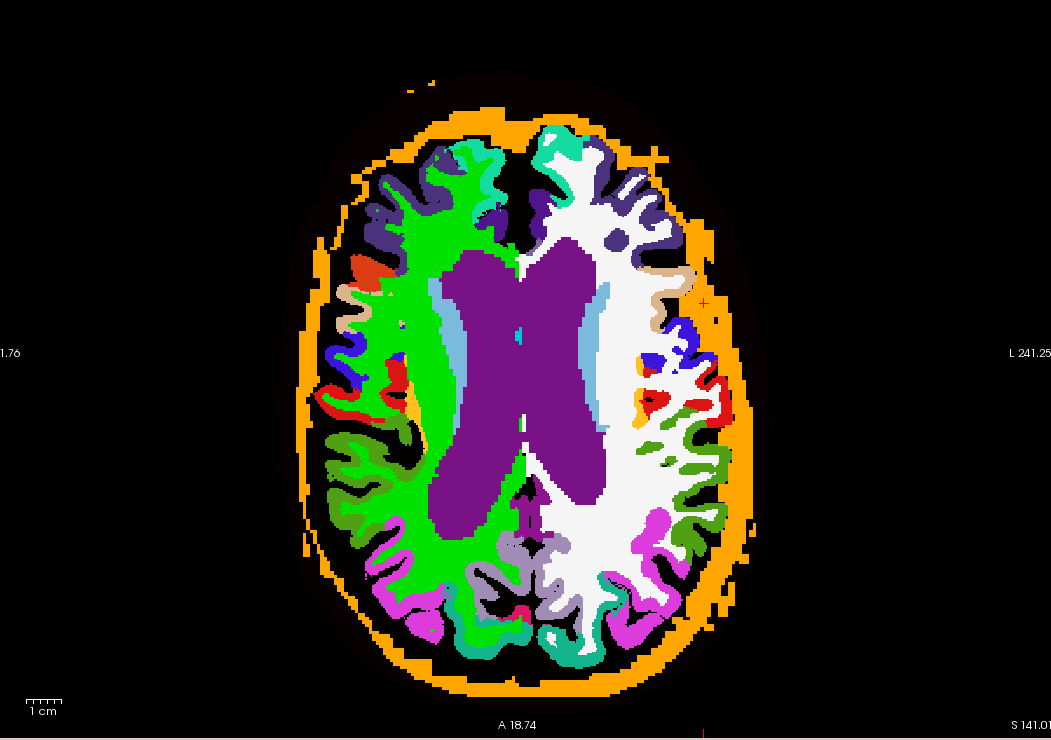

You can change the color to be black or transparent.
On 7/5/17 10:53 AM, miracle ozzoude wrote:
---------- Forwarded message ---------- From: *miracle ozzoude* <miracooloz@gmail.com mailto:miracooloz@gmail.com> Date: Tue, Jul 4, 2017 at 10:23 AM Subject: remove skull from gtmseg.mgz To: Douglas N Greve <freesurfer@nmr.mgh.harvard.edu mailto:freesurfer@nmr.mgh.harvard.edu>
Hello Freesurfer,
After running the first step of PETsurfer (https://surfer.nmr.mgh.harvard.edu/fswiki/PetSurfer https://surfer.nmr.mgh.harvard.edu/fswiki/PetSurfer). I viewed the image it created using freeview. When I change, the color map to Lookup Table, the image also included the skull. How can I remove the skull from gtmseg.mgz/prevent it from showing? Any help will be appreciated. Thanks. Please, see attached image
Best, Paul
Freesurfer mailing list Freesurfer@nmr.mgh.harvard.edu https://mail.nmr.mgh.harvard.edu/mailman/listinfo/freesurfer
No, this is just for visualization purposes (I assume)
On 7/6/17 8:46 AM, miracooloz@gmail.com wrote:
Thanks doug. Do I need to include a flag in gtmseg to change the colour? Best. Paul
Sent from my BlackBerry 10 smartphone. *From: *Douglas Greve *Sent: *Thursday, July 6, 2017 12:12 AM *To: *freesurfer@nmr.mgh.harvard.edu *Reply To: *Freesurfer support list *Subject: *Re: [Freesurfer] Fwd: remove skull from gtmseg.mgz
You can change the color to be black or transparent.
On 7/5/17 10:53 AM, miracle ozzoude wrote:
---------- Forwarded message ---------- From: *miracle ozzoude* <miracooloz@gmail.com mailto:miracooloz@gmail.com> Date: Tue, Jul 4, 2017 at 10:23 AM Subject: remove skull from gtmseg.mgz To: Douglas N Greve <freesurfer@nmr.mgh.harvard.edu mailto:freesurfer@nmr.mgh.harvard.edu>
Hello Freesurfer,
After running the first step of PETsurfer (https://surfer.nmr.mgh.harvard.edu/fswiki/PetSurfer https://surfer.nmr.mgh.harvard.edu/fswiki/PetSurfer). I viewed the image it created using freeview. When I change, the color map to Lookup Table, the image also included the skull. How can I remove the skull from gtmseg.mgz/prevent it from showing? Any help will be appreciated. Thanks. Please, see attached image
Best, Paul
Freesurfer mailing list Freesurfer@nmr.mgh.harvard.edu https://mail.nmr.mgh.harvard.edu/mailman/listinfo/freesurfer
Freesurfer mailing list Freesurfer@nmr.mgh.harvard.edu https://mail.nmr.mgh.harvard.edu/mailman/listinfo/freesurfer
freesurfer@nmr.mgh.harvard.edu
-
 Douglas Greve
 -
 miracle ozzoude
 -
miracooloz@gmail.com