Hi Doug,
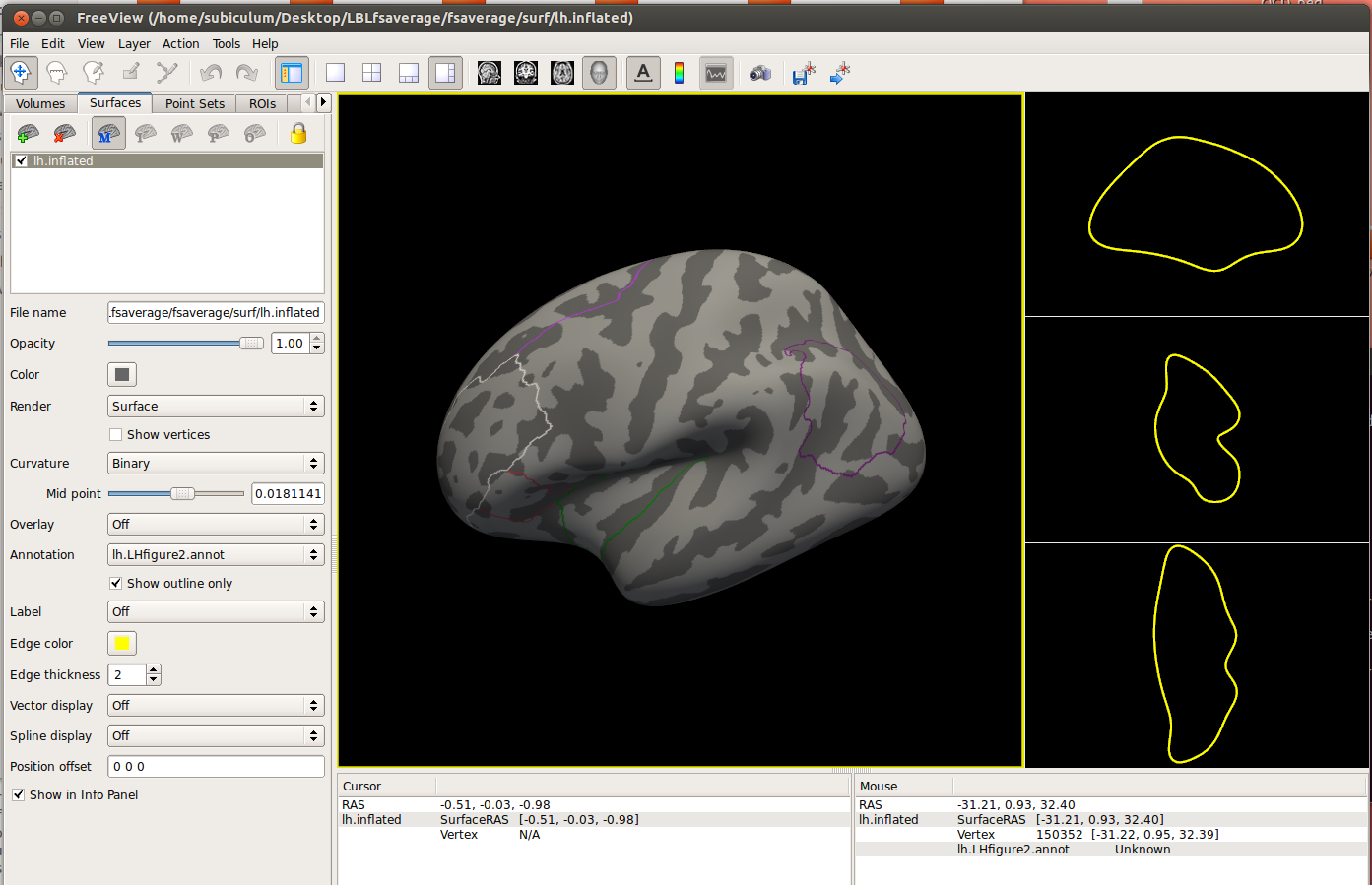
I am going back to this old email. I was able to brake the annot file into separate labels and I created a new annotation file with only the labels that I was interested in. However, the inflated surface disappears when I upload my own annotation in freeview. Only the labels are shown (see attachment). If I select "show outline only", then the inflated surface remains displayed. How can I keep the inflated surface displayed while I am loading the annotation file?
On a different note, I could upload multiple labels in the same time in freeview in the past. Now I can only upload one label at the time. I wonder if there is some setting that I am missing.
Thanks! Mihaela
On Wed, Oct 28, 2015 at 1:29 PM, Douglas N Greve greve@nmr.mgh.harvard.edu wrote:
Break up the annot into separate labels then recombine the ones you want into a new annotation. Use mri_annotation2label for the first step then mris_label2annot for the second.
On 10/27/2015 02:35 PM, Mihaela Stefan wrote:
Hello Freesurfers,
I would like to be able to display just a few parcels from the Desikan atlas on the fsaverage inflated surface. For example, I would like to display only the superiorfrontal and the posteriorcingulate. I tried to recreate the parcels myself by drawing labels, but they don't look pretty (see the attachment). I traced the labels in qdec (based on the Annotation/Opacity tab) and then I mapped them to fsaverage and visualized them with freeview.
There's probably a better way to do that but I couldn't figure it out. Can anyone help me with this?
Thanks! Mihaela
Freesurfer mailing list Freesurfer@nmr.mgh.harvard.edu https://mail.nmr.mgh.harvard.edu/mailman/listinfo/freesurfer
-- Douglas N. Greve, Ph.D. MGH-NMR Center greve@nmr.mgh.harvard.edu Phone Number: 617-724-2358 Fax: 617-726-7422
Bugs: surfer.nmr.mgh.harvard.edu/fswiki/BugReporting FileDrop: https://gate.nmr.mgh.harvard.edu/filedrop2 www.nmr.mgh.harvard.edu/facility/filedrop/index.html Outgoing: ftp://surfer.nmr.mgh.harvard.edu/transfer/outgoing/flat/greve/
Freesurfer mailing list Freesurfer@nmr.mgh.harvard.edu https://mail.nmr.mgh.harvard.edu/mailman/listinfo/freesurfer
The information in this e-mail is intended only for the person to whom it is addressed. If you believe this e-mail was sent to you in error and the e-mail contains patient information, please contact the Partners Compliance HelpLine at http://www.partners.org/complianceline . If the e-mail was sent to you in error but does not contain patient information, please contact the sender and properly dispose of the e-mail.