Hi Bruce,
I've been using the "Unmark Vertices" option from the edit menu, but I've also tried right-clicking the image and it doesn't make a difference.
I've also tried clicking things in order, deleting cut points that might be out of order.
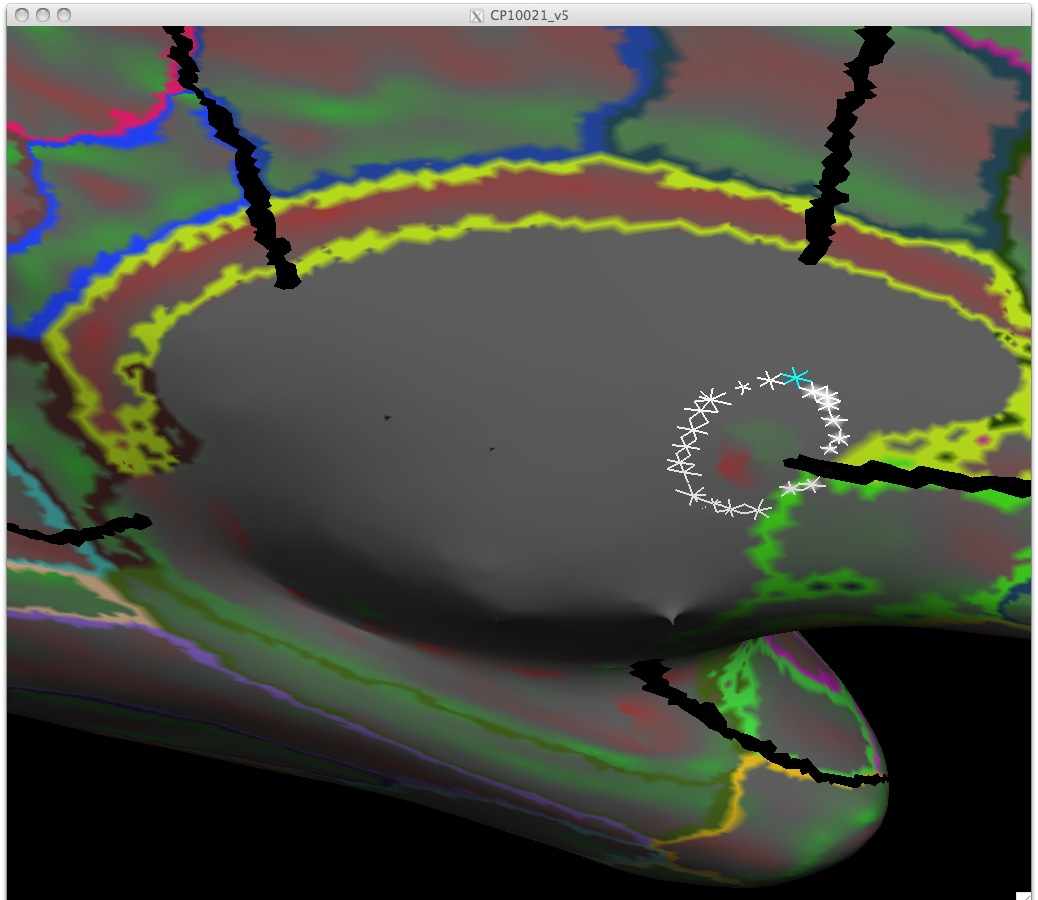
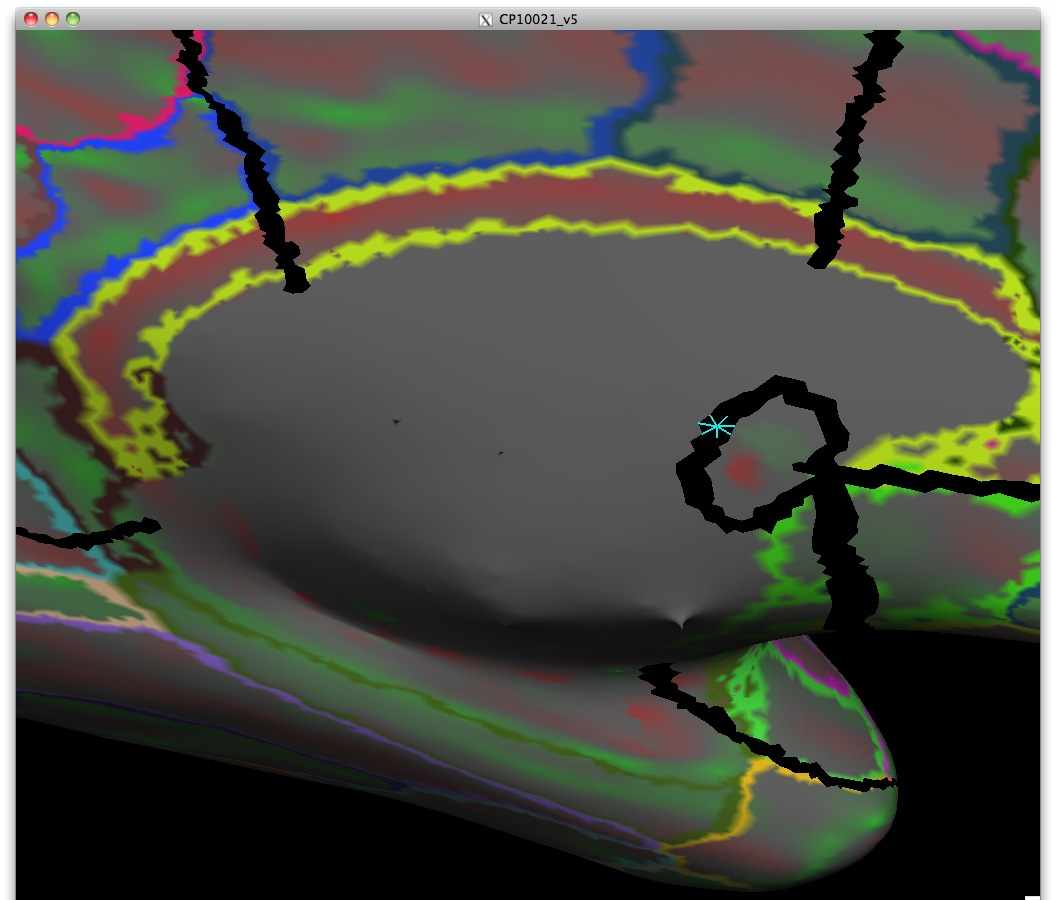
I've been trying to understand the issue by starting with very small circles, then expanding them in size or changing their location. It seems that there are certain portions of the medial wall that can't be included in the cut without things going awry. I'm attaching a couple of snapshots to show an example. I've tried numerous times to cut a small circle in this region, and always end up with an additional line running ventrally from the existing cut line.
--Greg
____________________________________________________________________ Greg Burgess, Ph.D. Staff Scientist, Human Connectome Project Washington University School of Medicine Department of Anatomy and Neurobiology Email: burgessg@pcg.wustl.edu
On Mar 23, 2012, at 8:57 AM, Bruce Fischl wrote:
Hi Greg
two possible problem:
Make sure you right click before starting to define medial wall so all other clicks are erased.
Make sure you click in the order you want things connected.
cheers Bruce On Fri, 23 Mar 2012, Greg Burgess wrote:
I'm trying to cut the medial wall as described in Step 2 on http://surfer.nmr.mgh.harvard.edu/fswiki/FreeSurferOccipitalFlattenedPatch . However, each time I click "Cut Closed Line", I get a jumble of lines that go all over the cortex and medial wall, rather than a clean circle around the medial wall. I've tried putting cut points so close that they're nearly on top of each other, but it still doesn't help.
Does anyone have an idea why this won't cut right?
Thanks, --Greg
Greg Burgess, Ph.D. Staff Scientist, Human Connectome Project Washington University School of Medicine Department of Anatomy and Neurobiology Email: burgessg@pcg.wustl.edu
Freesurfer mailing list Freesurfer@nmr.mgh.harvard.edu https://mail.nmr.mgh.harvard.edu/mailman/listinfo/freesurfer
The information in this e-mail is intended only for the person to whom it is addressed. If you believe this e-mail was sent to you in error and the e-mail contains patient information, please contact the Partners Compliance HelpLine at http://www.partners.org/complianceline . If the e-mail was sent to you in error but does not contain patient information, please contact the sender and properly dispose of the e-mail.