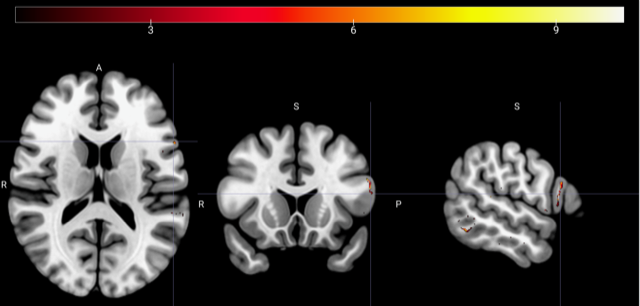
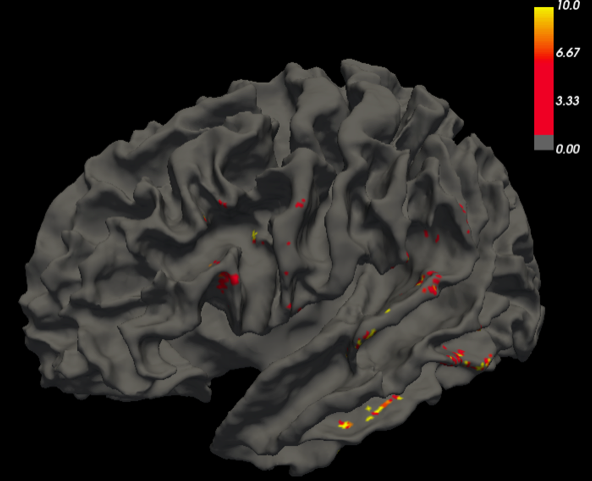
Hi Mudathir - There are several ways to configure the projection from the volume to the surface, so you might want to look at the options of mri_vol2surf to make sure that it's doing exactly what you want. There are ways to control how deep you go from the surface (projfrac/projdist) and ways to control what quantity you extract from the volume voxels along that depth (avg/max). It also gives you the option to smooth the points in the volume before projecting or on the surface after projecting. You can play with these things to change the appearance of the end result.
Anastasia. ________________________________ From: freesurfer-bounces@nmr.mgh.harvard.edu freesurfer-bounces@nmr.mgh.harvard.edu on behalf of バキット・ムダシル m-bakhit@fmu.ac.jp Sent: Tuesday, March 30, 2021 11:02 PM To: Freesurfer support list Freesurfer@nmr.mgh.harvard.edu Subject: [Freesurfer] Tract endpoint density map surface overlay
External Email - Use Caution
Hi everyone,
I need to confirm if the steps below are correct, so I would like to ask freesurfer experts help. By using the Left-Cerebral-White-Matter mask imported from freesurfer as a seed I created a tract end points density image of the arcuate fasciculus in a NIFTI format (first figure). I want to display the image on the same subject’s white matter surface. So, I wrote the command as follows
mri_vol2surf --src DensityMAP.nii.gz --out filename.mgh --hemi lh --surf white --out_type mgh --regheader subject_id
The output as seen in the second figure.
Thanks
Mudathir
[cid:17573087-49E0-4A3A-8532-FBE5A8ECA400]
[cid:4541F065-2064-4706-9077-EEDC380541D0]