Hi all,
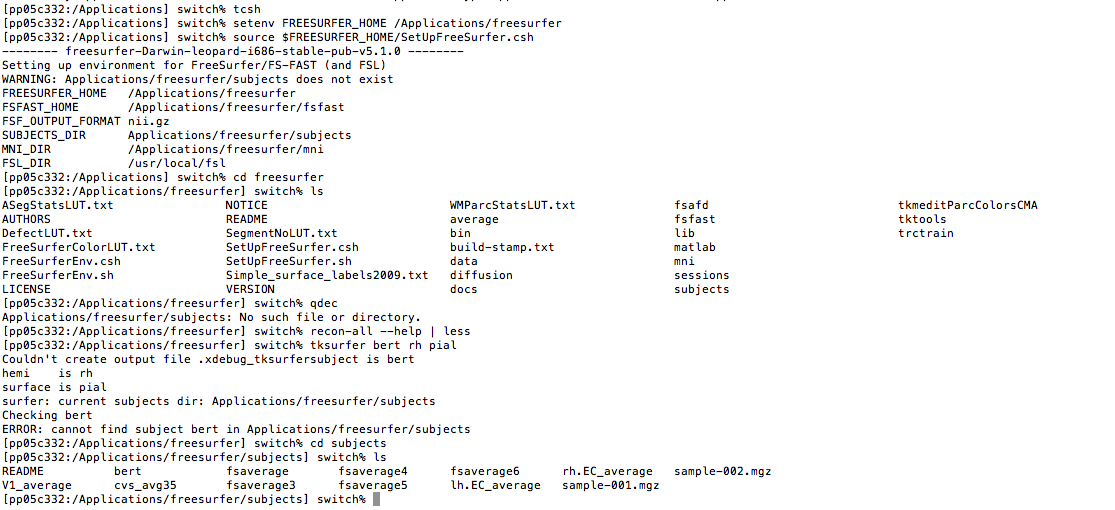
I am running into trouble testing my freesurfer installation on a Mac (10.6.8). I followed all steps in the guide but there is something funny that freesurfer does not seem to recognise its own "subjects" directory (see attached screenshot). If screenshot is not visible, it says:
-------- freesurfer-Darwin-leopard-i686-stable-pub-v5.1.0 -------- Setting up environment for FreeSurfer/FS-FAST (and FSL) WARNING: Applications/freesurfer/subjects does not exist FREESURFER_HOME /Applications/freesurfer FSFAST_HOME /Applications/freesurfer/fsfast FSF_OUTPUT_FORMAT nii.gz SUBJECTS_DIR Applications/freesurfer/subjects MNI_DIR /Applications/freesurfer/mni FSL_DIR /usr/local/fsl
I think it might have to do with the fact that there is a "/" missing in front of the "Applications" but I don't know where/how to change this. I checked my StartUp.csh file and there everything seems fine. However, the subjects directory was definitely created by freesurfer (also screenshot) so there is a mismatch somewhere.
I am sure it is a simple thing but can someone please let me know what I should do so I can start to enjoy freesurfer?
Many thanks in advance,
sven