External Email - Use Caution
To confirm, the two volumes *without any transformation (ie, "untouched")* do not align in FV but they do align in fslview? In other words, they align in voxel space but not in RAS space? To just copy the geometry, run mri_convert run2.nii.gz --in_like run1.nii.gz run2-in-run1.nii.gz
On 8/28/2023 10:10 AM, Proulx, Jean Sebastien wrote:
Sorry for sending to the wrong place, will do in the future. Here it is.
Thanks for the suggestion! The two fov indeed don't align in freeview. I played a little with the --no-resample option but did not acheive what I wanted.
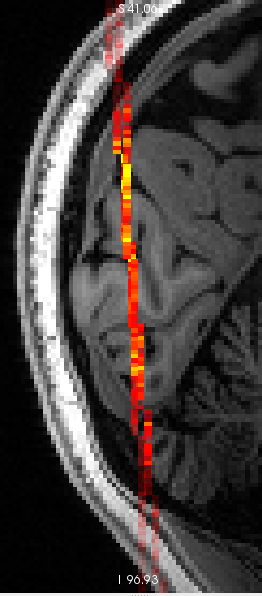
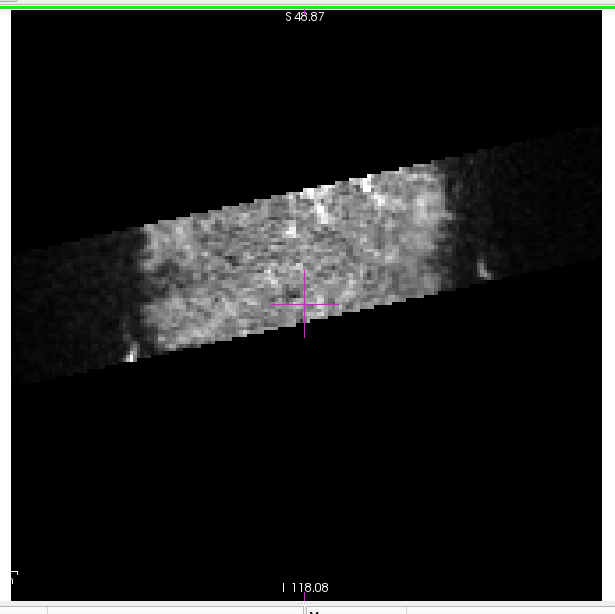
Here I simplified the problem to two single-slice images (run1.nii.gz and run2.nii.gz attached) acquired the same way (same resolution) but in two different positions in scanner space. In freeview it looks like this:
freeview anat.nii.gz run1.nii.gz run4.nii.gz
Image
I need the fov to align, but the data to not change at all (because the fov moved with the patient's head during the experiment).
To get the transformation, I ran
tkregister2 --mov run4.nii.gz --targ run1.nii.gz --regheader --reg run4to1
and clicked "save reg" without touching anything. It spits out the following matrix
0.99988 -0.01117 0.01053 -0.63259;
0.01065 0.99879 0.04792 -0.70029;
-0.01105 -0.04780 0.99880 -3.93196;
0.00000 0.00000 0.00000 1.00000;
Is this indeed the run4 to run1 transformation matrix? Do you know of a way to get that transformation without user information?
Then I thought
mri_vol2vol --mov run4.nii.gz --targ run1.nii.gz --reg run4to1 --no-resample --o run4to1.nii.gz
would do the trick but no, the run1.nii.gz and run4to1.nii.gz don't align, just like in the image above, as if the transformation is not actually applied.
Allowing resample
mri_vol2vol --mov run4.nii.gz --targ run1.nii.gz --reg run4to1 --o run4to1.nii.gz
makes the two field of view align in freeview but the data is altered.
Image
It looks like the transformation is not actually applied so that only the intersecting voxels are effectively resampled.
There is no error message.
I tried the dev environment and stable711.
I tried renaming the run4to1 registration file to run4to1.lta and I get the folloing error from mri_vol2vol:
regio_read_register: loading lta
error: Cannot allocate memory
error: LTAalloc(675792816): could not allocate xforms
I tried renaming the run4to1 registration file to run4to1.xfm and nothing changes (no error but the registration still does not seem to be applied).
Any idea what's going on?
Thanks a lot for your help and
Good evening!
Sebastien
Douglas N. Greve Mon, 28 Aug 2023 06:52:20 -0700
External Email - Use Caution Sorry, I don't have your previous email so I don't know what the context is. Can you resend this email with the previous exchanges included at the bottom? Also, please remember to send to the FS list instead of us personally.
thanks! doug
Douglas N. Greve Sun, 20 Aug 2023 14:52:01 -0700
External Email - Use Caution Do the two align in freeview if you just load both of them? If so, then you can use something like mri_vol2vol --mov vol1.mgz --targ vol2.mgz --regheader --no-resample --o new.vol1.mgz If they do not but you have a registration, then you can use a similar command, eg, mri_vol2vol --mov vol1.mgz --targ vol2.mgz --reg yourreg.lta --no-resample --o new.vol1.mgz
On 8/18/2023 11:34 AM, Proulx, Jean Sebastien wrote:
External Email - Use Caution
Dear Freesurfers!
I have two single-slice images that were acquired with different head positions.
Thanks to a fancy AutoAlign-like routine at the scanner (areg by Paul Wighton), the fov of the second image tracked the movement of the head—the brain nicely aligns when overlaying the two untouched image grids with e.g. fslview.
To leverage this online registration and properly visualize images in freeview, I need the fov position in header of the second image to be the same as in the header of the first image—basically pretending the head did not move and the two images were acquired with the exact same scanner-space fov position. So far I achieved that in a somewhat inelegant way by loading the first header in matlab with MRIread.m and manually adding the volume data from the second image before saving with MRIwrite.m.
That however does not work when the second image have different voxel and matrix sizes—e.g. my second image has twice the resolution of the first and gets blown up to twice the size in freeview after my makeshift header change :-(
I suspect a better solution could use mri_vol2vol with an appropriate registration matrix, but I don't know how to get the appropriate matrix.
Any suggestions?
thanks a lot for the help and
Have a very good day!
Sébastien