
External Email - Use Caution
Hello Freesurfer experts
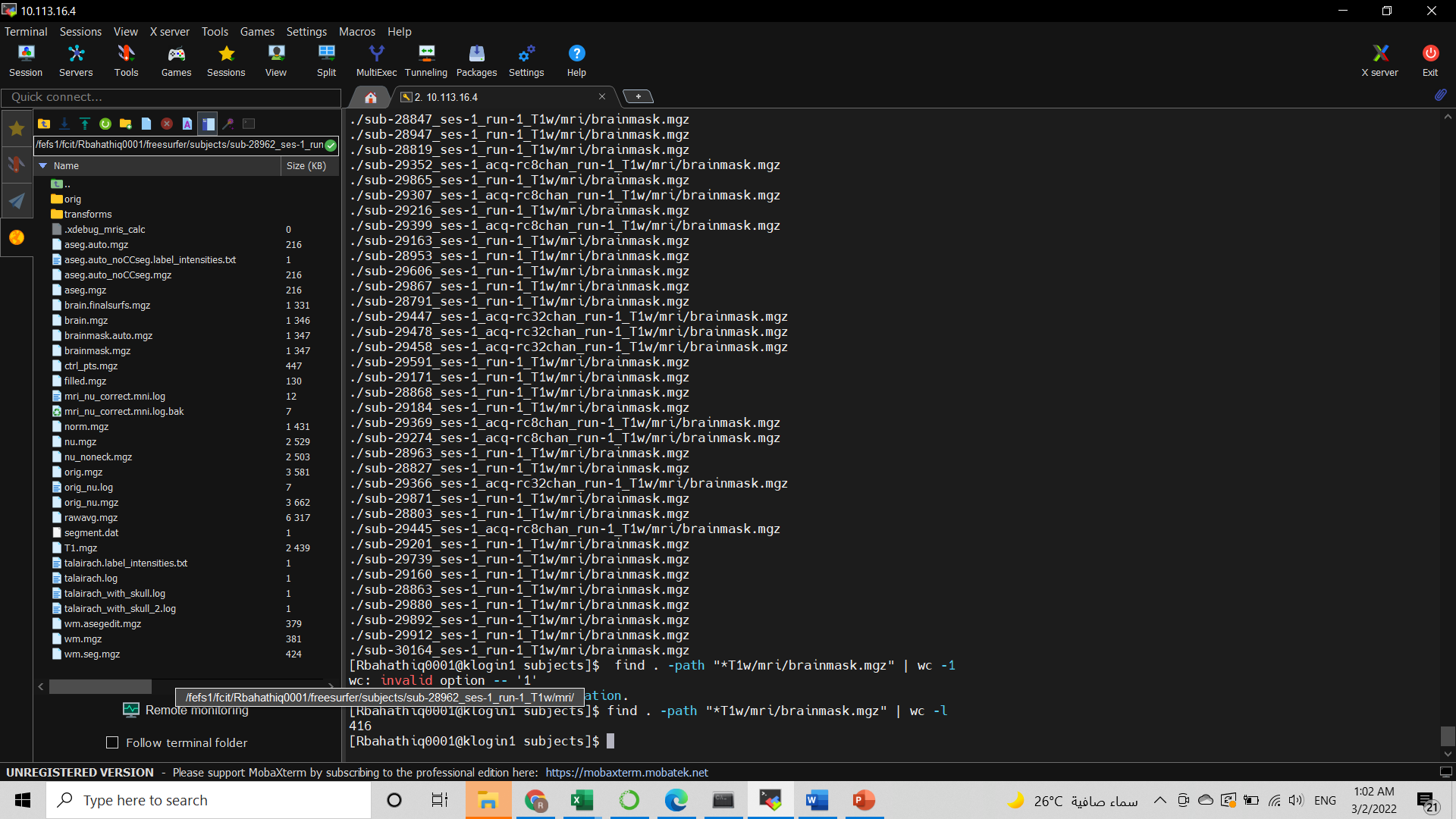
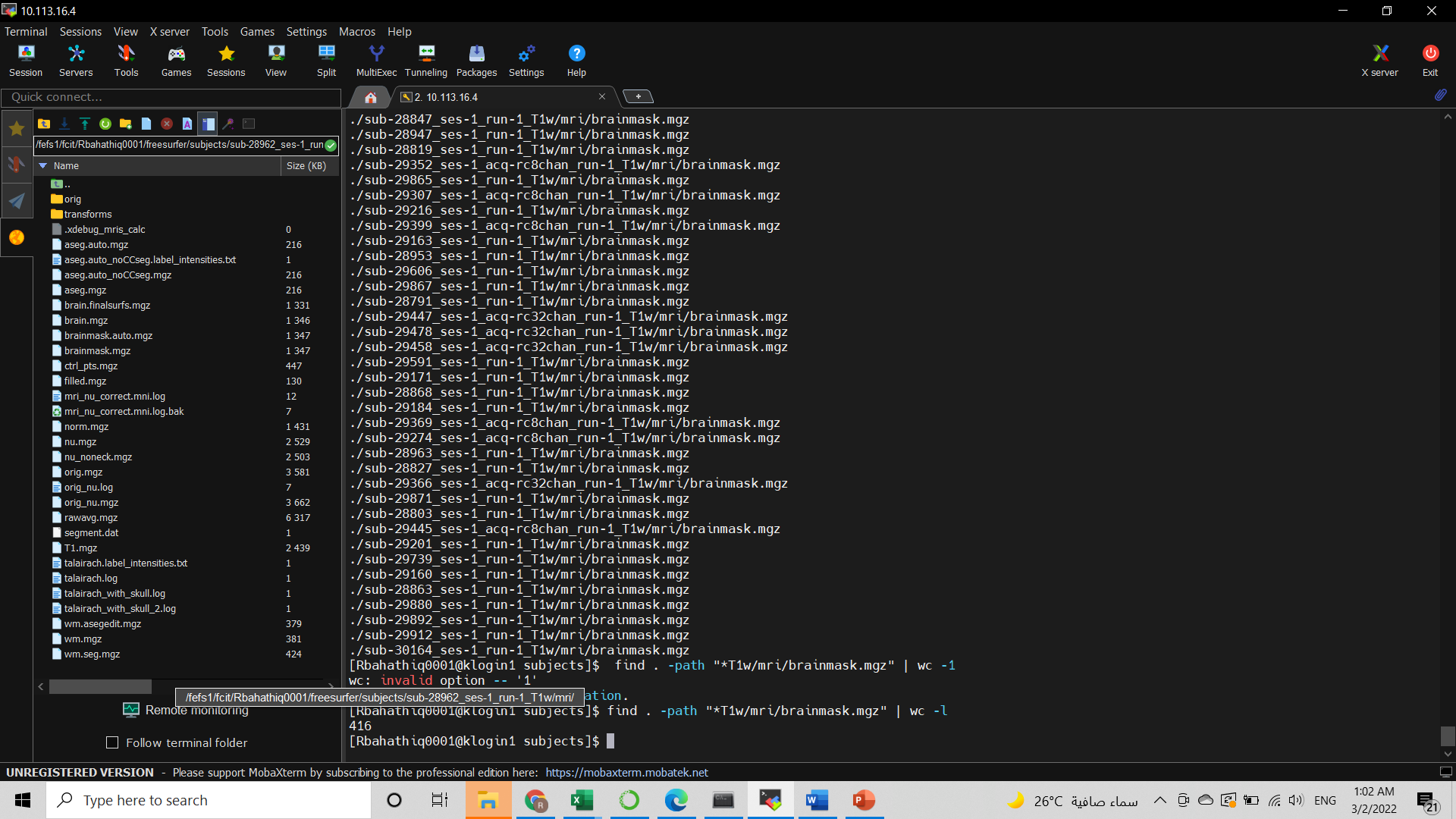
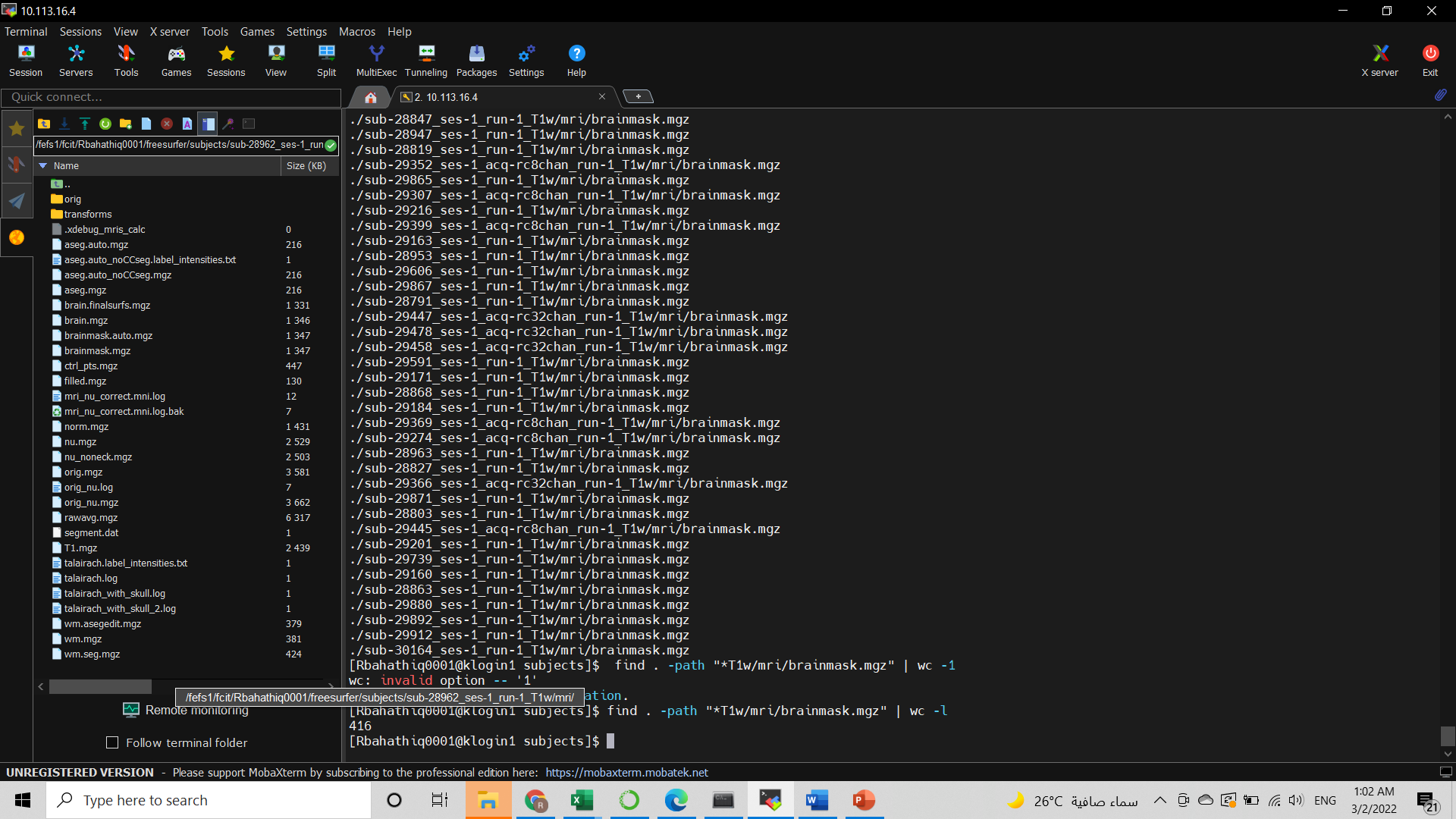
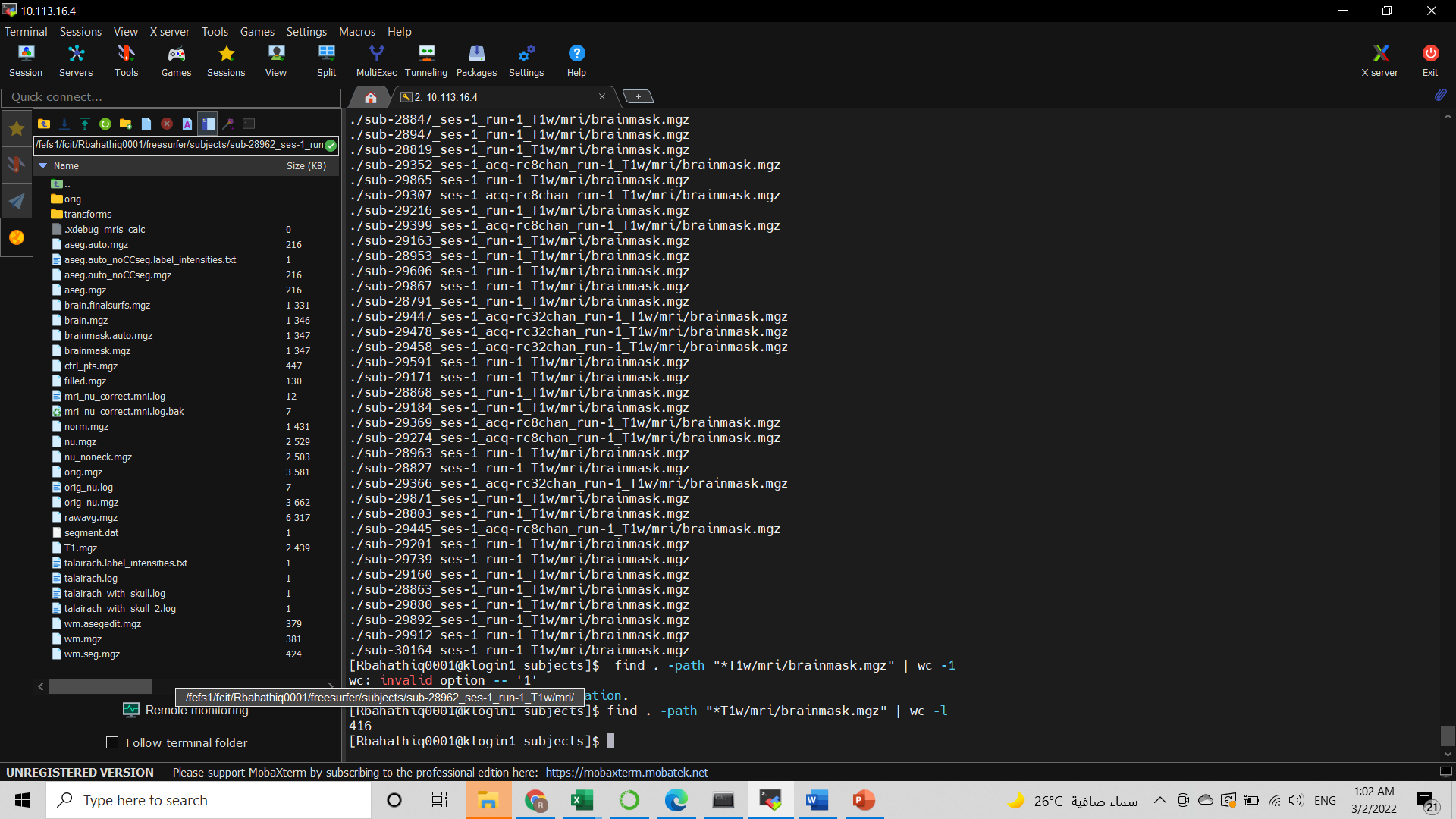
I ran the full Recon-all pipeline on my 400 .scans data. I wanted to get the "wmparc.mgz" image of each subject. But I couldn't find it in some of them !!
Where can I find the error file for the subject, as I think the process is not completed here?
I would also like to inquire about the way to restart Recon-all from where the pre-processing stopped. How can I determine which step stopped processing and what should I write from a command in Linux to complete the processing process?
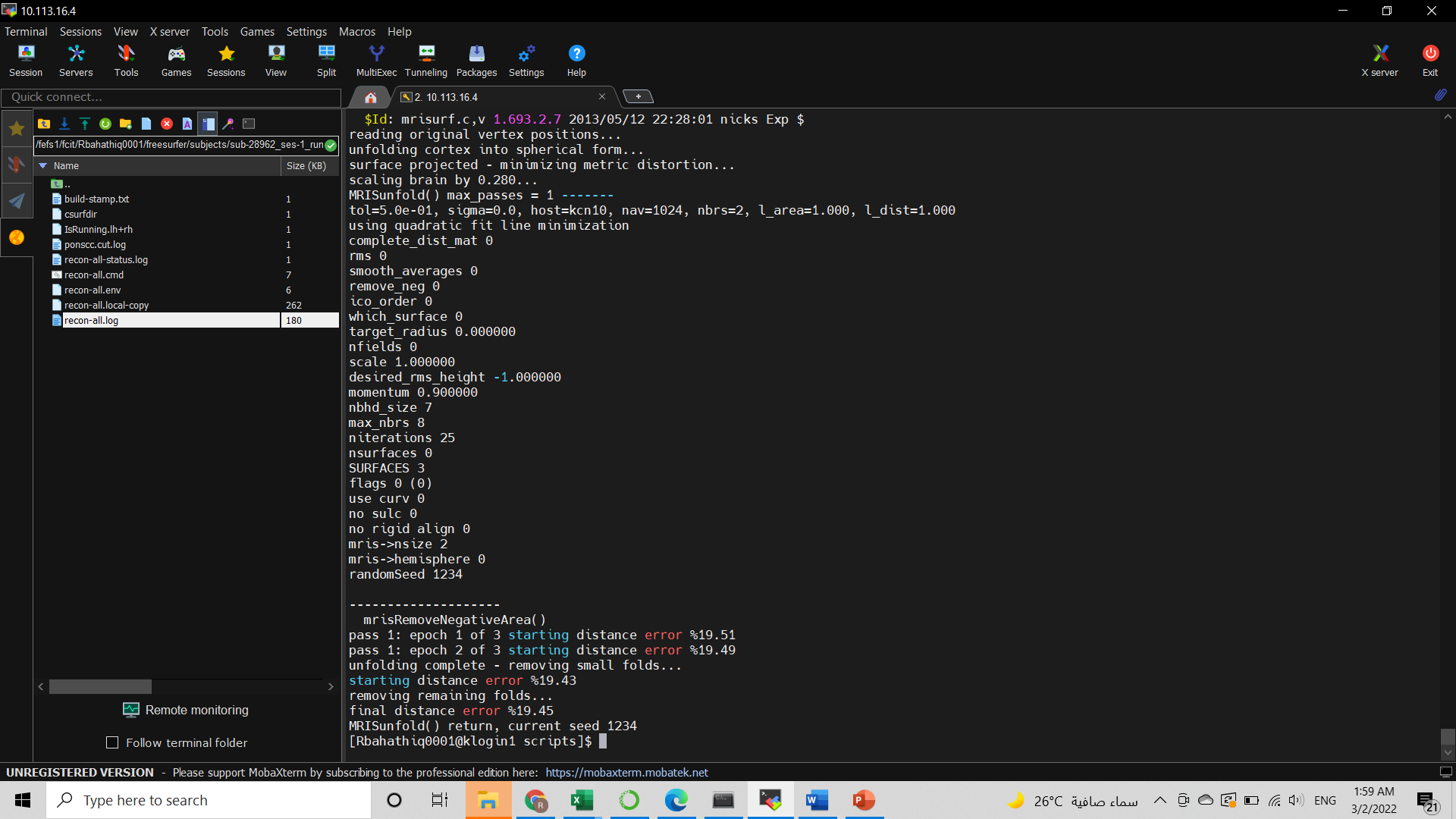
The attached picture shows the processing output for the subject that I think something went wrong with it
Thanks in advance [image: image.png]
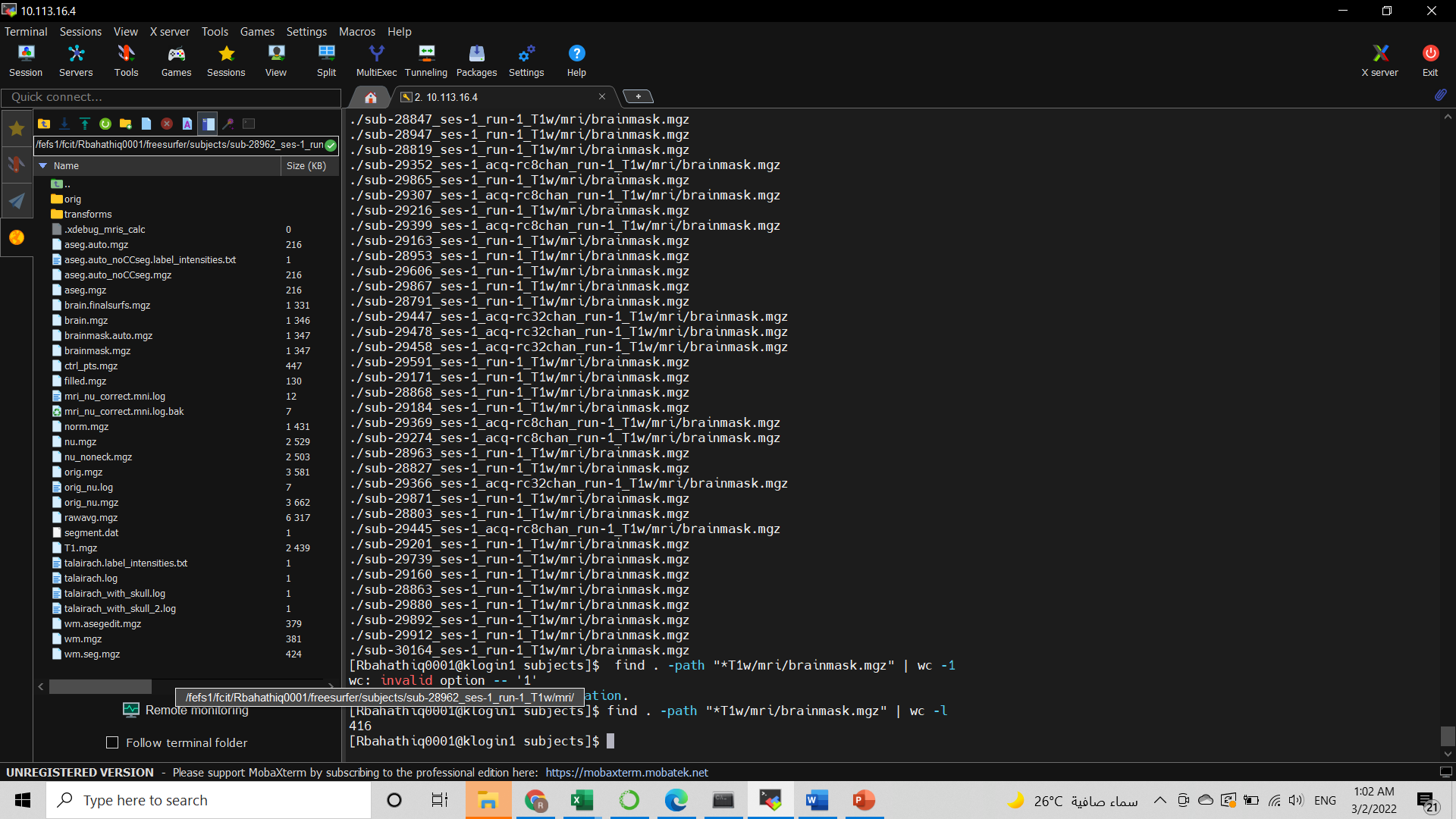

The file recon-all.log in the scripts dir for each subject should have any error messages. Usually we start looking at the end of them to see what happened.
Cheers Bruce
From: freesurfer-bounces@nmr.mgh.harvard.edu freesurfer-bounces@nmr.mgh.harvard.edu On Behalf Of REEM ABU BAKR BAHATHIQ Sent: Tuesday, March 1, 2022 5:10 PM To: Freesurfer support list freesurfer@nmr.mgh.harvard.edu Subject: [Freesurfer] check recon-all errors
External Email - Use Caution
Hello Freesurfer experts
I ran the full Recon-all pipeline on my 400 .scans data. I wanted to get the "wmparc.mgz" image of each subject. But I couldn't find it in some of them !!
Where can I find the error file for the subject, as I think the process is not completed here?
I would also like to inquire about the way to restart Recon-all from where the pre-processing stopped. How can I determine which step stopped processing and what should I write from a command in Linux to complete the processing process?
The attached picture shows the processing output for the subject that I think something went wrong with it
Thanks in advance [cid:image001.png@01D82D91.CD32B570]
External Email - Use Caution
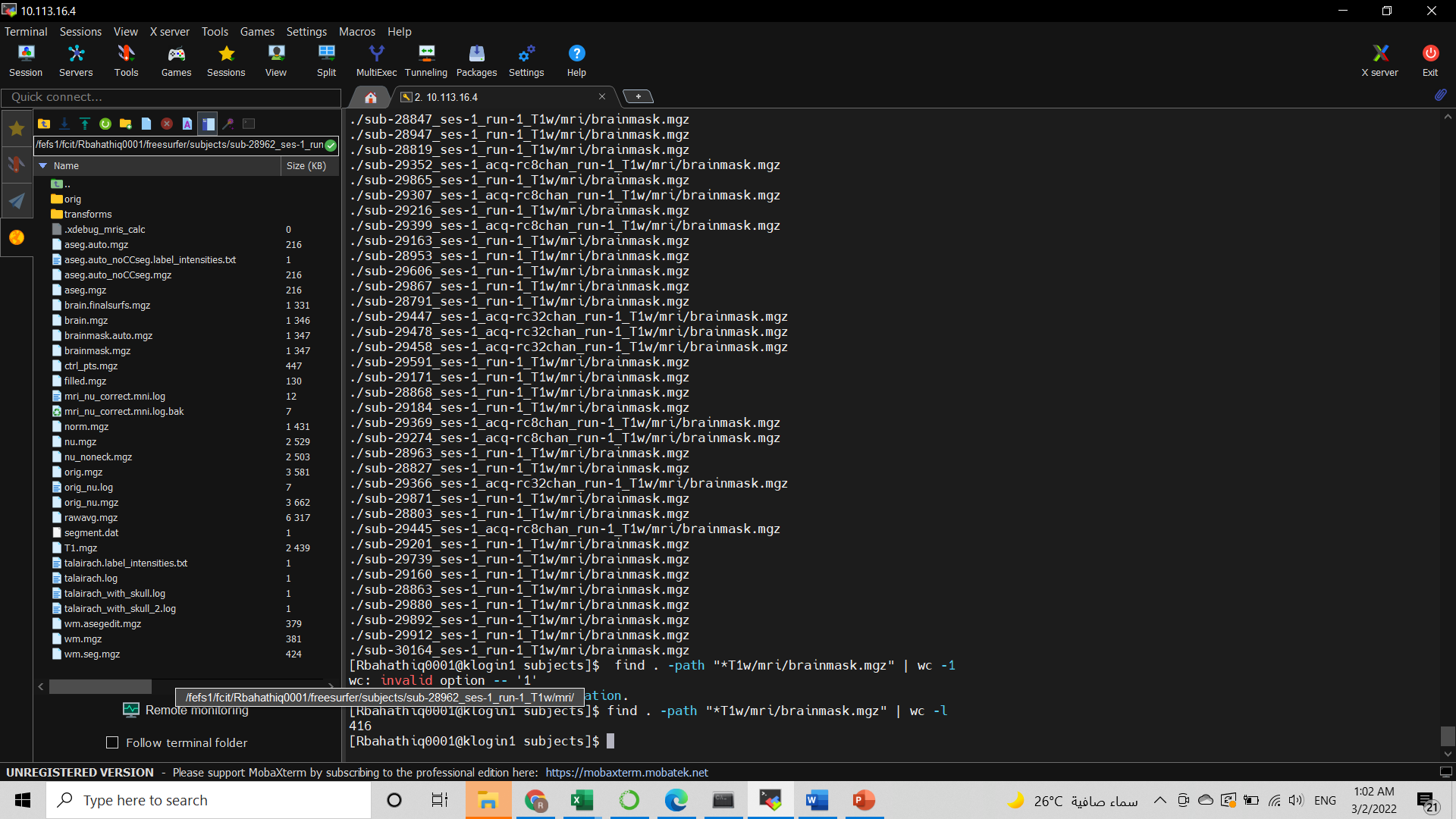
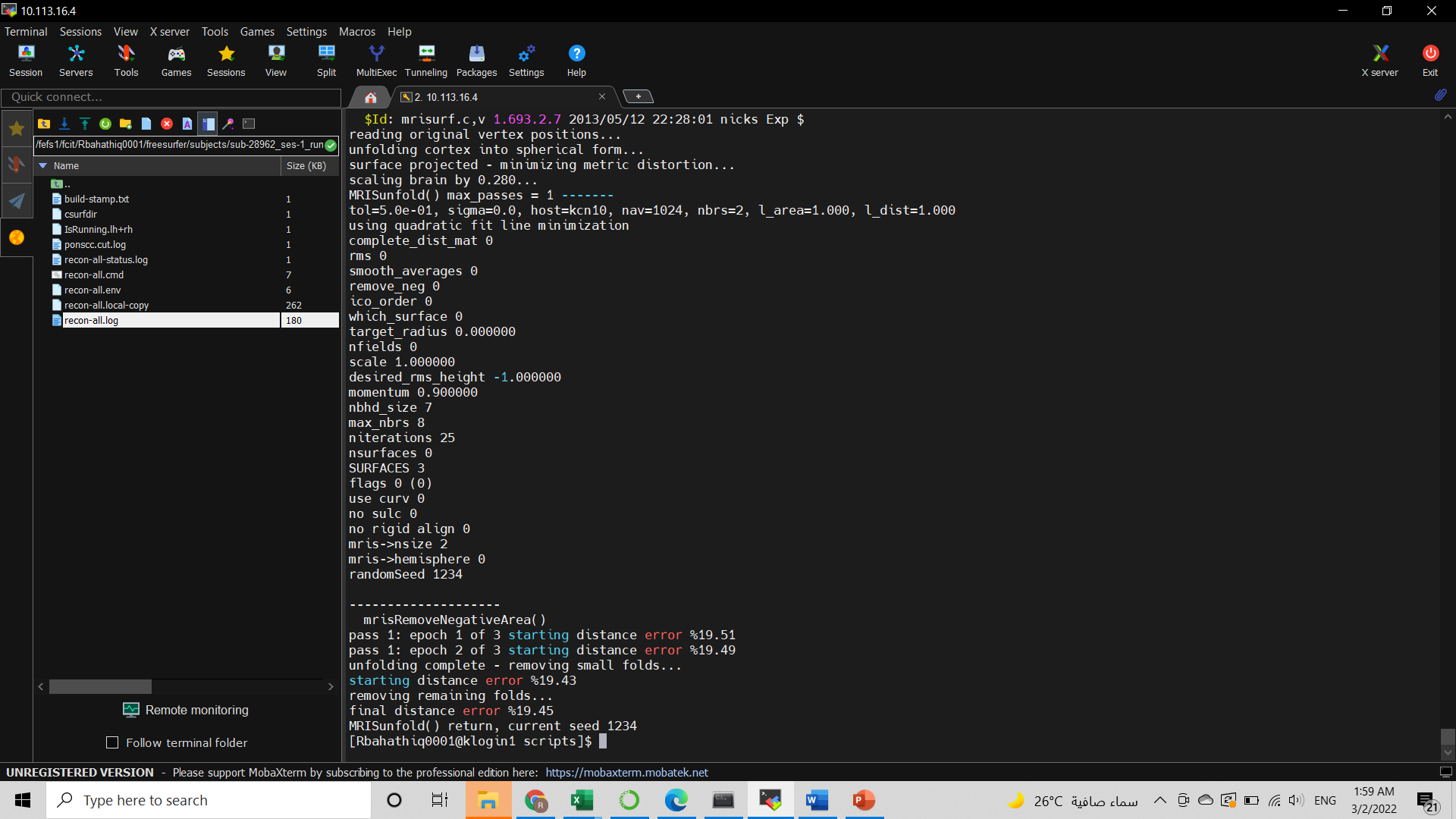
Thank you for your quick reply, here I attached the recon-all.log file and showed the end of it in the picture> Could you please explain to me how to find out the error and re-complete the processing from it? So that I can apply it to other unfinished subjects[image: image.png]
في الأربعاء، 2 مارس 2022 في 1:31 ص تمت كتابة ما يلي بواسطة Fischl, Bruce <BFISCHL@mgh.harvard.edu>:
The file recon-all.log in the scripts dir for each subject should have any error messages. Usually we start looking at the end of them to see what happened.
Cheers
Bruce
*From:* freesurfer-bounces@nmr.mgh.harvard.edu < freesurfer-bounces@nmr.mgh.harvard.edu> *On Behalf Of *REEM ABU BAKR BAHATHIQ *Sent:* Tuesday, March 1, 2022 5:10 PM *To:* Freesurfer support list freesurfer@nmr.mgh.harvard.edu *Subject:* [Freesurfer] check recon-all errors
External Email - Use Caution *Hello Freesurfer experts
I ran the full Recon-all pipeline on my 400 .scans data. I wanted to get the "wmparc.mgz" image of each subject. But I couldn't find it in some of them !!
Where can I find the error file for the subject, as I think the process is not completed here?
I would also like to inquire about the way to restart Recon-all from where the pre-processing stopped. How can I determine which step stopped processing and what should I write from a command in Linux to complete the processing process?
The attached picture shows the processing output for the subject that I think something went wrong with it
Thanks in advance
Freesurfer mailing list Freesurfer@nmr.mgh.harvard.edu https://secure-web.cisco.com/1qdaSLqRfrAUCALG3RcqTgzsYM0FV8mtAkiBZU_MbsNXPIZ... The information in this e-mail is intended only for the person to whom it is addressed. If you believe this e-mail was sent to you in error and the e-mail contains patient information, please contact the Mass General Brigham Compliance HelpLine at https://secure-web.cisco.com/1tzPyI_xyJ6Q-PteSN8cbDGp6RSz5Vb6T_QLxjODE1v0zL0... < https://secure-web.cisco.com/1tzPyI_xyJ6Q-PteSN8cbDGp6RSz5Vb6T_QLxjODE1v0zL0... . Please note that this e-mail is not secure (encrypted). If you do not wish to continue communication over unencrypted e-mail, please notify the sender of this message immediately. Continuing to send or respond to e-mail after receiving this message means you understand and accept this risk and wish to continue to communicate over unencrypted e-mail.
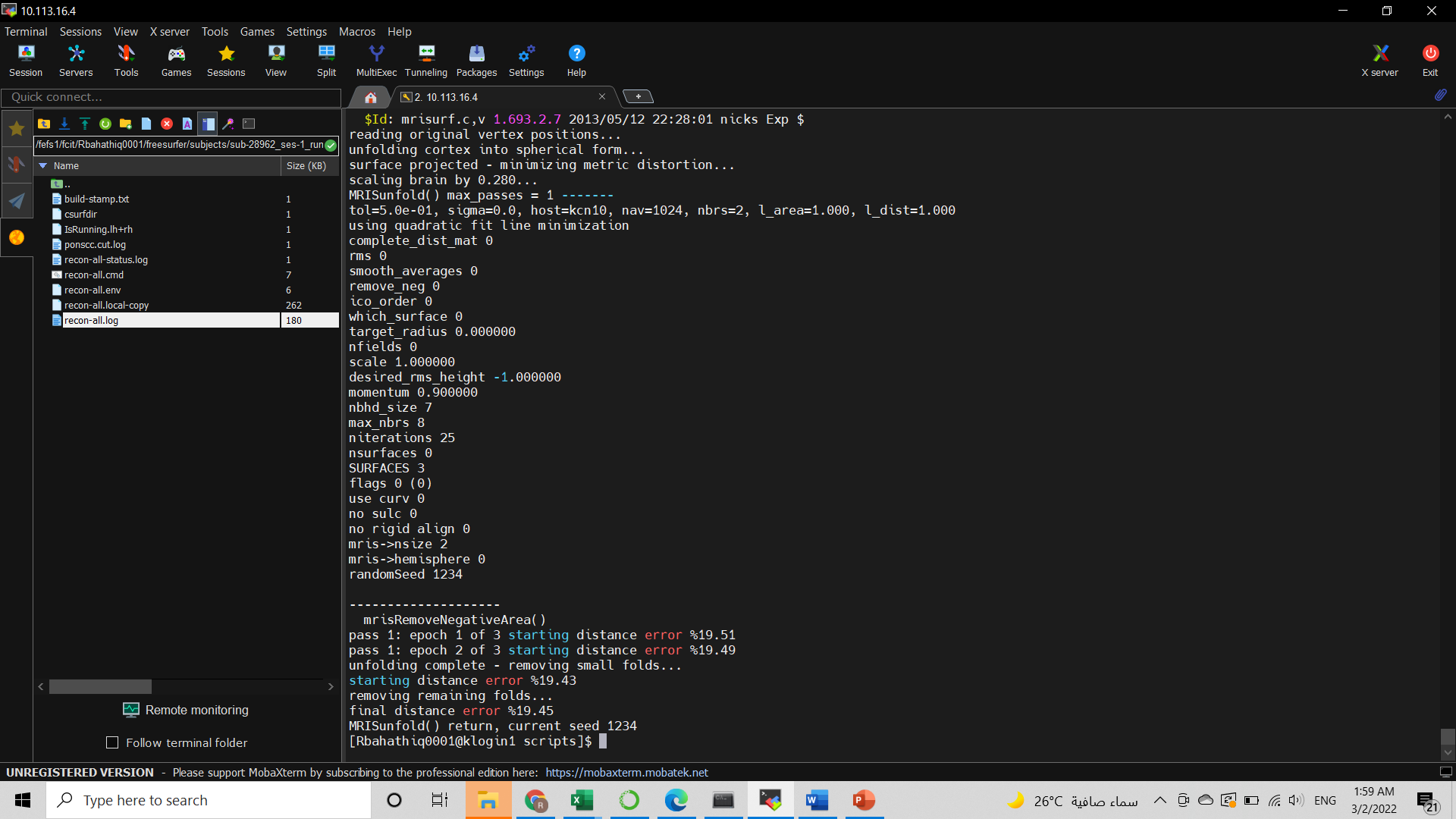
Can you send the file instead of a screen shot?
From: freesurfer-bounces@nmr.mgh.harvard.edu freesurfer-bounces@nmr.mgh.harvard.edu On Behalf Of REEM ABU BAKR BAHATHIQ Sent: Tuesday, March 1, 2022 6:04 PM To: Freesurfer support list freesurfer@nmr.mgh.harvard.edu Subject: Re: [Freesurfer] check recon-all errors
External Email - Use Caution
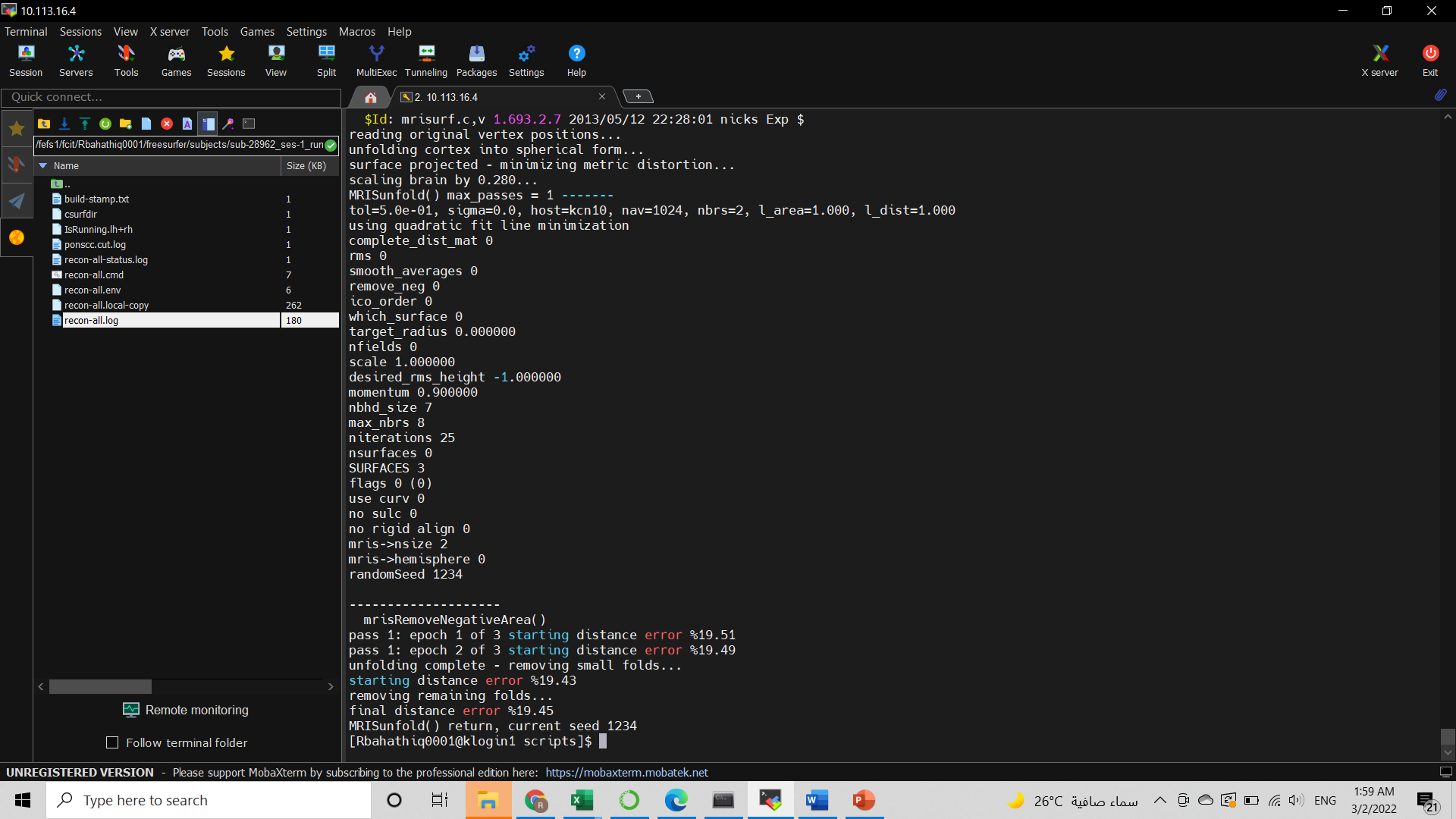
Thank you for your quick reply, here I attached the recon-all.log file and showed the end of it in the picture> Could you please explain to me how to find out the error and re-complete the processing from it? So that I can apply it to other unfinished subjects[cid:image001.png@01D82D9D.5AA94DF0]
في الأربعاء، 2 مارس 2022 في 1:31 ص تمت كتابة ما يلي بواسطة Fischl, Bruce <BFISCHL@mgh.harvard.edumailto:BFISCHL@mgh.harvard.edu>: The file recon-all.log in the scripts dir for each subject should have any error messages. Usually we start looking at the end of them to see what happened.
Cheers Bruce
From: freesurfer-bounces@nmr.mgh.harvard.edumailto:freesurfer-bounces@nmr.mgh.harvard.edu <freesurfer-bounces@nmr.mgh.harvard.edumailto:freesurfer-bounces@nmr.mgh.harvard.edu> On Behalf Of REEM ABU BAKR BAHATHIQ Sent: Tuesday, March 1, 2022 5:10 PM To: Freesurfer support list <freesurfer@nmr.mgh.harvard.edumailto:freesurfer@nmr.mgh.harvard.edu> Subject: [Freesurfer] check recon-all errors
External Email - Use Caution
Hello Freesurfer experts
I ran the full Recon-all pipeline on my 400 .scans data. I wanted to get the "wmparc.mgz" image of each subject. But I couldn't find it in some of them !!
Where can I find the error file for the subject, as I think the process is not completed here?
I would also like to inquire about the way to restart Recon-all from where the pre-processing stopped. How can I determine which step stopped processing and what should I write from a command in Linux to complete the processing process?
The attached picture shows the processing output for the subject that I think something went wrong with it
Thanks in advance [cid:image002.png@01D82D9D.5AA94DF0]
_______________________________________________ Freesurfer mailing list Freesurfer@nmr.mgh.harvard.edumailto:Freesurfer@nmr.mgh.harvard.edu MailScanner has detected a possible fraud attempt from "secure-web.cisco.com" claiming to be https://mail.nmr.mgh.harvard.edu/mailman/listinfo/freesurferhttps://secure-web.cisco.com/1qdaSLqRfrAUCALG3RcqTgzsYM0FV8mtAkiBZU_MbsNXPIZftkeJ8mZZZtSs5syVfL20gs79GL4FyJdRGmVDCYER_EoJTgehcbyvH1x8MeL0PbclJ2uHM6d9TRHClpQzCOfVqafQAidJnoePNnL2eJC92ETk_tgKyxcbmROgbgKTydbkk6MgJK5i7GLIFSBEA_OLfEz16MzMCAoC2z5XIoL4qAPC19UrACyUMi5Ks-BFNDSx9xRxXfqJIvqF1lJQfL0iiGi2AcJS1yoPG74qRKK1zXijNG_az_RjpPL3U4q4wrrAw6szT8fjQ-EYzpikM4LFK0-MT-B5-tFC5CFYh9Z8EyC1PZrcV6PVFOmNB6zE/https%3A%2F%2Fmail.nmr.mgh.harvard.edu%2Fmailman%2Flistinfo%2Ffreesurfer The information in this e-mail is intended only for the person to whom it is addressed. If you believe this e-mail was sent to you in error and the e-mail contains patient information, please contact the Mass General Brigham Compliance HelpLine at MailScanner has detected a possible fraud attempt from "secure-web.cisco.com" claiming to be https://www.massgeneralbrigham.org/compliancelinehttps://secure-web.cisco.com/1tzPyI_xyJ6Q-PteSN8cbDGp6RSz5Vb6T_QLxjODE1v0zL0jlQkwOqyRP8OHD9DUzmD_XB3l2z8M9fJeRfecjX9TsILQO4gcd7NPUju0VdF2ezrtGTByjFemOpgdJHrUiY_Pi8HwC9gLLSee7yPQpn_p0gUSTQI8T1_f-wvFYOFGI3XZdk8hwZJoOS1vklITYoosbWpfiUpy170zpy9zE7Kch6mPbGmBcbCnlycYQwhyK3dKhed7D0ftYMKGELu5O1ht8So88ybosr9pCDUhC1Vw1td0zBUtyBRTTQ6brNk0kXxw1KBbjKXTxDV9J2ENonMSuTGaXuzuX-GQIJemkkV7GXxg1890cKG5knVk0w_w/https%3A%2F%2Fwww.massgeneralbrigham.org%2Fcomplianceline <MailScanner has detected a possible fraud attempt from "secure-web.cisco.com" claiming to be https://www.massgeneralbrigham.org/compliancelinehttps://secure-web.cisco.com/1tzPyI_xyJ6Q-PteSN8cbDGp6RSz5Vb6T_QLxjODE1v0zL0jlQkwOqyRP8OHD9DUzmD_XB3l2z8M9fJeRfecjX9TsILQO4gcd7NPUju0VdF2ezrtGTByjFemOpgdJHrUiY_Pi8HwC9gLLSee7yPQpn_p0gUSTQI8T1_f-wvFYOFGI3XZdk8hwZJoOS1vklITYoosbWpfiUpy170zpy9zE7Kch6mPbGmBcbCnlycYQwhyK3dKhed7D0ftYMKGELu5O1ht8So88ybosr9pCDUhC1Vw1td0zBUtyBRTTQ6brNk0kXxw1KBbjKXTxDV9J2ENonMSuTGaXuzuX-GQIJemkkV7GXxg1890cKG5knVk0w_w/https%3A%2F%2Fwww.massgeneralbrigham.org%2Fcomplianceline> . Please note that this e-mail is not secure (encrypted). If you do not wish to continue communication over unencrypted e-mail, please notify the sender of this message immediately. Continuing to send or respond to e-mail after receiving this message means you understand and accept this risk and wish to continue to communicate over unencrypted e-mail.
External Email - Use Caution
Sure. I actually sent the recon-all. Log file
On Wed, Mar 2, 2022, 2:52 AM Fischl, Bruce BFISCHL@mgh.harvard.edu wrote:
Can you send the file instead of a screen shot?
*From:* freesurfer-bounces@nmr.mgh.harvard.edu < freesurfer-bounces@nmr.mgh.harvard.edu> *On Behalf Of *REEM ABU BAKR BAHATHIQ *Sent:* Tuesday, March 1, 2022 6:04 PM *To:* Freesurfer support list freesurfer@nmr.mgh.harvard.edu *Subject:* Re: [Freesurfer] check recon-all errors
External Email - Use Caution *Thank you for your quick reply, here I attached the recon-all.log file and showed the end of it in the picture>
Could you please explain to me how to find out the error and re-complete the processing from it? So that I can apply it to other unfinished subjects
في الأربعاء، 2 مارس 2022 في 1:31 ص تمت كتابة ما يلي بواسطة Fischl, Bruce <BFISCHL@mgh.harvard.edu>:
The file recon-all.log in the scripts dir for each subject should have any error messages. Usually we start looking at the end of them to see what happened.
Cheers
Bruce
*From:* freesurfer-bounces@nmr.mgh.harvard.edu < freesurfer-bounces@nmr.mgh.harvard.edu> *On Behalf Of *REEM ABU BAKR BAHATHIQ *Sent:* Tuesday, March 1, 2022 5:10 PM *To:* Freesurfer support list freesurfer@nmr.mgh.harvard.edu *Subject:* [Freesurfer] check recon-all errors
External Email - Use Caution *Hello Freesurfer experts
I ran the full Recon-all pipeline on my 400 .scans data. I wanted to get the "wmparc.mgz" image of each subject. But I couldn't find it in some of them !!
Where can I find the error file for the subject, as I think the process is not completed here?
I would also like to inquire about the way to restart Recon-all from where the pre-processing stopped. How can I determine which step stopped processing and what should I write from a command in Linux to complete the processing process?
The attached picture shows the processing output for the subject that I think something went wrong with it
Thanks in advance
Freesurfer mailing list Freesurfer@nmr.mgh.harvard.edu *MailScanner has detected a possible fraud attempt from "secure-web.cisco.com" claiming to be* https://secure-web.cisco.com/1rU104eyj-e3CpSx_Rv85hXj_brDWDpIjoT_zB8ZRm71MG1... https://secure-web.cisco.com/1qdaSLqRfrAUCALG3RcqTgzsYM0FV8mtAkiBZU_MbsNXPIZftkeJ8mZZZtSs5syVfL20gs79GL4FyJdRGmVDCYER_EoJTgehcbyvH1x8MeL0PbclJ2uHM6d9TRHClpQzCOfVqafQAidJnoePNnL2eJC92ETk_tgKyxcbmROgbgKTydbkk6MgJK5i7GLIFSBEA_OLfEz16MzMCAoC2z5XIoL4qAPC19UrACyUMi5Ks-BFNDSx9xRxXfqJIvqF1lJQfL0iiGi2AcJS1yoPG74qRKK1zXijNG_az_RjpPL3U4q4wrrAw6szT8fjQ-EYzpikM4LFK0-MT-B5-tFC5CFYh9Z8EyC1PZrcV6PVFOmNB6zE/https%3A%2F%2Fmail.nmr.mgh.harvard.edu%2Fmailman%2Flistinfo%2Ffreesurfer The information in this e-mail is intended only for the person to whom it is addressed. If you believe this e-mail was sent to you in error and the e-mail contains patient information, please contact the Mass General Brigham Compliance HelpLine at *MailScanner has detected a possible fraud attempt from "secure-web.cisco.com" claiming to be* https://secure-web.cisco.com/1j9Z4-KXEzMVUfKuqnVVLVrBeT_5UHPo0fF7hX9vwrou6zG... https://secure-web.cisco.com/1tzPyI_xyJ6Q-PteSN8cbDGp6RSz5Vb6T_QLxjODE1v0zL0jlQkwOqyRP8OHD9DUzmD_XB3l2z8M9fJeRfecjX9TsILQO4gcd7NPUju0VdF2ezrtGTByjFemOpgdJHrUiY_Pi8HwC9gLLSee7yPQpn_p0gUSTQI8T1_f-wvFYOFGI3XZdk8hwZJoOS1vklITYoosbWpfiUpy170zpy9zE7Kch6mPbGmBcbCnlycYQwhyK3dKhed7D0ftYMKGELu5O1ht8So88ybosr9pCDUhC1Vw1td0zBUtyBRTTQ6brNk0kXxw1KBbjKXTxDV9J2ENonMSuTGaXuzuX-GQIJemkkV7GXxg1890cKG5knVk0w_w/https%3A%2F%2Fwww.massgeneralbrigham.org%2Fcomplianceline <*MailScanner has detected a possible fraud attempt from "secure-web.cisco.com" claiming to be* https://secure-web.cisco.com/1j9Z4-KXEzMVUfKuqnVVLVrBeT_5UHPo0fF7hX9vwrou6zG... https://secure-web.cisco.com/1tzPyI_xyJ6Q-PteSN8cbDGp6RSz5Vb6T_QLxjODE1v0zL0jlQkwOqyRP8OHD9DUzmD_XB3l2z8M9fJeRfecjX9TsILQO4gcd7NPUju0VdF2ezrtGTByjFemOpgdJHrUiY_Pi8HwC9gLLSee7yPQpn_p0gUSTQI8T1_f-wvFYOFGI3XZdk8hwZJoOS1vklITYoosbWpfiUpy170zpy9zE7Kch6mPbGmBcbCnlycYQwhyK3dKhed7D0ftYMKGELu5O1ht8So88ybosr9pCDUhC1Vw1td0zBUtyBRTTQ6brNk0kXxw1KBbjKXTxDV9J2ENonMSuTGaXuzuX-GQIJemkkV7GXxg1890cKG5knVk0w_w/https%3A%2F%2Fwww.massgeneralbrigham.org%2Fcomplianceline> . Please note that this e-mail is not secure (encrypted). If you do not wish to continue communication over unencrypted e-mail, please notify the sender of this message immediately. Continuing to send or respond to e-mail after receiving this message means you understand and accept this risk and wish to continue to communicate over unencrypted e-mail.
Freesurfer mailing list Freesurfer@nmr.mgh.harvard.edu https://secure-web.cisco.com/1rU104eyj-e3CpSx_Rv85hXj_brDWDpIjoT_zB8ZRm71MG1... The information in this e-mail is intended only for the person to whom it is addressed. If you believe this e-mail was sent to you in error and the e-mail contains patient information, please contact the Mass General Brigham Compliance HelpLine at https://secure-web.cisco.com/1j9Z4-KXEzMVUfKuqnVVLVrBeT_5UHPo0fF7hX9vwrou6zG... < https://secure-web.cisco.com/1j9Z4-KXEzMVUfKuqnVVLVrBeT_5UHPo0fF7hX9vwrou6zG... . Please note that this e-mail is not secure (encrypted). If you do not wish to continue communication over unencrypted e-mail, please notify the sender of this message immediately. Continuing to send or respond to e-mail after receiving this message means you understand and accept this risk and wish to continue to communicate over unencrypted e-mail.
External Email - Use Caution
في الأربعاء، 2 مارس 2022 في 2:52 ص تمت كتابة ما يلي بواسطة Fischl, Bruce <BFISCHL@mgh.harvard.edu>:
Can you send the file instead of a screen shot?
*From:* freesurfer-bounces@nmr.mgh.harvard.edu < freesurfer-bounces@nmr.mgh.harvard.edu> *On Behalf Of *REEM ABU BAKR BAHATHIQ *Sent:* Tuesday, March 1, 2022 6:04 PM *To:* Freesurfer support list freesurfer@nmr.mgh.harvard.edu *Subject:* Re: [Freesurfer] check recon-all errors
External Email - Use Caution *Thank you for your quick reply, here I attached the recon-all.log file and showed the end of it in the picture>
Could you please explain to me how to find out the error and re-complete the processing from it? So that I can apply it to other unfinished subjects
في الأربعاء، 2 مارس 2022 في 1:31 ص تمت كتابة ما يلي بواسطة Fischl, Bruce <BFISCHL@mgh.harvard.edu>:
The file recon-all.log in the scripts dir for each subject should have any error messages. Usually we start looking at the end of them to see what happened.
Cheers
Bruce
*From:* freesurfer-bounces@nmr.mgh.harvard.edu < freesurfer-bounces@nmr.mgh.harvard.edu> *On Behalf Of *REEM ABU BAKR BAHATHIQ *Sent:* Tuesday, March 1, 2022 5:10 PM *To:* Freesurfer support list freesurfer@nmr.mgh.harvard.edu *Subject:* [Freesurfer] check recon-all errors
External Email - Use Caution *Hello Freesurfer experts
I ran the full Recon-all pipeline on my 400 .scans data. I wanted to get the "wmparc.mgz" image of each subject. But I couldn't find it in some of them !!
Where can I find the error file for the subject, as I think the process is not completed here?
I would also like to inquire about the way to restart Recon-all from where the pre-processing stopped. How can I determine which step stopped processing and what should I write from a command in Linux to complete the processing process?
The attached picture shows the processing output for the subject that I think something went wrong with it
Thanks in advance
Freesurfer mailing list Freesurfer@nmr.mgh.harvard.edu *MailScanner has detected a possible fraud attempt from "secure-web.cisco.com" claiming to be* https://secure-web.cisco.com/13EbuFizGYr9qLi5g6v5oq9t8UKgULiOHZD4MjtElEfLg36... https://secure-web.cisco.com/1qdaSLqRfrAUCALG3RcqTgzsYM0FV8mtAkiBZU_MbsNXPIZftkeJ8mZZZtSs5syVfL20gs79GL4FyJdRGmVDCYER_EoJTgehcbyvH1x8MeL0PbclJ2uHM6d9TRHClpQzCOfVqafQAidJnoePNnL2eJC92ETk_tgKyxcbmROgbgKTydbkk6MgJK5i7GLIFSBEA_OLfEz16MzMCAoC2z5XIoL4qAPC19UrACyUMi5Ks-BFNDSx9xRxXfqJIvqF1lJQfL0iiGi2AcJS1yoPG74qRKK1zXijNG_az_RjpPL3U4q4wrrAw6szT8fjQ-EYzpikM4LFK0-MT-B5-tFC5CFYh9Z8EyC1PZrcV6PVFOmNB6zE/https%3A%2F%2Fmail.nmr.mgh.harvard.edu%2Fmailman%2Flistinfo%2Ffreesurfer The information in this e-mail is intended only for the person to whom it is addressed. If you believe this e-mail was sent to you in error and the e-mail contains patient information, please contact the Mass General Brigham Compliance HelpLine at *MailScanner has detected a possible fraud attempt from "secure-web.cisco.com" claiming to be* https://secure-web.cisco.com/11eJh_-EFsOGTOaXbT6h62MSOwRmbcFM3rRWxBkiWYqoRYs... https://secure-web.cisco.com/1tzPyI_xyJ6Q-PteSN8cbDGp6RSz5Vb6T_QLxjODE1v0zL0jlQkwOqyRP8OHD9DUzmD_XB3l2z8M9fJeRfecjX9TsILQO4gcd7NPUju0VdF2ezrtGTByjFemOpgdJHrUiY_Pi8HwC9gLLSee7yPQpn_p0gUSTQI8T1_f-wvFYOFGI3XZdk8hwZJoOS1vklITYoosbWpfiUpy170zpy9zE7Kch6mPbGmBcbCnlycYQwhyK3dKhed7D0ftYMKGELu5O1ht8So88ybosr9pCDUhC1Vw1td0zBUtyBRTTQ6brNk0kXxw1KBbjKXTxDV9J2ENonMSuTGaXuzuX-GQIJemkkV7GXxg1890cKG5knVk0w_w/https%3A%2F%2Fwww.massgeneralbrigham.org%2Fcomplianceline <*MailScanner has detected a possible fraud attempt from "secure-web.cisco.com" claiming to be* https://secure-web.cisco.com/11eJh_-EFsOGTOaXbT6h62MSOwRmbcFM3rRWxBkiWYqoRYs... https://secure-web.cisco.com/1tzPyI_xyJ6Q-PteSN8cbDGp6RSz5Vb6T_QLxjODE1v0zL0jlQkwOqyRP8OHD9DUzmD_XB3l2z8M9fJeRfecjX9TsILQO4gcd7NPUju0VdF2ezrtGTByjFemOpgdJHrUiY_Pi8HwC9gLLSee7yPQpn_p0gUSTQI8T1_f-wvFYOFGI3XZdk8hwZJoOS1vklITYoosbWpfiUpy170zpy9zE7Kch6mPbGmBcbCnlycYQwhyK3dKhed7D0ftYMKGELu5O1ht8So88ybosr9pCDUhC1Vw1td0zBUtyBRTTQ6brNk0kXxw1KBbjKXTxDV9J2ENonMSuTGaXuzuX-GQIJemkkV7GXxg1890cKG5knVk0w_w/https%3A%2F%2Fwww.massgeneralbrigham.org%2Fcomplianceline> . Please note that this e-mail is not secure (encrypted). If you do not wish to continue communication over unencrypted e-mail, please notify the sender of this message immediately. Continuing to send or respond to e-mail after receiving this message means you understand and accept this risk and wish to continue to communicate over unencrypted e-mail.
Freesurfer mailing list Freesurfer@nmr.mgh.harvard.edu https://secure-web.cisco.com/13EbuFizGYr9qLi5g6v5oq9t8UKgULiOHZD4MjtElEfLg36... The information in this e-mail is intended only for the person to whom it is addressed. If you believe this e-mail was sent to you in error and the e-mail contains patient information, please contact the Mass General Brigham Compliance HelpLine at https://secure-web.cisco.com/11eJh_-EFsOGTOaXbT6h62MSOwRmbcFM3rRWxBkiWYqoRYs... < https://secure-web.cisco.com/11eJh_-EFsOGTOaXbT6h62MSOwRmbcFM3rRWxBkiWYqoRYs... . Please note that this e-mail is not secure (encrypted). If you do not wish to continue communication over unencrypted e-mail, please notify the sender of this message immediately. Continuing to send or respond to e-mail after receiving this message means you understand and accept this risk and wish to continue to communicate over unencrypted e-mail.

There are two questions here: 1. Why did it stop? Your log file does not give an indication. Is it possible it ran too long and was automatically terminated after a period of time? 2. Starting it from where it stopped. This is hard as you need to be able to see where it stopped then match that to the flags for recon-all. In some cases you can run with -make all instead of -all. This has always been a bit flaky. The easiest thing is going to be just to re-run from scratch. If a case has aseg.presurf.mgz, you can run it with -autorecon2-noaseg which will save you a lot of time.
On 3/1/2022 5:09 PM, REEM ABU BAKR BAHATHIQ wrote:
External Email - Use Caution
Hello Freesurfer experts
I ran the full Recon-all pipeline on my 400 .scans data. I wanted to get the "wmparc.mgz" image of each subject. But I couldn't find it in some of them !!
Where can I find the error file for the subject, as I think the process is not completed here?
I would also like to inquire about the way to restart Recon-all from where the pre-processing stopped. How can I determine which step stopped processing and what should I write from a command in Linux to complete the processing process?
The attached picture shows the processing output for the subject that I think something went wrong with it
Thanks in advance image.png
Freesurfer mailing list Freesurfer@nmr.mgh.harvard.edu https://mail.nmr.mgh.harvard.edu/mailman/listinfo/freesurfer
freesurfer@nmr.mgh.harvard.edu
-
 Douglas N. Greve
 -
 Fischl, Bruce
 -
 REEM ABU BAKR BAHATHIQ