
External Email - Use Caution
Good afternoon,
I downloaded Freesurfer 7.1.1 and am trying to open HCP .gii files in Freeview. I tried updating Freeview (https://secure-web.cisco.com/1veSBR5ECpngEulfhl0eWcwLxUmMQ4QR1JG2qWSdPD48G13...) using the instructions for MacOS but it fails:
Mac
1. Go into your $FREESURFER_HOME and create a backup of your existing freeview app (this may require sudo access):
cd $FREESURFER_HOME cp Freeview.app Freeview-backup.app
2. Download the dev, standalone freeview tarball from herehttps://secure-web.cisco.com/1-rTW8L4qktbL8zcQ8YGBhA2846k3Po3bbKwIzxjkbPFAKXqYiZng4E7TbL_oNNIh8w8yWq31ouz31YQB_a6aa4L-7rDROFhW8M9WVX6khqSxY3J4O47g_QO-Mi135VjhTYuW3s6eS4ooNURSfQV8DGcalmZm_VriUEnecF7ldqvi-SRSIrOIb3lPrg3OHzbthgG2DA7qODTT0c4I3OvtxBPCsGdNAxL2vOHb6yp1_L00ikk3AdR2qbyjiMZE2s9Dz-eKC1CEsImgTzov6zi1qA/https%3A%2F%2Fsurfer.nmr.mgh.harvard.edu%2Fpub%2Fdist%2Ffreesurfer%2Ffreeview%2Ffreesurfer-darwin-macOS-dev-freeview.tar.gz
3. Untar freeview within your $FREESURFER_HOME (this may require sudo):
cd $FREESURFER_HOME tar -xzvf /path/to/freesurfer-darwin-macOS_HighSierra-dev-freeview.tar.gz
4. IMPORTANT: If you are replacing freeview in a freesurfer release LESS than 7.0, then you must also remove the line "source $FREESURFER_HOME/sources.csh" from the $FREESURFER_HOME/bin/freeview script
The tar file that downloads is " freesurfer-darwin-macOS-dev-freeview.tar" is this file correct? My Mac is a MacOS Sierra (not HighSierra), version 10.12.6. Is it possible for me to get a file that is compatible with my Mac?
Thank you for your help!!!
Erika

Hi Erika,
What error message do you get when you launch Freeview on your macOS 10.12?
Ruopeng
On May 18, 2021, at 1:57 PM, Erika Nolan <erika.nolan@mail.mcgill.camailto:erika.nolan@mail.mcgill.ca> wrote:
External Email - Use Caution
External Email - Use Caution
Good afternoon,
I downloaded Freesurfer 7.1.1 and am trying to open HCP .gii files in Freeview. I tried updating Freeview (MailScanner has detected a possible fraud attempt from "secure-web.cisco.com" claiming to behttps://surfer.nmr.mgh.harvard.edu/fswiki/UpdateFreeviewhttps://secure-web.cisco.com/1veSBR5ECpngEulfhl0eWcwLxUmMQ4QR1JG2qWSdPD48G13FOkK-R9TwjcBNWdJ2A9iyLUlkwF6x3qsI_Gy-365Zoj6Xq6m5UP7F27YwZzMa6N7wSWFG7mTRt5ih9OjVHlyM5-gD6y2DUIfnYZJsj7_hVAIP5hm7I3Xc7ygLvtlN3dDVf2elsgbpseQOr3vGGBkEs2F0L8XBcMYk1HOhDdqmnxzGpJTFRIgC0Mij_YCeJxbDhxm_cGqGxLi92zmR-GTyQKsr1F1hN7mk_upaPvg/https%3A%2F%2Fsurfer.nmr.mgh.harvard.edu%2Ffswiki%2FUpdateFreeview) using the instructions for MacOS but it fails:
Mac
1. Go into your $FREESURFER_HOME and create a backup of your existing freeview app (this may require sudo access):
cd $FREESURFER_HOME cp Freeview.app Freeview-backup.app
2. Download the dev, standalone freeview tarball from herehttps://secure-web.cisco.com/1-rTW8L4qktbL8zcQ8YGBhA2846k3Po3bbKwIzxjkbPFAKXqYiZng4E7TbL_oNNIh8w8yWq31ouz31YQB_a6aa4L-7rDROFhW8M9WVX6khqSxY3J4O47g_QO-Mi135VjhTYuW3s6eS4ooNURSfQV8DGcalmZm_VriUEnecF7ldqvi-SRSIrOIb3lPrg3OHzbthgG2DA7qODTT0c4I3OvtxBPCsGdNAxL2vOHb6yp1_L00ikk3AdR2qbyjiMZE2s9Dz-eKC1CEsImgTzov6zi1qA/https%3A%2F%2Fsurfer.nmr.mgh.harvard.edu%2Fpub%2Fdist%2Ffreesurfer%2Ffreeview%2Ffreesurfer-darwin-macOS-dev-freeview.tar.gz 3. Untar freeview within your $FREESURFER_HOME (this may require sudo):
cd $FREESURFER_HOME tar -xzvf /path/to/freesurfer-darwin-macOS_HighSierra-dev-freeview.tar.gz
4. IMPORTANT: If you are replacing freeview in a freesurfer release LESS than 7.0, then you must also remove the line "source $FREESURFER_HOME/sources.csh" from the $FREESURFER_HOME/bin/freeview script
The tar file that downloads is " freesurfer-darwin-macOS-dev-freeview.tar" is this file correct? My Mac is a MacOS Sierra (not HighSierra), version 10.12.6. Is it possible for me to get a file that is compatible with my Mac?
Thank you for your help!!!
Erika _______________________________________________ Freesurfer mailing list Freesurfer@nmr.mgh.harvard.edumailto:Freesurfer@nmr.mgh.harvard.edu https://secure-web.cisco.com/1AQSAr02FrsV4NIpa6uoj1cC1C_v3jxR-yTA3RsmVRsoHfJ...
External Email - Use Caution
Hi Ruopeng,
Thank you for the quick reply.
When I attempt to untar Freeview:
erikanolan$ tar -xzvf /Users/erikanolan/Downloads/freesurfer-darwin-macOS-HighSierra-dev-freeview.tar.gz
tar: Error opening archive: Failed to open '/Users/erikanolan/Downloads/freesurfer-darwin-macOS-HighSierra-dev-freeview.tar.gz'
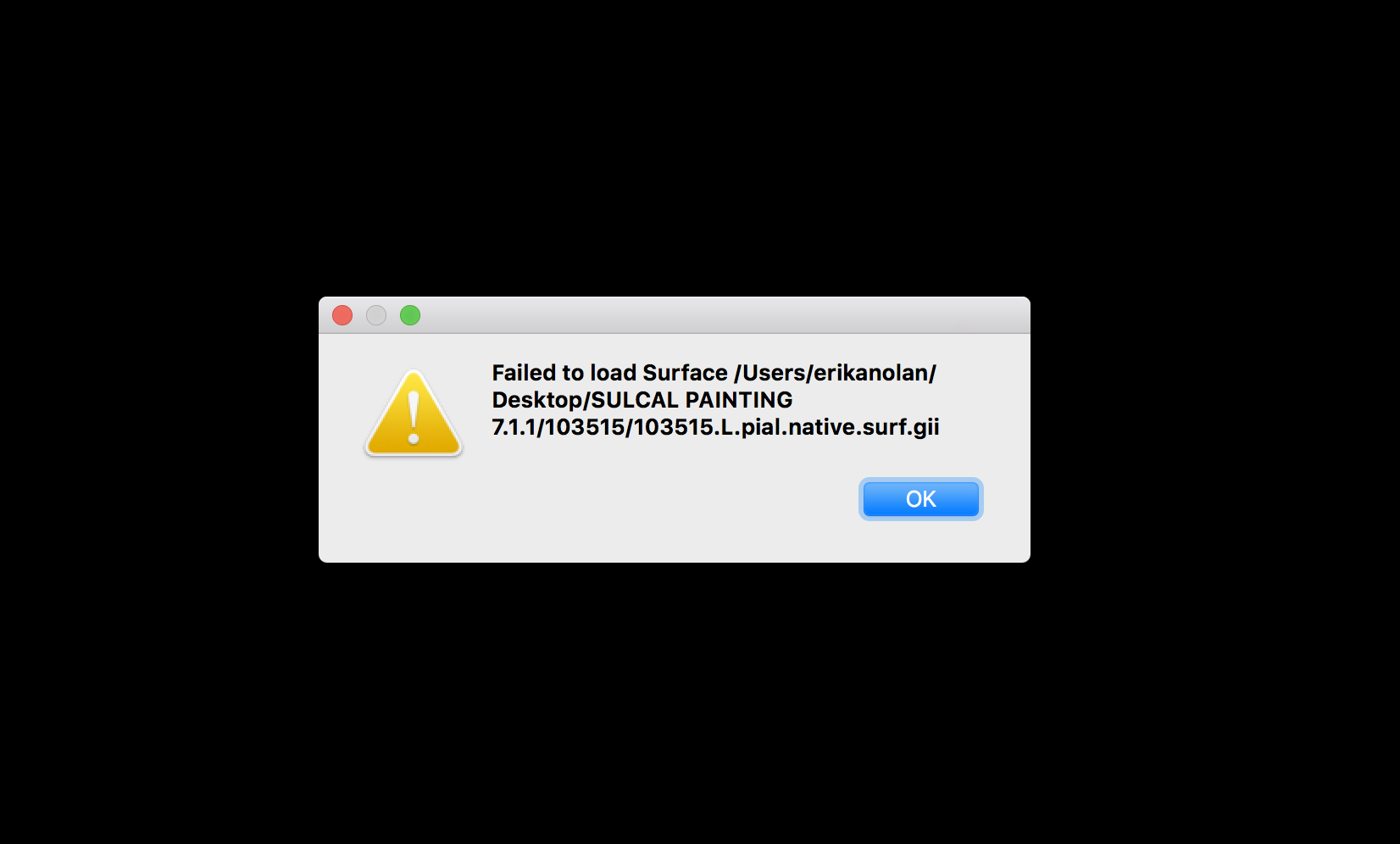
When I attempt to open a HCP .gii file on Freeview (also see attached screenshot):
** invalid: gim version = 1
mrisReadGIFTIfile: GIFTI file /Users/erikanolan/Desktop/SULCAL PAINTING 7.1.1/103515/103515.L.pial.native.surf.gii is invalid!
MRISread failed
mrisReadGIFTIfile: GIFTI file /Users/erikanolan/Desktop/SULCAL PAINTING 7.1.1/103515/103515.L.pial.native.surf.gii is invalid!
Thank you,
Erika
_____________________________
Erika Nolan
Ph.D. Candidate
Clinical Psychology, Department of Psychology
Montreal Neurological Institute McGill University Montreal, Canada ________________________________ From: freesurfer-bounces@nmr.mgh.harvard.edu freesurfer-bounces@nmr.mgh.harvard.edu on behalf of Wang, Ruopeng RWANG4@mgh.harvard.edu Sent: May 18, 2021 2:50 PM To: Freesurfer support list freesurfer@nmr.mgh.harvard.edu Subject: Re: [Freesurfer] Freeview Update using MAC
Hi Erika,
What error message do you get when you launch Freeview on your macOS 10.12?
Ruopeng
On May 18, 2021, at 1:57 PM, Erika Nolan <erika.nolan@mail.mcgill.camailto:erika.nolan@mail.mcgill.ca> wrote:
External Email - Use Caution
External Email - Use Caution
Good afternoon,
I downloaded Freesurfer 7.1.1 and am trying to open HCP .gii files in Freeview. I tried updating Freeview (MailScanner has detected a possible fraud attempt from "secure-web.cisco.com" claiming to behttps://surfer.nmr.mgh.harvard.edu/fswiki/UpdateFreeviewhttps://secure-web.cisco.com/1veSBR5ECpngEulfhl0eWcwLxUmMQ4QR1JG2qWSdPD48G13FOkK-R9TwjcBNWdJ2A9iyLUlkwF6x3qsI_Gy-365Zoj6Xq6m5UP7F27YwZzMa6N7wSWFG7mTRt5ih9OjVHlyM5-gD6y2DUIfnYZJsj7_hVAIP5hm7I3Xc7ygLvtlN3dDVf2elsgbpseQOr3vGGBkEs2F0L8XBcMYk1HOhDdqmnxzGpJTFRIgC0Mij_YCeJxbDhxm_cGqGxLi92zmR-GTyQKsr1F1hN7mk_upaPvg/https%3A%2F%2Fsurfer.nmr.mgh.harvard.edu%2Ffswiki%2FUpdateFreeview) using the instructions for MacOS but it fails:
Mac
1. Go into your $FREESURFER_HOME and create a backup of your existing freeview app (this may require sudo access):
cd $FREESURFER_HOME cp Freeview.app Freeview-backup.app
2. Download the dev, standalone freeview tarball from herehttps://secure-web.cisco.com/1-rTW8L4qktbL8zcQ8YGBhA2846k3Po3bbKwIzxjkbPFAKXqYiZng4E7TbL_oNNIh8w8yWq31ouz31YQB_a6aa4L-7rDROFhW8M9WVX6khqSxY3J4O47g_QO-Mi135VjhTYuW3s6eS4ooNURSfQV8DGcalmZm_VriUEnecF7ldqvi-SRSIrOIb3lPrg3OHzbthgG2DA7qODTT0c4I3OvtxBPCsGdNAxL2vOHb6yp1_L00ikk3AdR2qbyjiMZE2s9Dz-eKC1CEsImgTzov6zi1qA/https%3A%2F%2Fsurfer.nmr.mgh.harvard.edu%2Fpub%2Fdist%2Ffreesurfer%2Ffreeview%2Ffreesurfer-darwin-macOS-dev-freeview.tar.gz 3. Untar freeview within your $FREESURFER_HOME (this may require sudo):
cd $FREESURFER_HOME tar -xzvf /path/to/freesurfer-darwin-macOS_HighSierra-dev-freeview.tar.gz
4. IMPORTANT: If you are replacing freeview in a freesurfer release LESS than 7.0, then you must also remove the line "source $FREESURFER_HOME/sources.csh" from the $FREESURFER_HOME/bin/freeview script
The tar file that downloads is " freesurfer-darwin-macOS-dev-freeview.tar" is this file correct? My Mac is a MacOS Sierra (not HighSierra), version 10.12.6. Is it possible for me to get a file that is compatible with my Mac?
Thank you for your help!!!
Erika _______________________________________________ Freesurfer mailing list Freesurfer@nmr.mgh.harvard.edumailto:Freesurfer@nmr.mgh.harvard.edu https://secure-web.cisco.com/1AQSAr02FrsV4NIpa6uoj1cC1C_v3jxR-yTA3RsmVRsoHfJ...
Would it be possible to send me the gii file?
________________________________ From: freesurfer-bounces@nmr.mgh.harvard.edu freesurfer-bounces@nmr.mgh.harvard.edu on behalf of Erika Nolan erika.nolan@mail.mcgill.ca Sent: Tuesday, May 18, 2021 2:56:53 PM To: Freesurfer support list freesurfer@nmr.mgh.harvard.edu Subject: Re: [Freesurfer] Freeview Update using MAC
External Email - Use Caution
External Email - Use Caution
Hi Ruopeng,
Thank you for the quick reply.
When I attempt to untar Freeview:
erikanolan$ tar -xzvf /Users/erikanolan/Downloads/freesurfer-darwin-macOS-HighSierra-dev-freeview.tar.gz
tar: Error opening archive: Failed to open '/Users/erikanolan/Downloads/freesurfer-darwin-macOS-HighSierra-dev-freeview.tar.gz'
When I attempt to open a HCP .gii file on Freeview (also see attached screenshot):
** invalid: gim version = 1
mrisReadGIFTIfile: GIFTI file /Users/erikanolan/Desktop/SULCAL PAINTING 7.1.1/103515/103515.L.pial.native.surf.gii is invalid!
MRISread failed
mrisReadGIFTIfile: GIFTI file /Users/erikanolan/Desktop/SULCAL PAINTING 7.1.1/103515/103515.L.pial.native.surf.gii is invalid!
Thank you,
Erika
_____________________________
Erika Nolan
Ph.D. Candidate
Clinical Psychology, Department of Psychology
Montreal Neurological Institute McGill University Montreal, Canada ________________________________ From: freesurfer-bounces@nmr.mgh.harvard.edu freesurfer-bounces@nmr.mgh.harvard.edu on behalf of Wang, Ruopeng RWANG4@mgh.harvard.edu Sent: May 18, 2021 2:50 PM To: Freesurfer support list freesurfer@nmr.mgh.harvard.edu Subject: Re: [Freesurfer] Freeview Update using MAC
Hi Erika,
What error message do you get when you launch Freeview on your macOS 10.12?
Ruopeng
On May 18, 2021, at 1:57 PM, Erika Nolan <erika.nolan@mail.mcgill.camailto:erika.nolan@mail.mcgill.ca> wrote:
External Email - Use Caution
External Email - Use Caution
Good afternoon,
I downloaded Freesurfer 7.1.1 and am trying to open HCP .gii files in Freeview. I tried updating Freeview (MailScanner has detected a possible fraud attempt from "secure-web.cisco.com" claiming to behttps://surfer.nmr.mgh.harvard.edu/fswiki/UpdateFreeviewhttps://secure-web.cisco.com/1veSBR5ECpngEulfhl0eWcwLxUmMQ4QR1JG2qWSdPD48G13FOkK-R9TwjcBNWdJ2A9iyLUlkwF6x3qsI_Gy-365Zoj6Xq6m5UP7F27YwZzMa6N7wSWFG7mTRt5ih9OjVHlyM5-gD6y2DUIfnYZJsj7_hVAIP5hm7I3Xc7ygLvtlN3dDVf2elsgbpseQOr3vGGBkEs2F0L8XBcMYk1HOhDdqmnxzGpJTFRIgC0Mij_YCeJxbDhxm_cGqGxLi92zmR-GTyQKsr1F1hN7mk_upaPvg/https%3A%2F%2Fsurfer.nmr.mgh.harvard.edu%2Ffswiki%2FUpdateFreeview) using the instructions for MacOS but it fails:
Mac
1. Go into your $FREESURFER_HOME and create a backup of your existing freeview app (this may require sudo access):
cd $FREESURFER_HOME cp Freeview.app Freeview-backup.app
2. Download the dev, standalone freeview tarball from herehttps://secure-web.cisco.com/1-rTW8L4qktbL8zcQ8YGBhA2846k3Po3bbKwIzxjkbPFAKXqYiZng4E7TbL_oNNIh8w8yWq31ouz31YQB_a6aa4L-7rDROFhW8M9WVX6khqSxY3J4O47g_QO-Mi135VjhTYuW3s6eS4ooNURSfQV8DGcalmZm_VriUEnecF7ldqvi-SRSIrOIb3lPrg3OHzbthgG2DA7qODTT0c4I3OvtxBPCsGdNAxL2vOHb6yp1_L00ikk3AdR2qbyjiMZE2s9Dz-eKC1CEsImgTzov6zi1qA/https%3A%2F%2Fsurfer.nmr.mgh.harvard.edu%2Fpub%2Fdist%2Ffreesurfer%2Ffreeview%2Ffreesurfer-darwin-macOS-dev-freeview.tar.gz 3. Untar freeview within your $FREESURFER_HOME (this may require sudo):
cd $FREESURFER_HOME tar -xzvf /path/to/freesurfer-darwin-macOS_HighSierra-dev-freeview.tar.gz
4. IMPORTANT: If you are replacing freeview in a freesurfer release LESS than 7.0, then you must also remove the line "source $FREESURFER_HOME/sources.csh" from the $FREESURFER_HOME/bin/freeview script
The tar file that downloads is " freesurfer-darwin-macOS-dev-freeview.tar" is this file correct? My Mac is a MacOS Sierra (not HighSierra), version 10.12.6. Is it possible for me to get a file that is compatible with my Mac?
Thank you for your help!!!
Erika _______________________________________________ Freesurfer mailing list Freesurfer@nmr.mgh.harvard.edumailto:Freesurfer@nmr.mgh.harvard.edu https://secure-web.cisco.com/1AQSAr02FrsV4NIpa6uoj1cC1C_v3jxR-yTA3RsmVRsoHfJ...

Hi Erika,
Can you untar the file you downloaded instead of the "HighSierra" version. There was a small typo in the UpdateFreeview instructions that mentioned high-sierra. The freeview you downloaded should work fine for 10.12
Best, Andrew
From: freesurfer-bounces@nmr.mgh.harvard.edu freesurfer-bounces@nmr.mgh.harvard.edu on behalf of Erika Nolan erika.nolan@mail.mcgill.ca Date: Tuesday, May 18, 2021 at 2:57 PM To: Freesurfer support list freesurfer@nmr.mgh.harvard.edu Subject: Re: [Freesurfer] Freeview Update using MAC
External Email - Use Caution
External Email - Use Caution Hi Ruopeng,
Thank you for the quick reply.
When I attempt to untar Freeview:
erikanolan$ tar -xzvf /Users/erikanolan/Downloads/freesurfer-darwin-macOS-HighSierra-dev-freeview.tar.gz
tar: Error opening archive: Failed to open '/Users/erikanolan/Downloads/freesurfer-darwin-macOS-HighSierra-dev-freeview.tar.gz'
When I attempt to open a HCP .gii file on Freeview (also see attached screenshot):
** invalid: gim version = 1
mrisReadGIFTIfile: GIFTI file /Users/erikanolan/Desktop/SULCAL PAINTING 7.1.1/103515/103515.L.pial.native.surf.gii is invalid!
MRISread failed
mrisReadGIFTIfile: GIFTI file /Users/erikanolan/Desktop/SULCAL PAINTING 7.1.1/103515/103515.L.pial.native.surf.gii is invalid!
Thank you,
Erika
_____________________________
Erika Nolan
Ph.D. Candidate
Clinical Psychology, Department of Psychology
Montreal Neurological Institute McGill University Montreal, Canada ________________________________ From: freesurfer-bounces@nmr.mgh.harvard.edu freesurfer-bounces@nmr.mgh.harvard.edu on behalf of Wang, Ruopeng RWANG4@mgh.harvard.edu Sent: May 18, 2021 2:50 PM To: Freesurfer support list freesurfer@nmr.mgh.harvard.edu Subject: Re: [Freesurfer] Freeview Update using MAC
Hi Erika,
What error message do you get when you launch Freeview on your macOS 10.12?
Ruopeng
On May 18, 2021, at 1:57 PM, Erika Nolan <erika.nolan@mail.mcgill.camailto:erika.nolan@mail.mcgill.ca> wrote:
External Email - Use Caution External Email - Use Caution Good afternoon,
I downloaded Freesurfer 7.1.1 and am trying to open HCP .gii files in Freeview. I tried updating Freeview (MailScanner has detected a possible fraud attempt from "secure-web.cisco.com" claiming to behttps://surfer.nmr.mgh.harvard.edu/fswiki/UpdateFreeviewhttps://secure-web.cisco.com/1veSBR5ECpngEulfhl0eWcwLxUmMQ4QR1JG2qWSdPD48G13FOkK-R9TwjcBNWdJ2A9iyLUlkwF6x3qsI_Gy-365Zoj6Xq6m5UP7F27YwZzMa6N7wSWFG7mTRt5ih9OjVHlyM5-gD6y2DUIfnYZJsj7_hVAIP5hm7I3Xc7ygLvtlN3dDVf2elsgbpseQOr3vGGBkEs2F0L8XBcMYk1HOhDdqmnxzGpJTFRIgC0Mij_YCeJxbDhxm_cGqGxLi92zmR-GTyQKsr1F1hN7mk_upaPvg/https%3A%2F%2Fsurfer.nmr.mgh.harvard.edu%2Ffswiki%2FUpdateFreeview) using the instructions for MacOS but it fails:
Mac
1. Go into your $FREESURFER_HOME and create a backup of your existing freeview app (this may require sudo access):
2. cd $FREESURFER_HOME
cp Freeview.app Freeview-backup.app
1. Download the dev, standalone freeview tarball from herehttps://secure-web.cisco.com/1-rTW8L4qktbL8zcQ8YGBhA2846k3Po3bbKwIzxjkbPFAKXqYiZng4E7TbL_oNNIh8w8yWq31ouz31YQB_a6aa4L-7rDROFhW8M9WVX6khqSxY3J4O47g_QO-Mi135VjhTYuW3s6eS4ooNURSfQV8DGcalmZm_VriUEnecF7ldqvi-SRSIrOIb3lPrg3OHzbthgG2DA7qODTT0c4I3OvtxBPCsGdNAxL2vOHb6yp1_L00ikk3AdR2qbyjiMZE2s9Dz-eKC1CEsImgTzov6zi1qA/https%3A%2F%2Fsurfer.nmr.mgh.harvard.edu%2Fpub%2Fdist%2Ffreesurfer%2Ffreeview%2Ffreesurfer-darwin-macOS-dev-freeview.tar.gz
1. Untar freeview within your $FREESURFER_HOME (this may require sudo):
5. cd $FREESURFER_HOME
tar -xzvf /path/to/freesurfer-darwin-macOS_HighSierra-dev-freeview.tar.gz
1. IMPORTANT: If you are replacing freeview in a freesurfer release LESS than 7.0, then you must also remove the line "source $FREESURFER_HOME/sources.csh" from the $FREESURFER_HOME/bin/freeview script
The tar file that downloads is " freesurfer-darwin-macOS-dev-freeview.tar" is this file correct? My Mac is a MacOS Sierra (not HighSierra), version 10.12.6. Is it possible for me to get a file that is compatible with my Mac?
Thank you for your help!!!
Erika _______________________________________________ Freesurfer mailing list Freesurfer@nmr.mgh.harvard.edumailto:Freesurfer@nmr.mgh.harvard.edu https://secure-web.cisco.com/1AQSAr02FrsV4NIpa6uoj1cC1C_v3jxR-yTA3RsmVRsoHfJ...
freesurfer@nmr.mgh.harvard.edu
-
 Erika Nolan
 -
 Hoopes, Andrew
 -
 Wang, Ruopeng