External Email - Use Caution
Hi Ruopeng,
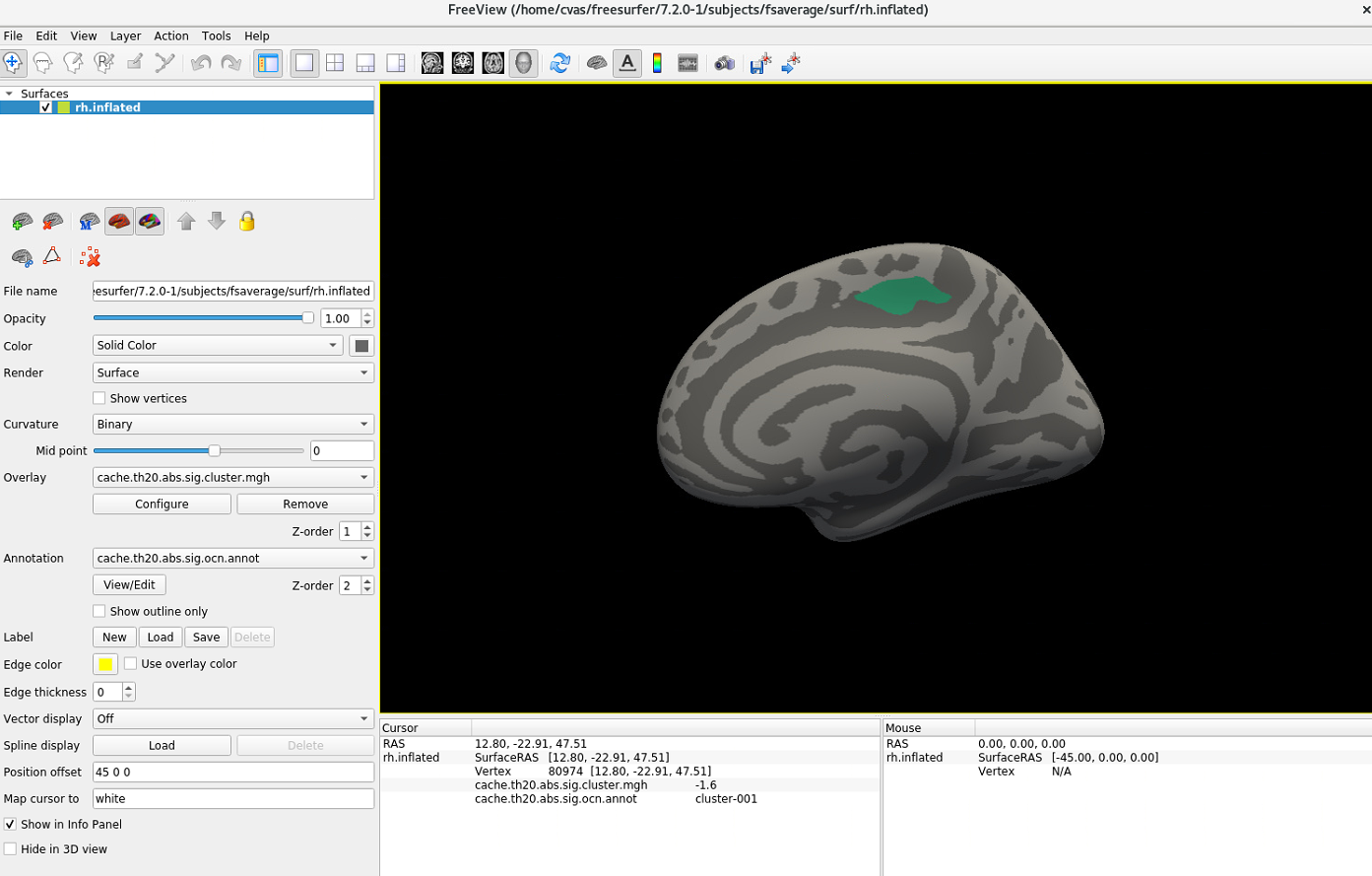
I tried to adjust overlay thresholds in the Configure Overlay window, but I think it still looks weird. The gray part should be blue and the blue part should be gray since when I clicked the gray part it showed -1.6 and the blue 0. Could you please let me know how to flip this?
[image: image.png]
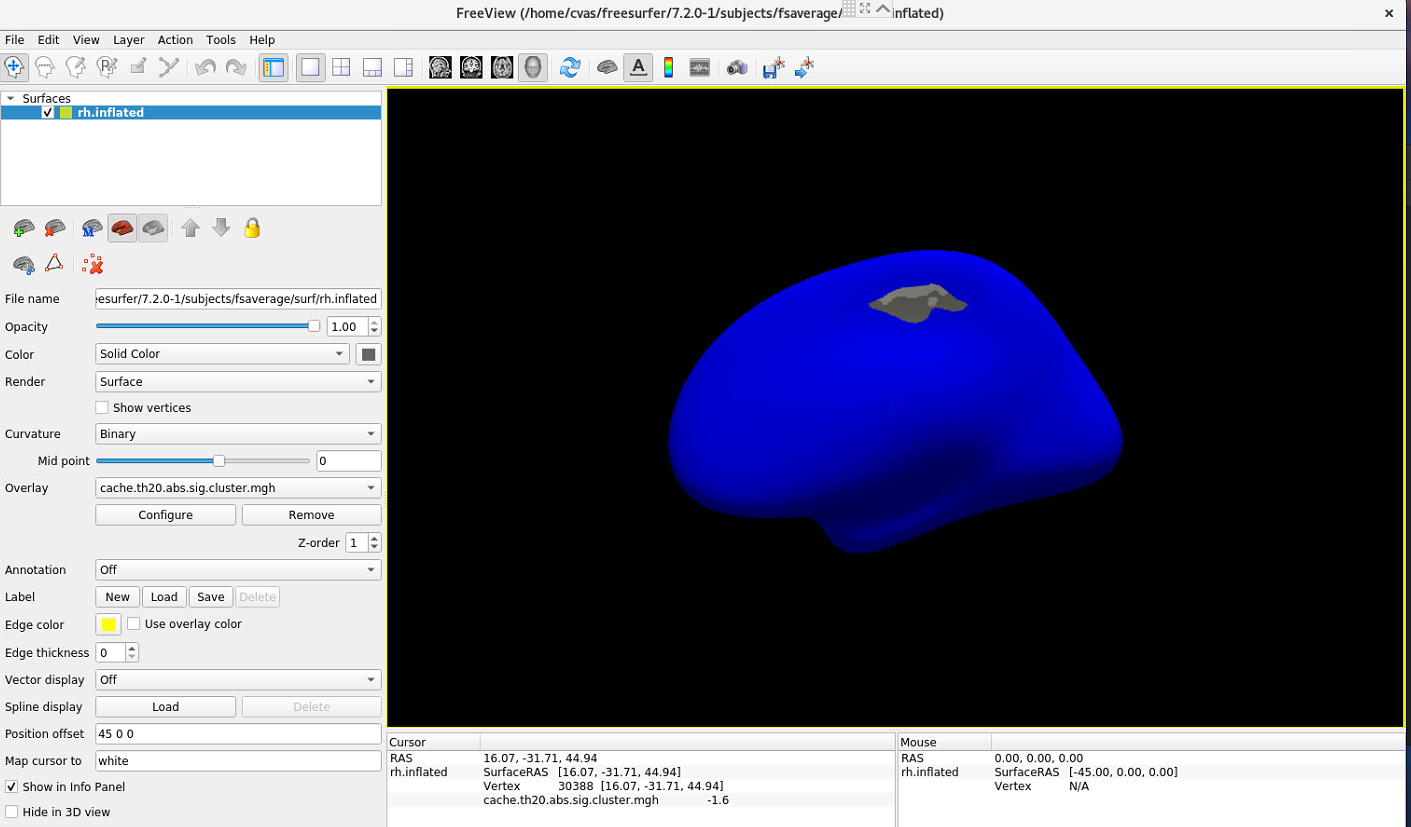
I also tried to overlay annot file according to the instruction on this page (https://secure-web.cisco.com/1GtdxN3OBQUG-GAQeHnvyIEHYFqFakZTImx2fOZLeWBHrbe...) using the below script.
freeview -f $SUBJECTS_DIR/fsaverage/surf/rh.inflated:overlay=cache.th20.abs.sig.cluster.mgh:overlay_threshold=2,5:annot=cache.th20.abs.sig.ocn.annot -viewport 3d
[image: image.png]
So this result shows the gray part in the first photo should be blue. Could you please advise?
Best, Jun
On Thu, Oct 6, 2022 at 4:38 PM Wang, Ruopeng RWANG4@mgh.harvard.edu wrote:
You can adjust overlay thresholds in Configure Overlay window.
Ruopeng
On Oct 6, 2022, at 10:49 AM, Jun Yeon Won won25@umd.edu wrote:
External Email - Use CautionDear Freesurfer experts,
I am running a linear regression analysis and found a significant result showing below (cache.th20.abs.sig.cluster.summary file).
<image.png> I ran the below script to get this result. Right hemisphere was focused for this analysis.
      mri_glmfit-sim --glmdir rh.thickness.10.glmdir \
      --cache 2 abs \
      --cwp 0.05
But, when visualizing the cache.th20.abs.sig.cluster.mgh file, it shows below - the hemisphere is in yellow.
<image.png>
The below is a visualization of sig.mgh. The underlay should be gray but I am not sure why the underlay looks yellow when overlaying the thresholded result.
<image.png>
I saw somebody posted the same issue here (*MailScanner has detected a possible fraud attempt from "secure-web.cisco.com" claiming to be* https://secure-web.cisco.com/12Wi-IEpe4k4W6gFnp2O5uPymxVG0BNLl1FX2p4Qp2l96lK... https://secure-web.cisco.com/1OHcN_bRSEDk0roNAjIAfufCwrh4xf7rzgQtoclY3flDVpCe2znW_Z-NEpNRC5ahFScfL8n7RZ7746EG5EibldfK0DyeuD8DOWxlEyzUiN6n_d2y4MRqLtRR8U2w2JQKD1dWyZjSMMQFhQKdnQGw_18koHPTGIRMmENF2G45P9aleWGnIh9S5DkSuIB8fqjPlWZZf9mEfzCdZl1dfoU5zRunt_p6sTDDJbI1pdAK_fiffsZyrD7IoVFSicGxBcz_6P8d2ROKxTtCbnNCmdL3Cw_CbU505e2Yr2rrdrRUWeHs1bWHNGTWzCNfcxGeiA2Zd/https%3A%2F%2Fwww.mail-archive.com%2Ffreesurfer%40nmr.mgh.harvard.edu%2Fmsg46328.html), but I was not able to find the solution from here. Could you please let me know what is an issue and how to resolve this?
Best, Jun
Freesurfer mailing list Freesurfer@nmr.mgh.harvard.edu https://secure-web.cisco.com/13NEvITjKAgurs-U1UnvIfWvlvqnLo9_QMysNMNzDnZZ_-r...
Freesurfer mailing list Freesurfer@nmr.mgh.harvard.edu https://secure-web.cisco.com/13NEvITjKAgurs-U1UnvIfWvlvqnLo9_QMysNMNzDnZZ_-r... The information in this e-mail is intended only for the person to whom it is addressed. If you believe this e-mail was sent to you in error and the e-mail contains patient information, please contact the Mass General Brigham Compliance HelpLine at https://secure-web.cisco.com/19sMtHybNLtCo8ojm1GWpSoKA174P5ZeBhE92krel4HQl9D... < https://secure-web.cisco.com/19sMtHybNLtCo8ojm1GWpSoKA174P5ZeBhE92krel4HQl9D... . Please note that this e-mail is not secure (encrypted). If you do not wish to continue communication over unencrypted e-mail, please notify the sender of this message immediately. Continuing to send or respond to e-mail after receiving this message means you understand and accept this risk and wish to continue to communicate over unencrypted e-mail.